29
AUDIO CONTROLS
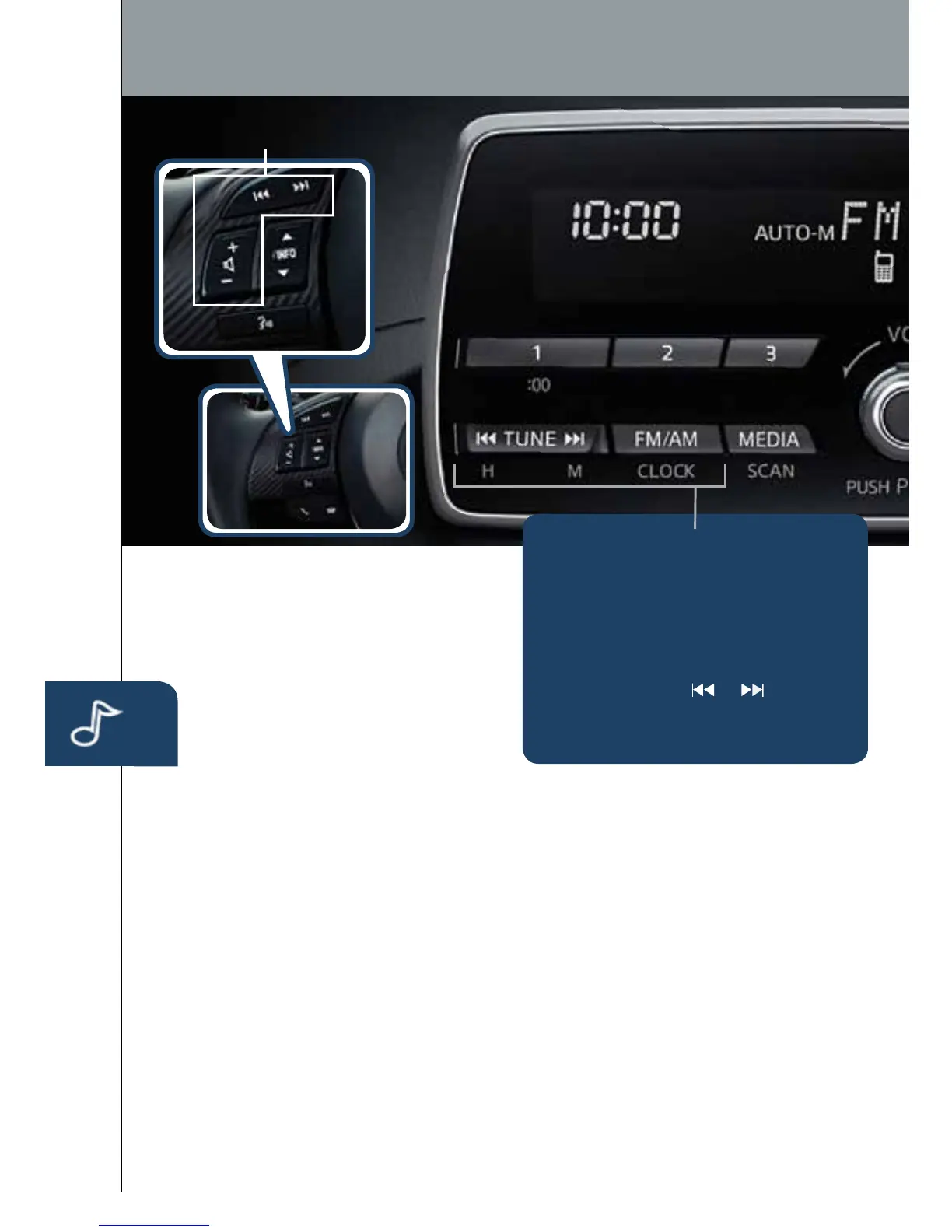
Audio Controls (without Infotainment)
POWER ON/OFF
Push the POWER/VOL dial.
MEDIA SELECTION
FM/AM: Push FM/AM button to
select the FM1, FM2, or AM band.
The selected band will be indicated
in the display.
MEDIA:PushtoselectBluetooth,
CD,USB,orAUX.
TUNING
The radio has the following tuning
controls:
Manual: Lightly push the TUNE
arrows to manually change the
frequency up or down.
Seek: Push and hold the TUNE
arrows until a beep is heard to
automatically seek a higher or lower
frequency with a station.
Scan: Push and hold the MEDIA
button to automatically sample
strong stations for about 5 seconds
each. Push again to cancel.
Preset Channel: Push 1/2/3/4/5/6
button to select a station stored in
memory. To store a station, push
and hold 1/2/3/4/5/6 until station
is displayed.
Auto Memory Tuning: Push and
hold the AUTO-M button until a
beep is heard to store an additional
6 stations with a strong signal on
each FM and AM band without
disturbing the previously stored
stations. To return to the previously
stored stations, push FM/AM button.
Use this when travelling outside
your local area. Refer to the Owner’s
Manual for complete details.
SETTING YOUR CLOCK
1 Push and hold FM/AM (CLOCK)
button until a beep sound is
heard. The current time will ash.
2 To adjust the time, push (and
hold) the Hour or Minute set
button (TUNE
or ).
3 Push the FM/AM (CLOCK)
button again.
1518135_14d_Mazda3_SSG_070313.indd 29 7/3/13 3:14 PM



 To Next Page