33
IMPORTANT:
• Set the volume level on your portable audio player to the highest level before
distortion starts, then use the vehicle’s audio system to adjust the volume.
•UnpluganydevicefromtheUSBportandaccessorysocketbeforeturningoff
the vehicle. Leaving devices plugged in can drain the battery and cause issues
duringtheBluetoothpairingprocessatstartup.Waitabout15secondsafter
startingthevehiclebeforeplugginganythingintotheUSBport.
1 LocatetheUSBportorAUXjack.
2 Connect the device plug into the portable audio player and into the
USBportorAUXjack.
3 Turn the vehicle audio system on.
4 • Audio Controls (without infotainment): Push the MEDIA
buttonontheaudiounittoswitchtotheAUXorUSBmode.
• AudioControls(withinfotainment):SelectAUXorUSBfromthe
Sources menu.
5 • USB Port: Use the vehicle’s audio system or steering wheel controls
tocontroltheconnectedUSBdevice.
•AUX Jack: Use the portable audio player controls to play music.
Refer to the Owner’s Manual for additional information.
PORTABLE AUDIO PLAYER
INTEGRATION USING THE
USB PORT OR AUX JACK
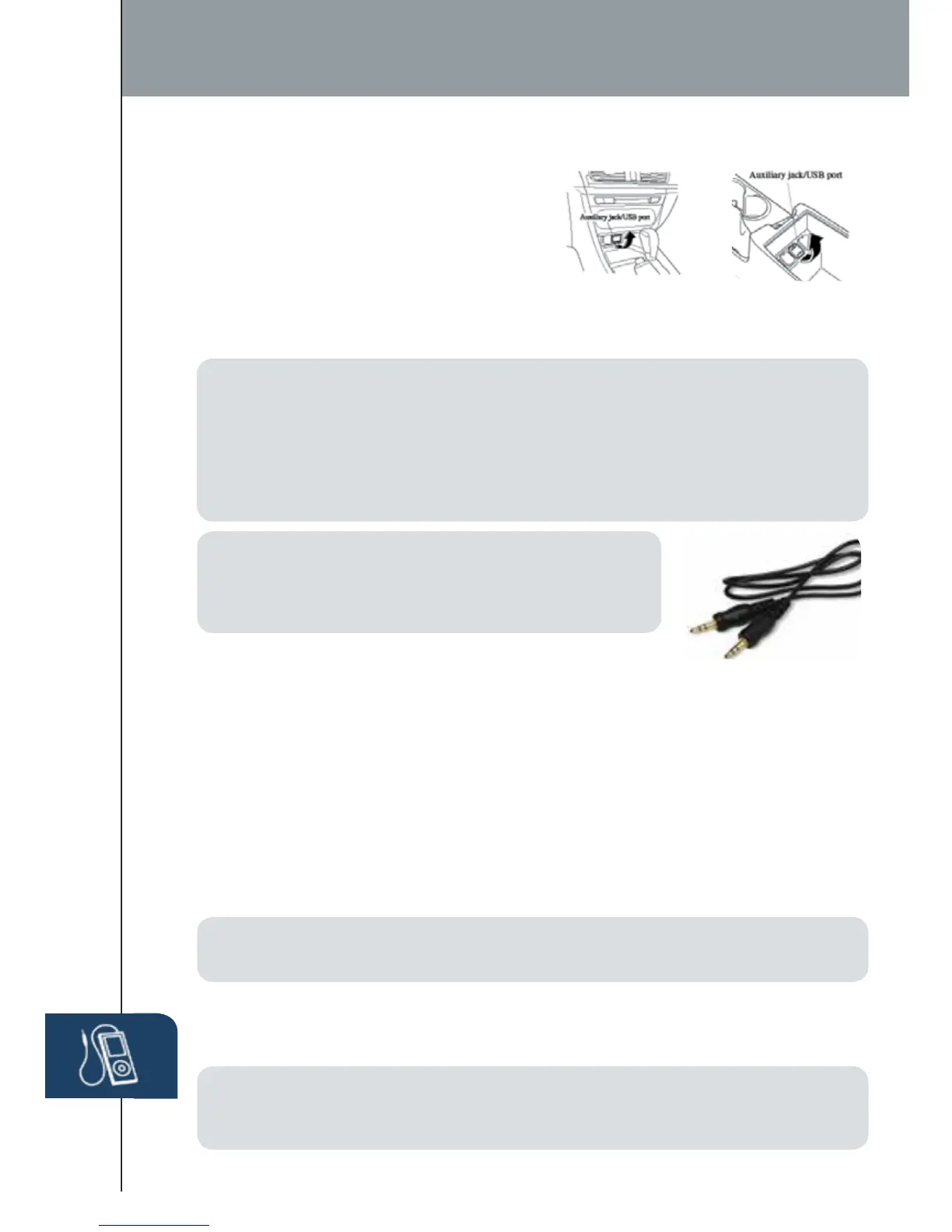
YourvehicleisequippedwithaUSBport
andauxiliaryAUXjacklocatedbelowthe
climate controls (without CD player) or
inthecenterconsole(withCDplayer).ThiswillallowyoutoplayyouriPod,USB
device, or portable audio player through the vehicle’s audio system. Learn the
system when parked and do not let it distract you while driving.
12 VOLT ACCESSORY SOCKETS
The accessory socket in the dash is on with ignition on and the accessory socket
in the center console is always on.
Audio USB and AUX Inputs
NOTE: You will need an audio cable with an 1/8 inch
(3.5mm)ministereoplug(availableasaGenuine
Mazda accessory) to connect your portable audio
player into the aux jack.
NOTE: WhenusingaUSBmemorystick,thesystemplaystherstaudiolewhen
restarting the vehicle. It does not not start where it left off when turning off the engine.
NOTE: When using the accessory socket in the center console, make sure to
disconnect any device from it when turning off the ignition, otherwise the vehicle’s
battery could die.
(without CD player) (with CD player)
1518135_14d_Mazda3_SSG_070313.indd 33 7/3/13 3:14 PM



 To Next Page