16
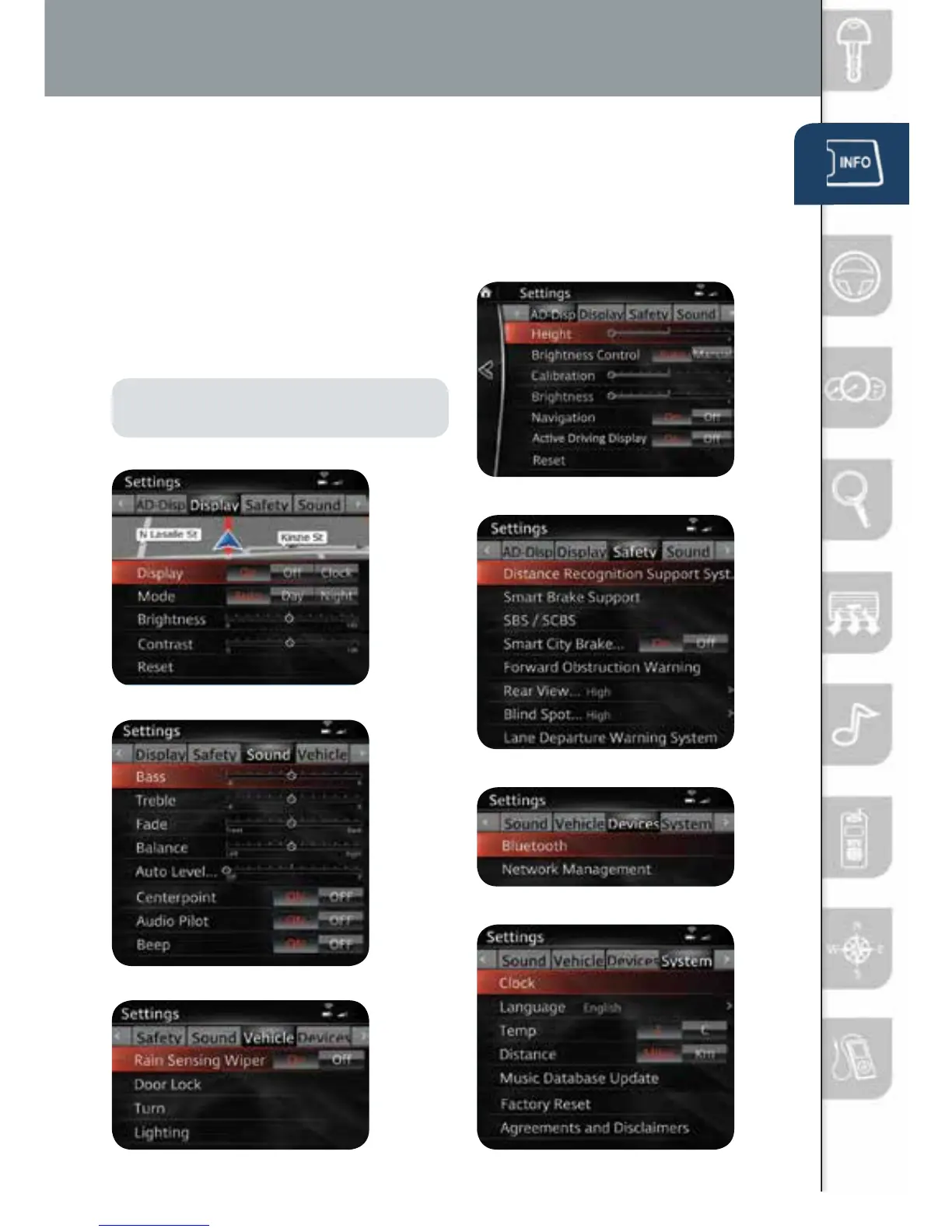
SETTING SCREENS
To view the different setting screens:
1 Move the commander switch to
the left or right to change tabs.
2 When the desired tab is highlighted,
press the knob of the commander
switch down.
3 Turn the dial of the commander
switch to scroll down the list.
NOTE: If there is a scroll bar on the right
side, there are more items further down.
Infotainment System Settings
Display Settings
Active Driving
Display Settings
Safety Settings
Sound Settings
Vehicle Settings
System Settings
Device Settings
1518135_14d_Mazda3_SSG_070313.indd 16 7/3/13 3:14 PM



 To Next Page