Commander / Voice Control
COMMANDER SWITCH (if equipped)
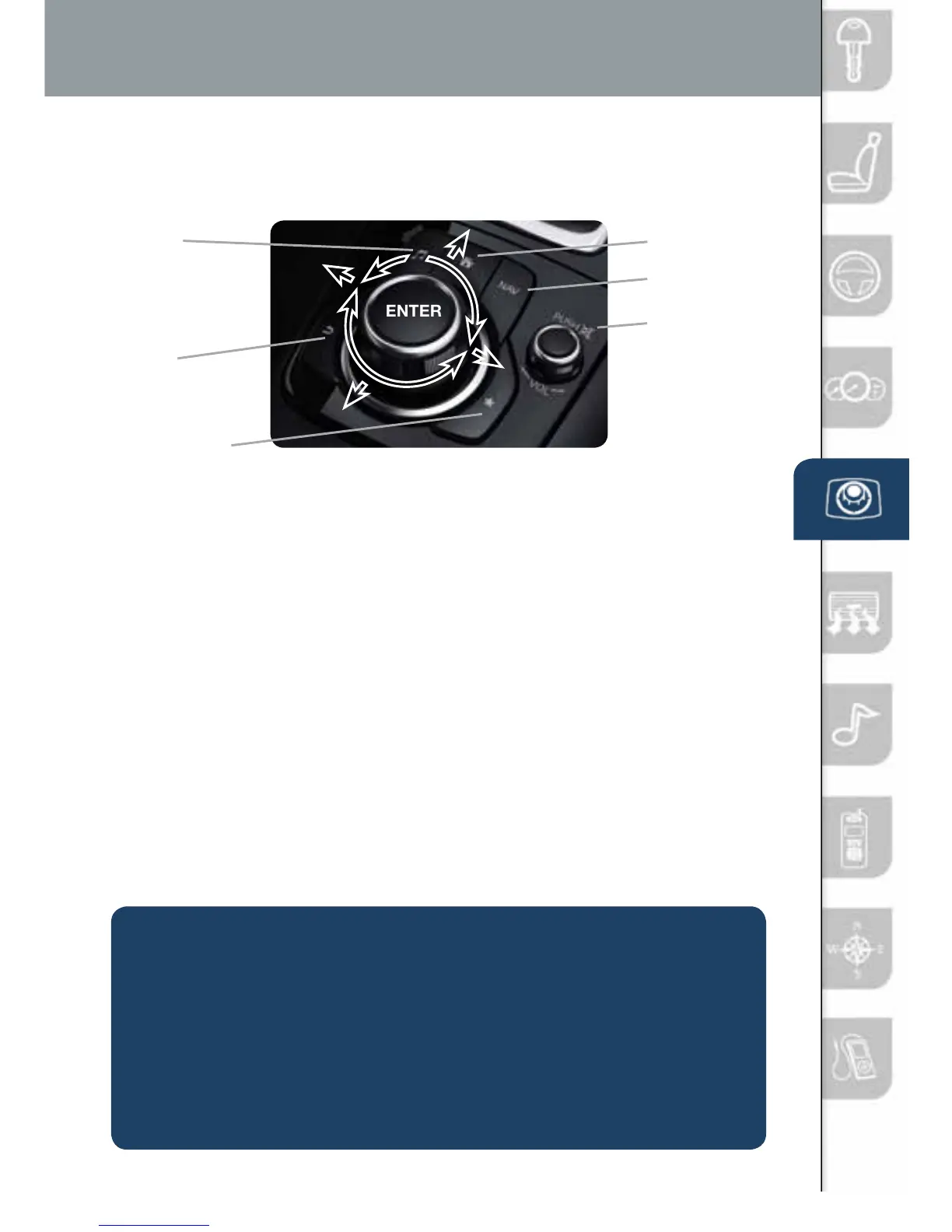
Select a button around the commander knob to operate the desired system.
SELECTING ITEMS ON THE SCREEN USING
THE COMMANDER SWITCH
1 Move the knob up or down, left or right, and/or turn the dial to move the
cursor to the desired on-screen location (and get a description of the icon).
2 Push the knob down (ENTER) to select your choice on the screen.
AUDIO
BACK
(to previous
screen)
HOME
NAVIGATION
MUTE
(push down)/
VOLUME
(turn dial)
FAVORITES
The following can be stored in Favorites:
• 50stationstotalforAM,FM,andXMsatelliteradio.
• 50contactsinthesystemphonebook.
• 50pointsofinterestinthenavigationsystem.
Some common voice commands are:
•Help
•Cancel
•GoBackorPrevious
•NextorSkip
•Tutorial
•Scroll/PageDown
•Scroll/PageUp
•TurnDisplay/ScreenOff
•Select<linenumber>
(ex: “Select Four” or
“Select Line Four”
•DisplayClock
Go to (and one of the following):
•Home
•Entertainment
•Navigation
•Communication
•Settings
•Messages
•Contacts
•Email
•Phone
•CallHistory
•Text
VOICE CONTROL
Voice control is activated by pressing the TALK button on the steering wheel
and speaking a command.
• Ifitmakessensetousevoicecontrol,thenitusuallyisavailable
EX: Call Matt at Home
• Ifitdoesn’tmakesensetousevoicecontrol,thenitusuallyisn’tavailable.
EX: It would be very hard to change the settings for increasing
BASS/TREBLEintheaudiosystemsoitcanonlybe
changed by using the touchscreen or commander switch.
1518135_14d_Mazda3_SSG_070313.indd 10 7/3/13 3:13 PM



 To Next Page