16
CD Changer Operation (Continued) (Option)
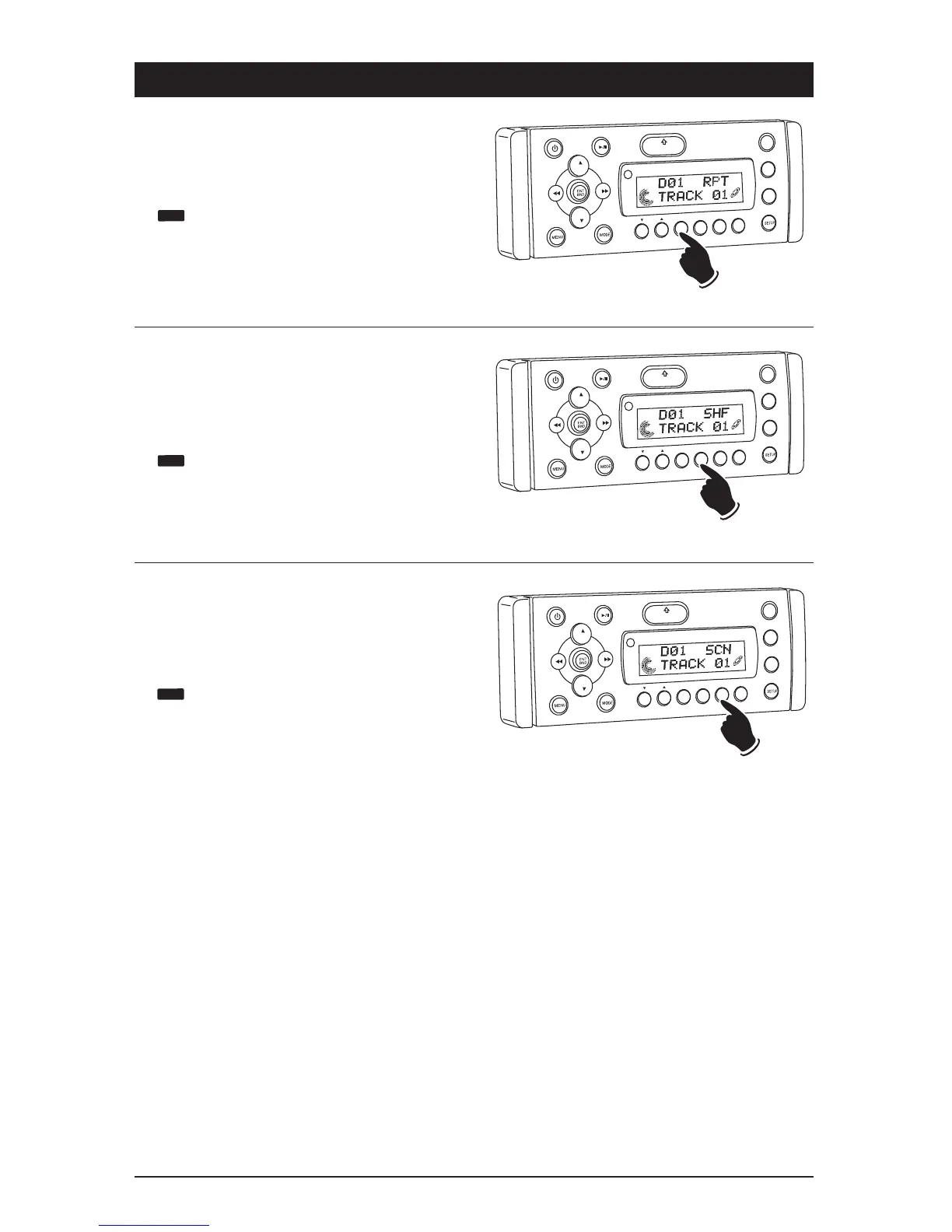
Repeating a CD Track or Disc:
Select the desired track to be repeated. Then press
the RPT button and “RPT” will appear in the dis-
play. This track will play repeatedly.
Press and hold the RPT button. “RPT” and
will appear in the display. The disc will
now play repeatedly.
To cancel either function, press the RPT button
again.
VO
L
LOU
D
VOL
MU
TE
DM
S-MOD
Pod MEN
U
OPEN
1
2
3
4
5
6
ASM
DISP
EQ
SUB W
SH
F
R
PT
SC
N
D R/CA
T
VO
L
LOU
D
VO
L
MU
TE
D
IM
SMOD
Pod MEN
U
OPEN
1
2
3
4
5
6
ASM
DSP
EQ
SUB
W
SHF
R
PT
SC
N
DRCAT
Preview CD Tracks or Disc:
Press the SCN button and “SCN” will appear in
the display. Each track on the current disc will
play for 10 seconds.
Press and hold the SCN button and “SCN” and
will appear in the display. The first track
on every loaded disc will play for 10 seconds.
To cancel either function, press the SCN button
again.
VOL
LOU
D
V
OL
MU
TE
D
IM
S-MOD
Pod MENU
OPEN
1
2
3
4
5
6
ASM
DSP
EQ
SUB
W
SH
F
RPT
SC
N
D R/CAT
Random CD Track or Disc Play Order:
Press the SHF button and “SHF” will appear in
the display. The tracks on the current disc will
play in random order.
Press and hold the SHF button and “SHF” and
will appear in the display. The tracks on
every loaded disc will play in random order.
To cancel either function, press the SHF button
again.



 To Next Page