9
Sound Controls
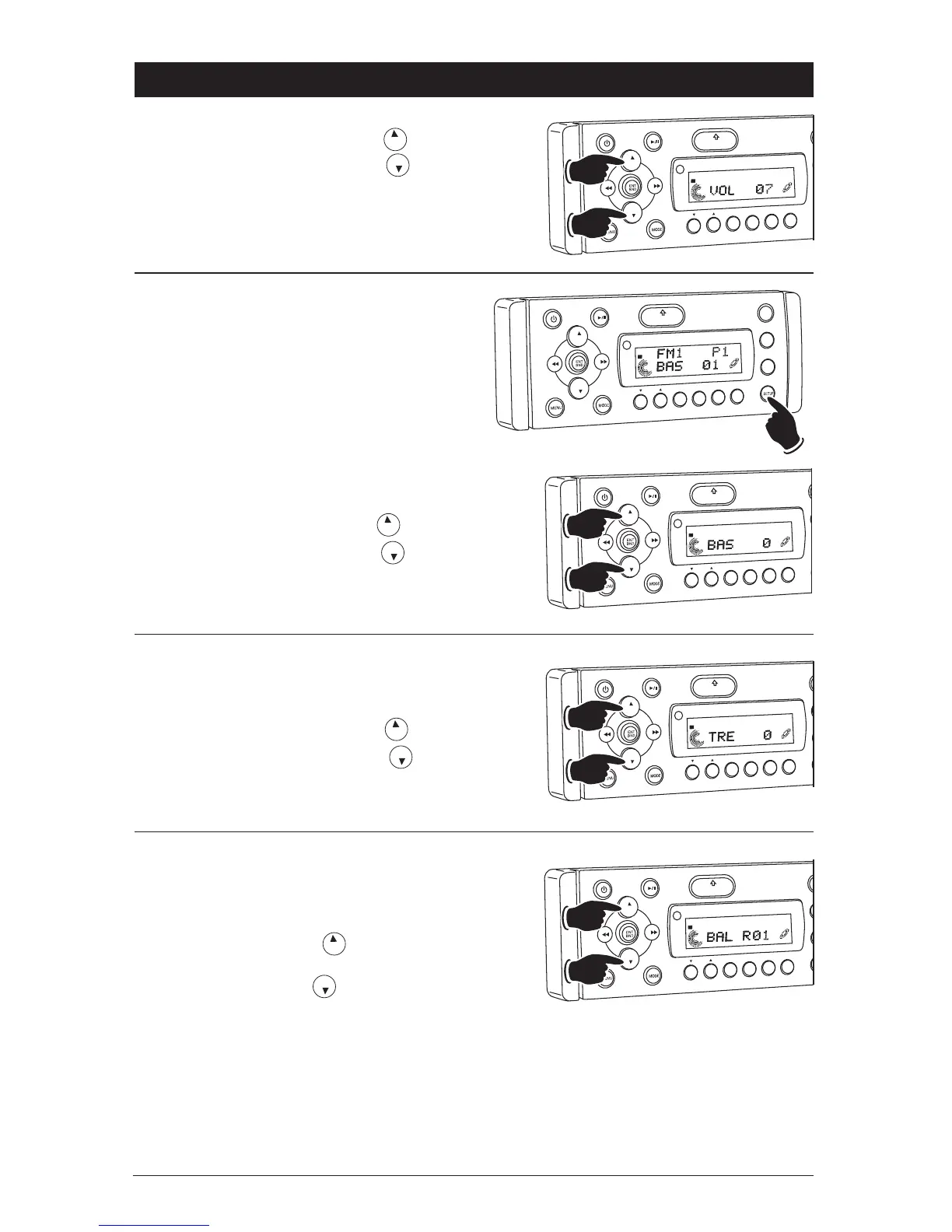
Bass:
1. Select the Bass mode (BAS) by pressing the
SETUP button.
2. Increase the Bass by pressing the button.
Decrease the Bass by pressing the button.
3. After 5 seconds control reverts back to volume
control.
Volume:
Increase the volume by pressing the button.
Decrease the volume by pressing the button.
Bass, Treble, Balance, Fader and
Subwoofer Controls
Select the desired sound mode by pressing the
SETUP button. The modes will be displayed in
the following order: Bass, Treble, Balance, Fader,
Subwoofer Line Level Output and Subwoofer
Cutoff Frequency.
VO
L
LOU
D
VOL
MU
TE
OPEN
1
2
3
4
5
6
SHF
R
PT
SC
N
DIR/CAT
ST
Increase
Decrease
VOL
LOU
D
VOL
MU
TE
OPEN
1
2
3
4
5
6
SHF
R
PT
SC
N
DIR CAT
ST
Increase
Decrease
VO
L
LOU
D
VOL
MU
TE
D
IM
SMOD
Pd MEN
U
OPEN
1
2
3
4
5
6
ASM
DSP
EQ
SUB
W
SH
F
RPT
SCN
DRCA
T
ST
Treble:
1. Select the Treble mode (TRE) by pressing the
SETUP button.
2. Increase the Treble by pressing the button.
Decrease the Treble by pressing the button.
3. After 5 seconds control reverts back to volume
control.
VOL
LOU
D
VOL
MU
TE
OPEN
1
2
3
4
5
6
SHF
R
PT
SC
N
D R/CAT
ST
Increase
Decrease
Balance:
1. Select the Balance mode (BAL) by pressing the
SETUP button.
2. To adjust the amount of sound output to the
Right speakers press the button.
To adjust the amount of sound output to the
Left speakers press the button.
BAL 00 = Equal sound right and left speakers.
BAL R12 = Right speakers only.
BAL L12 = Left speakers only.
3. After 5 seconds control reverts back to volume
control.
VO
L
LOU
D
VOL
MU
TE
OPEN
1
2
3
4
5
6
SH
F
R
PT
SC
N
DRCAT
ST
Right
Left



 To Next Page