8
AM/FM Radio Operation (Continued)
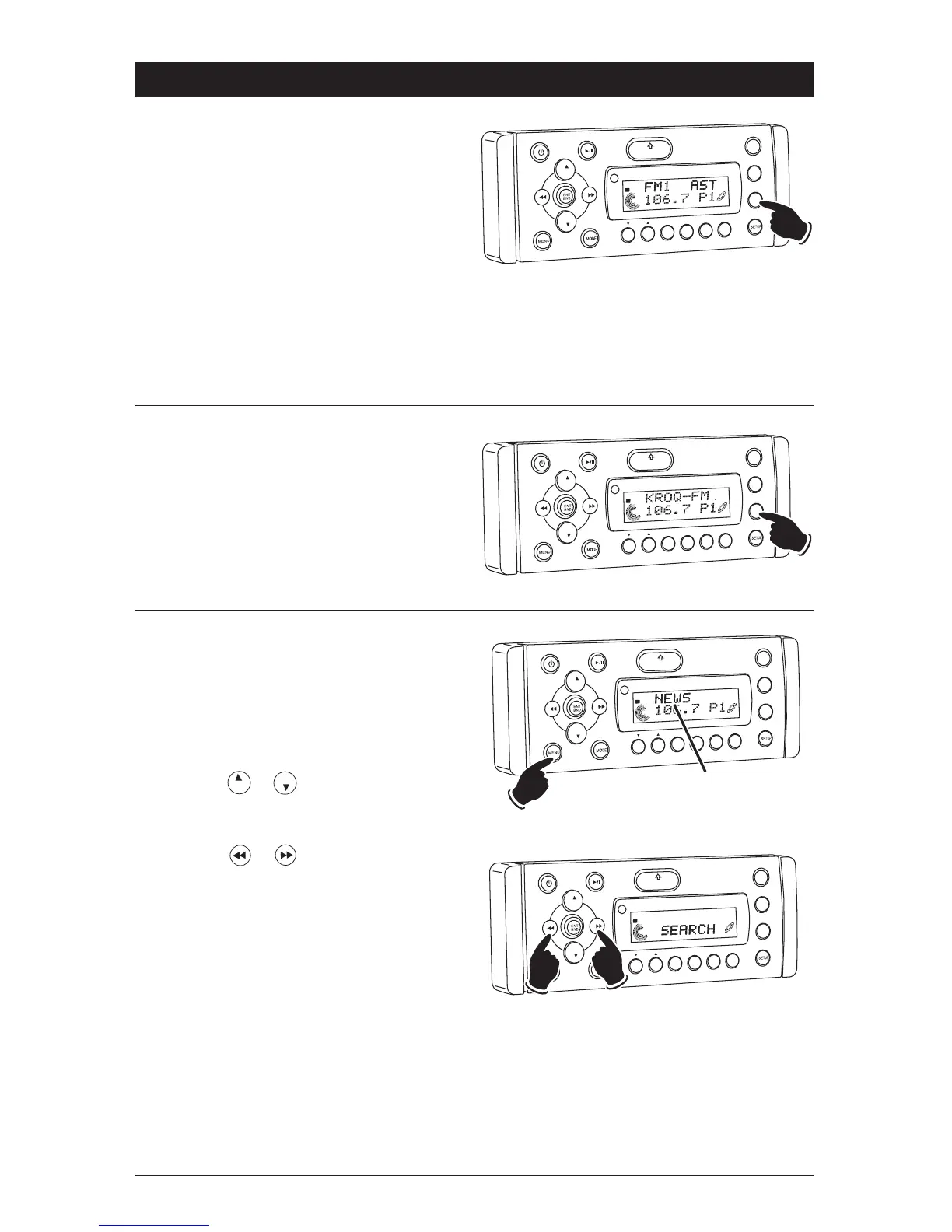
Automatically Store Radio Stations:
1. Press the ENT BND button to select either the
FM1, FM2, FM3, AM1 or AM2 radio band.
2. Press and hold the ASM button until “AST”
appears in the display. The tuner will search
for the strongest stations and store them into
memory. The new stations will replace sta-
tions that were previously stored in the cur-
rent band.
Note: After the new stations are stored into
memory the tuner will start scanning the
newly memorized stations.
3. When a desired station is reached, press the
ASM button to stop scanning.
Scanning Stored Radio Stations:
1. Press the ENT BND button to select either the
FM1, FM2, FM3, AM1 or AM2 radio band.
2. Press the ASM button and the tuner will scan
thru the preset stations stored in the current
band and pause for 5 seconds at each station.
When a desired station is reached, press the
ASM button again to stop scanning.
VO
L
LOU
D
VOL
MU
TE
D
IM
SMOD
i
Pod MEN
U
OPEN
1
2
3
4
5
6
ASM
DISP
EQ
SUB
W
SHF
R
PT
SCN
DIR CAT
ST
VO
L
LOU
D
VOL
MU
TE
DM
S-MOD
Pod MEN
U
OPEN
1
2
3
4
5
6
ASM
DSP
EQ
SUB W
SH
F
R
PT
SC
N
D R/CAT
T
Hold
Scanning for FM Radio Stations According
to Program Type (PTY):
1. Press the ENT BND button to select either the
FM1, FM2 or FM3 radio band.
2. Press the MENU button to display the pro-
gram type.
3. Press the or to select the desired pro-
gram type (PTY). (Example: News,
Information, Sports, etc.)
4. Press the or button to search a station
with the selected program type (PTY).
VOL
LOU
D
VOL
MU
TE
D
IM
S-MOD
Pod MEN
U
OPEN
1
2
3
4
5
6
ASM
DSP
EQ
SUB
W
SHF
R
PT
SC
N
D R/CAT
ST
Program
Type (PTY)
VO
L
LOU
D
VO
L
MU
TE
DM
OPEN
1
2
3
4
5
6
ASM
DSP
EQ
SUB
W
SHF
R
PT
SC
N
D R/CAT
Lower
Higher
T



 To Next Page