11
Subwoofer Output:
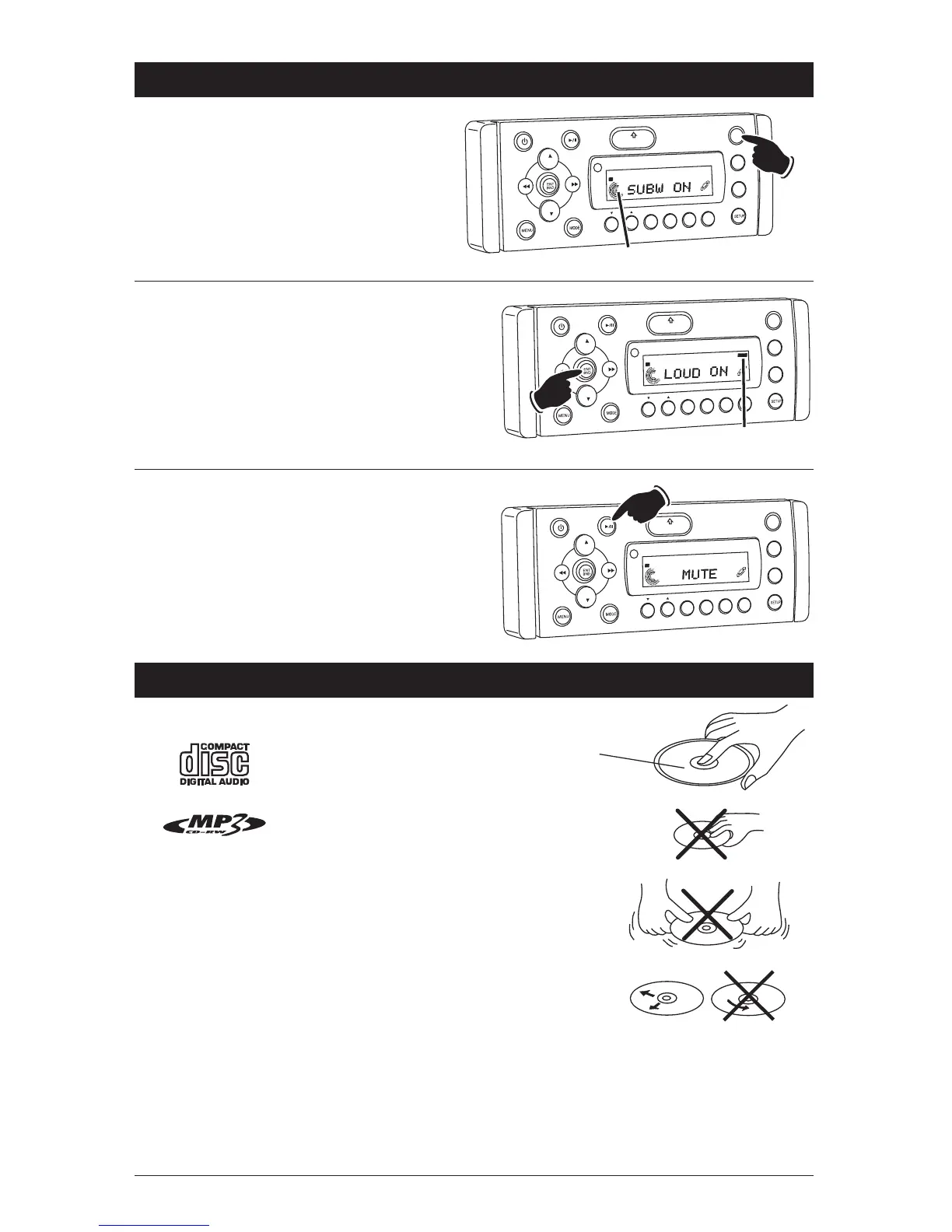
Press and hold the EQ button to turn subwoofer
output On and Off. “SUBW ON” appears in the
display when the subwoofer is On and “SUBW
OFF” appears when the subwoofer output is
Off.“SW” appears in the display when the sub-
woofer is On.
VOL
LOU
D
VOL
MU
TE
DM
S-MOD
Pod MENU
OPEN
1
2
3
4
5
6
ASM
DISP
EQ
SUB W
SH
F
R
PT
SC
N
DI AT
ST
Hold
“SW” Subwoofer On Indicator
SW
Disc Warnings
Disc Formats Supported by this Player:
Label side up
Do not touch
the underside
of the disc
Do not bend
Wipe the disc from
the center toward
the outside edge
Handling:
• Dirt, dust, scratches and warping disc will cause
non operation.
• Do not place stickers on disc or scratch disc.
• Do not warp discs.
• A disc should always be kept in its case when not
in use to prevent damage.
• Do not place discs in the following places: Direct
sunlight, Dirty, dusty and damp areas, Near car
heaters, Car seats or dashboard.
Sound Controls (Continued)
Loudness:
To boost high and low tones at low volume lev-
els, press and hold the ENT BND button until
“LOUD ON” appears in the display. To deselect,
press and hold the ENT BND button again until
“LOUD OFF” appears in the display.
VO
L
LOU
D
V
OL
MU
TE
D
IM
OPEN
1
2
3
4
5
6
ASM
DSP
EQ
SUB
W
SH
F
RPT
SCN
D R/CA
T
ST
Hold
LOUD
Loud On Indicator
Mute:
Press and release the MUTE button to mute the
volume level. If a CD is playing the MUTE button
will pause the disc. Press the MUTE button again
to restore the volume or resume playing the disc.
VOL
LOU
D
VOL
MU
TE
DM
S-MOD
Pod MEN
U
OPEN
1
2
3
4
5
6
ASM
DISP
EQ
SUB
W
SH
F
R
PT
SC
N
D R/CAT
ST
Disc Cleaning:
Use a dry soft cloth to wipe disc the surface. If the
disc is quite dirty, use a soft cloth slightly moist with
isopropyl (rubbing) alcohol. Never use solvents
such as benzine, thinner or conventional record
cleaners as they may mar the surface of the disc.
Note: A disc may become somewhat scratched
(although not enough to make it unusable) depend-
ing on handling and conditions in the usage envi-
ronment.



 To Next Page