24
USB Operation (Option) (Continued)
VO
L
LOU
D
VOL
MU
TE
DM
S-MOD
Pod MEN
U
OPEN
1
2
3
4
5
6
ASM
DISP
EQ
SUB
W
SH
F
R
PT
SCN
DIR/CAT
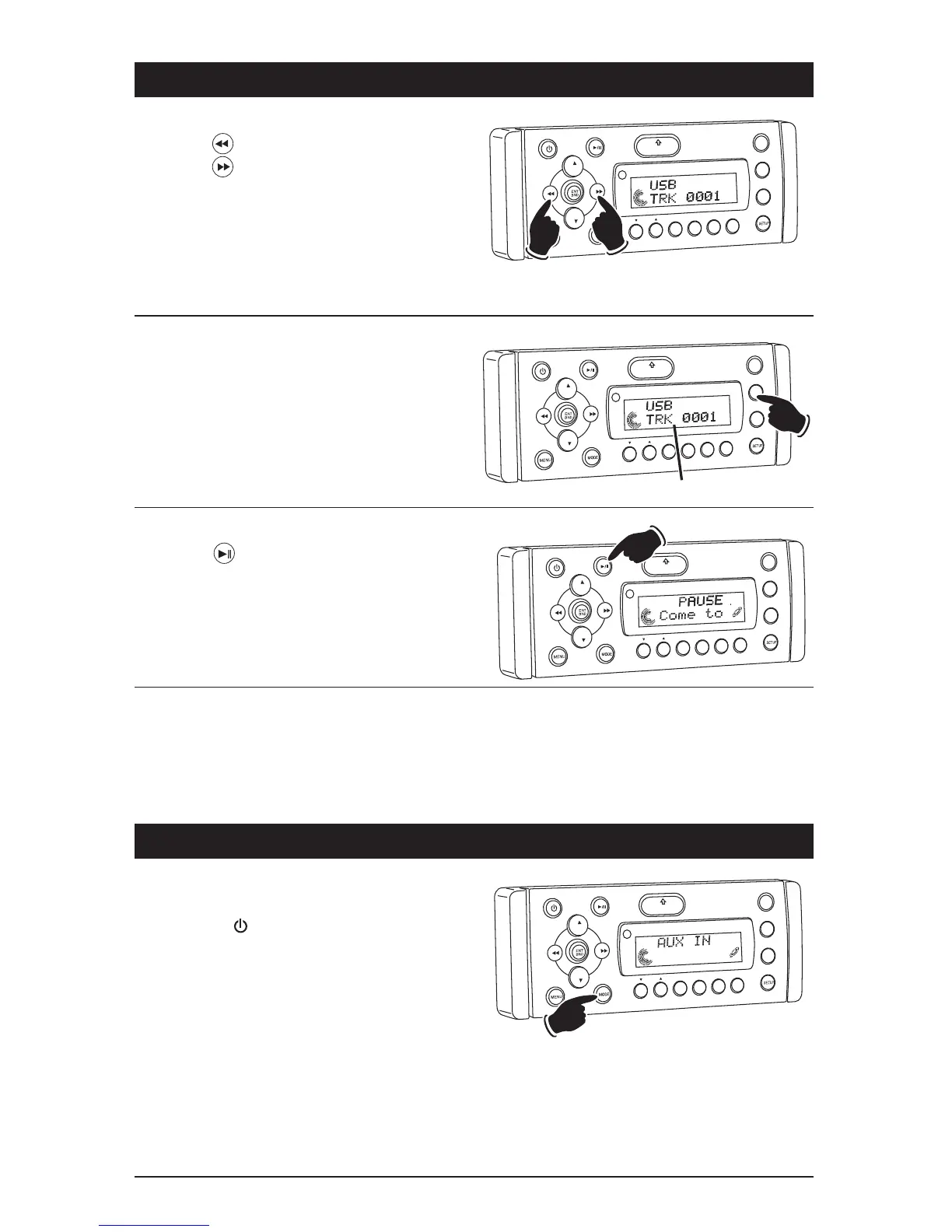
Pausing a Track:
Press the button to pause the track. Press it
again to resume play.
VO
L
LOU
D
VOL
MU
TE
DM
S-MOD
Pod ME
N
U
OPEN
1
2
3
4
5
6
ASM
DISP
EQ
SUB
W
SHF
R
PT
SC
N
DIR/CAT
Dis
la
Modes
Display Selection:
Press the DISP button to display the following
MP3 disc information: Track, Elapse Time and
Song Title.
Repeating a Track:
Random Track Play Order:
Preview Tracks:
(See CD Operation for details)
Auxiliary Audio Input Operation
Selecting an Auxiliary Audio Input Play
Source:
1. Press the button to turn the unit On.
2. Press the MODE button until “AUX IN”
appears in the display.
3. Refer to the audio device’s owners manual for
proper operation.
Note: The WM1-CD will not control the auxiliary
source, but can adjust the sound controls.
VO
L
LOU
D
VOL
MU
TE
D
IM
SMOD
i
Pod MEN
U
OPEN
1
2
3
4
5
6
ASM
DISP
EQ
SUB
W
SH
F
RPT
SCN
DIR CAT
Track Selection:
Press the button to select a lower track.
Press the button to select a higher track.
The track number will appear in the display.
VOL
LOU
D
VOL
MU
TE
DM
OPEN
1
2
3
4
5
6
ASM
DSP
EQ
SUB W
SH
F
R
PT
SC
N
D R/CAT
Lower
Track
Higher
Track



 To Next Page