25
Setup Features
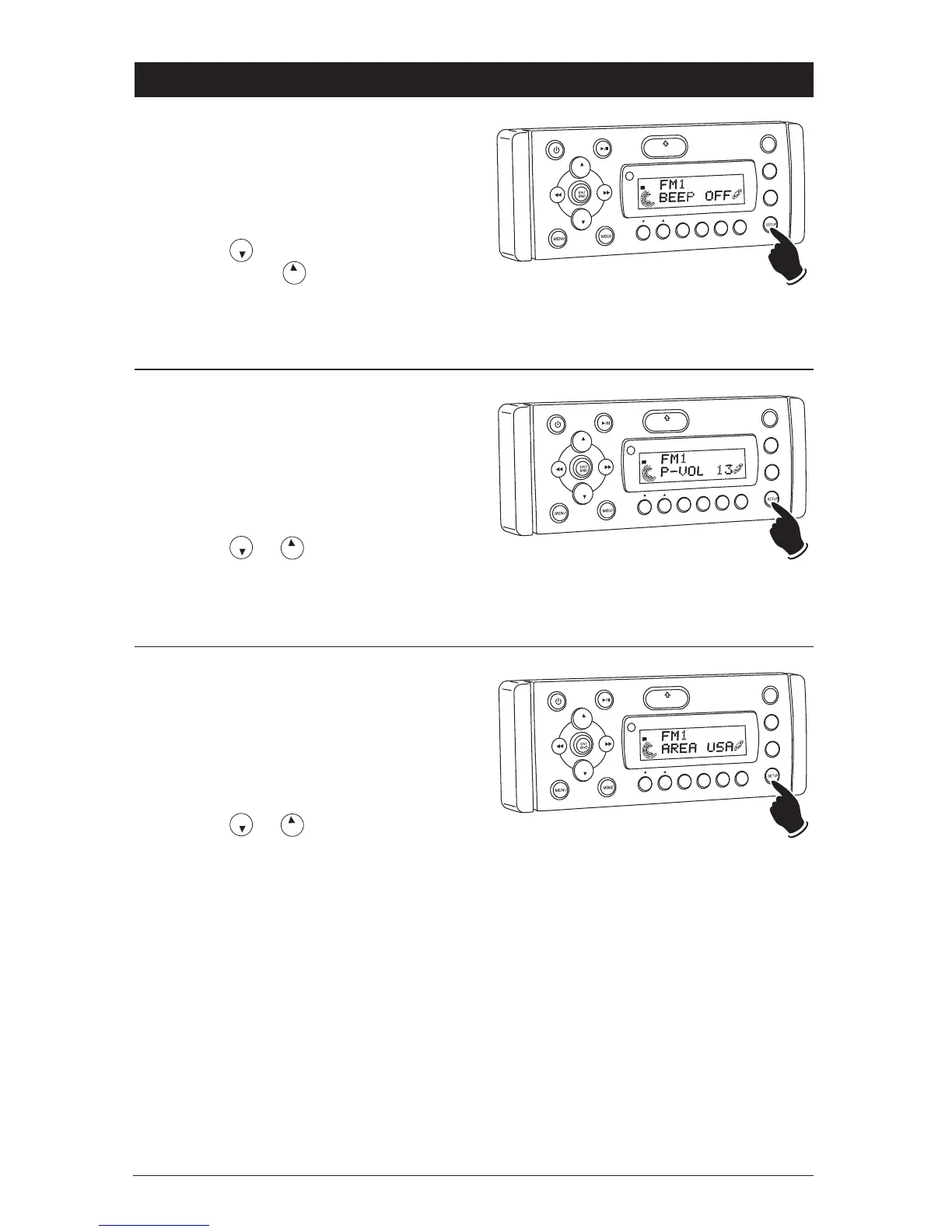
Button Beep On and Off Confirmation:
Follow the instructions below to turn On or Off the
button when pressed beep confirmation.
1. Press and hold the SETUP button approxi-
mately 10 seconds until “BEEP ON” appears in
the display.
2. Press the button for beep confirmation
Off, and press the button for beep confir-
mation On.
3. Wait 5 seconds, and the unit will return to the
last display mode.
VOL
LOU
D
VOL
MU
TE
DM
SMOD
i
Pod MEN
U
OPEN
1
2
3
4
5
6
ASM
DISP
EQ
UB W
SHF
R
PT
SC
N
DIR CAT
ST
Primary Volume:
Follow the instructions below to adjust the initial
start-up volume level.
1. Press and hold the SETUP button approxi-
mately 10 seconds until “BEEP ON” appears in
the display. Press the SETUP button again
until “P-VOL 12” appears in the display.
2. Press the or button to adjust the pri-
mary volume.
3. Wait 5 seconds and the unit will return to last
display mode.
VOL
LOU
D
VOL
MU
TE
D
IM
SMOD
Pd MEN
U
OPEN
1
2
3
4
5
6
ASM
DSP
EQ
SUB
W
SH
F
R
PT
SC
N
DRCAT
ST
Area Radio Frequency Adjustment:
Follow the instructions below to change the area
configuration.
1. Press and hold the SETUP button approximate-
ly 10 seconds until “BEEP ON” appears in the
display. Press the SETUP button two more
times until “AREA USA” appears in the display.
2. Press the or button to adjust the
area.
Note:
If operating the unit in the USA do not
change the area.
“AREA OCE” = Australia and New Zealand.
“AREA EUR” = Europe.
3. Wait 5 seconds and the unit will return to last
display mode.
VOL
LOU
D
VO
L
MU
TE
DM
SMOD
i
Pod MEN
U
OPEN
1
2
3
4
5
6
ASM
DISP
EQ
SUB
W
SH
F
R
PT
SC
N
DIR CAT
ST



 To Next Page