21
IPOD Operation (Option)
Sirius Satellite Radio Operation (Option) (Continued)
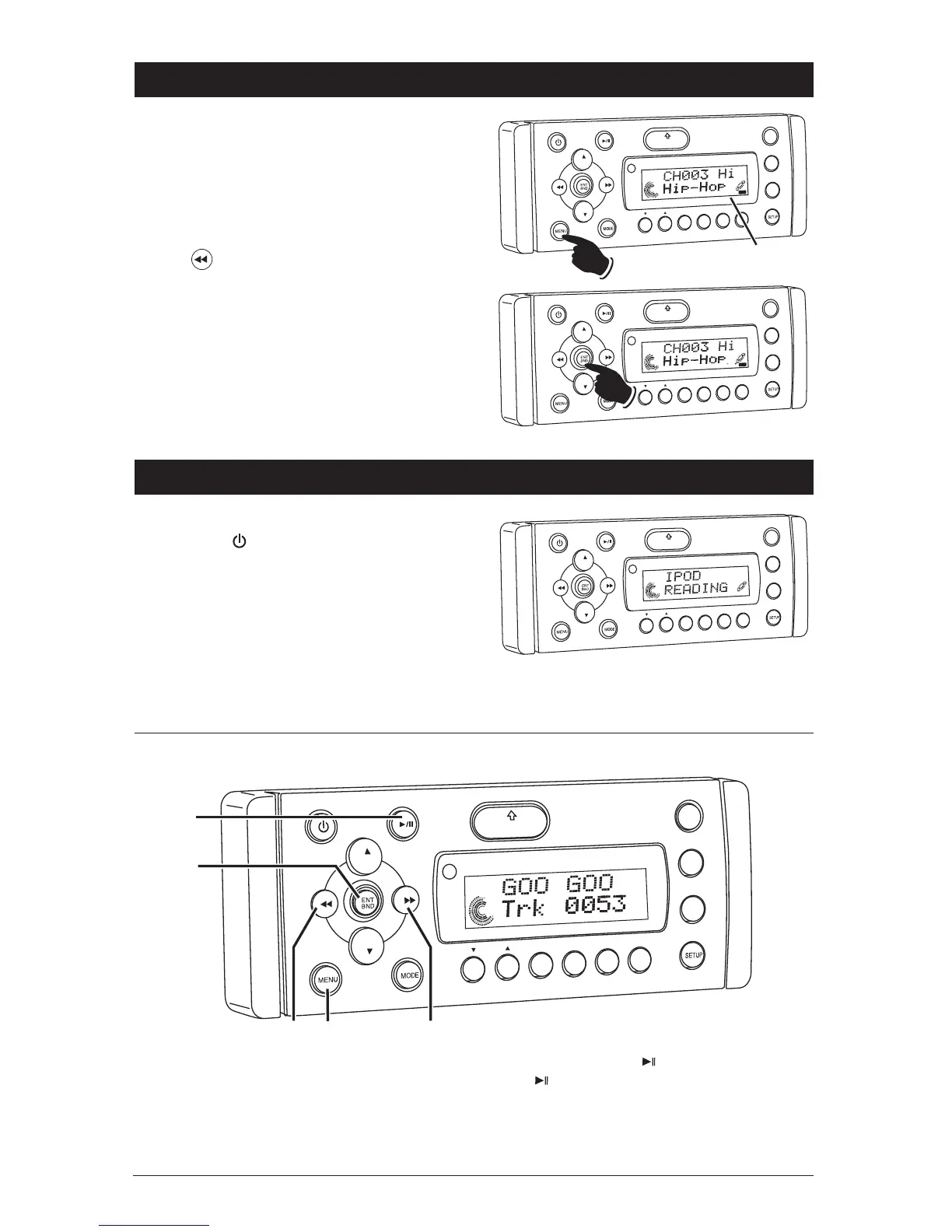
Reinstating a Skipped Sirius Channel:
1. Tune to a channel next to a skipped channel.
(Example: If channel 2 is skipped, tune to
channel 1.)
2. Press the MENU button until “SKIP” appears
in the display.
3. Tune-in the skipped channel. (Example: Press
the button and “003” appears in the
display).
Note: “SKIP” will be flashing in the display on
all skipped channels.
4. Press the ENT BND button until “SKIP” stops
flashing.
5. Wait 10 seconds and “SKIP” will disappear
from the display. The channel has now been
reinstated.
VOL
LOU
D
VOL
MU
TE
DM
SMOD
i
Pod MEN
U
OPEN
1
2
3
4
5
6
ASM
DISP
EQ
SUB W
SH
F
R
PT
SCN
DIR CAT
AT
SK P
Skip Indicator
VOL
VO
L
MU
TE
DM
SMOD
i
Pod MEN
U
OPEN
1
2
3
4
5
6
ASM
DISP
EQ
UB
W
SH
F
RPT
SC
N
DIR CAT
AT
SK P
General Operations:
1. Press the button to turn the unit On.
2. Connect an IPOD to the cable attached to the
WM1-CD.
3. The unit will automatically switch to the IPOD
mode and start playing.
Note: The IPOD controls will become inoperable,
and the WM1-CD now controls the IPOD.
VO
L
LOU
D
VOL
MU
TE
D
IM
S-MOD
Pod MEN
U
OPEN
1
2
3
4
5
6
ASM
DSP
EQ
SUB
W
SH
F
RPT
SCN
DRCA
T
VOL
LOUD
VOL
MUT
E
DIM
S
MOD
iPod
MENU
OPEN
1
2
3
4
5
6
ASM
DISP
EQ
SUB W
3
4
1
2
2
SHF
RPT
SCN
DIR CAT
1. Menu Button: Same operation as the MENU
button on an IPOD.
2. Next and Previous Button: Press these buttons
to scroll through the menu items, which is the
same operation as the IPOD’s Click Wheel.
3. Play/Pause Button ( ): Same operation as
the button on an IPOD.
4. ENT BND Button: Same operation as the Center
Select button on an IPOD.
IPOD Mode Button Location and Functions:



 To Next Page