23
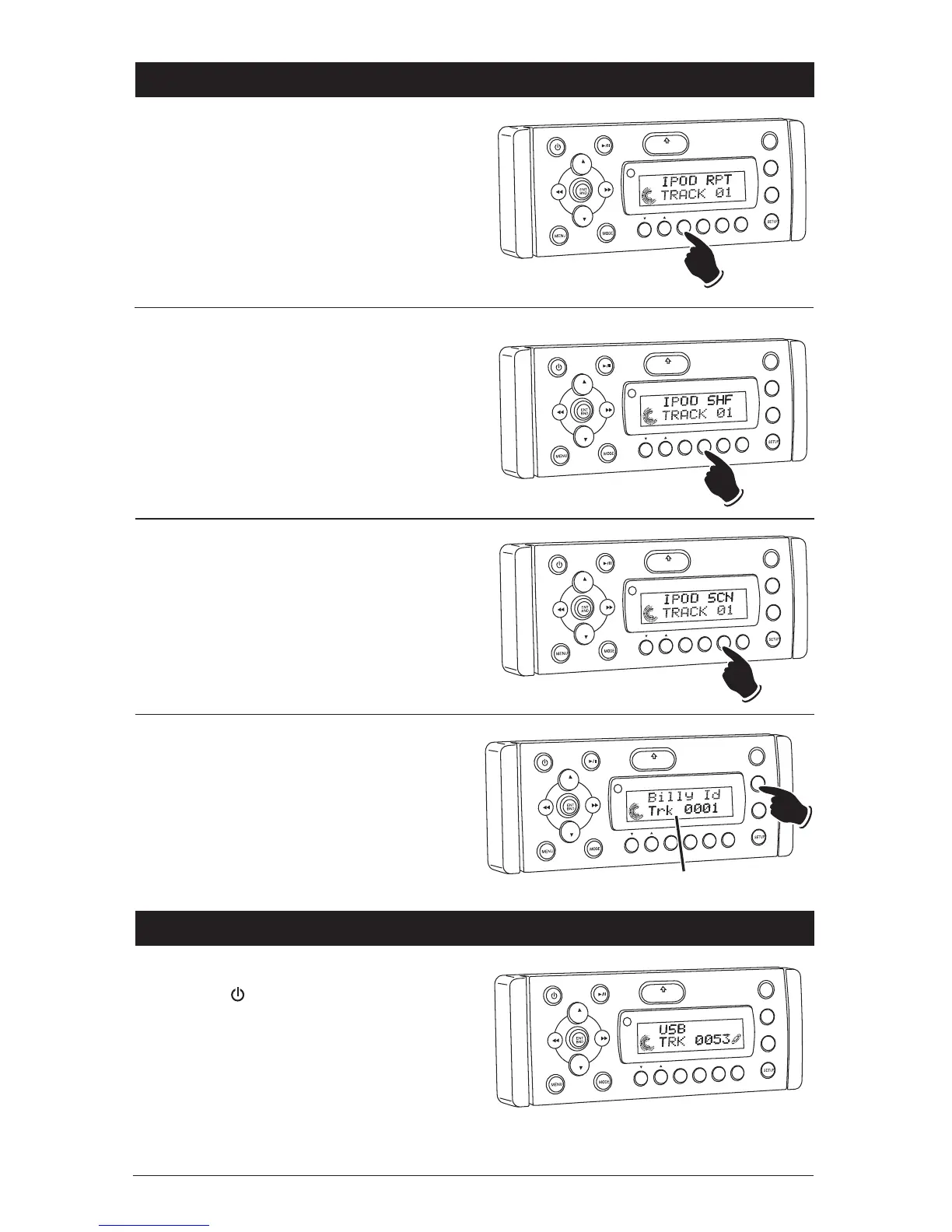
Repeating a Track:
Select the desired track to repeat, then press the
RPT button once and “RPT” appears in the dis-
play. This track will play repeatedly. To cancel
this function press the RPT button one more
time, and “RPT” will disappear from the display.
VO
L
LOU
D
VOL
MU
TE
DIM
SMOD
Pd MEN
U
OPEN
1
2
3
4
5
6
ASM
DSP
EQ
SUB W
SHF
R
PT
SCN
DRCAT
Preview Tracks:
Press the SCN button until “SCN” appears in the
display. Each track on the IPOD will now play for
10 seconds. To cancel this feature press the SCN
button until “SCN” disappears from the display.
VO
L
LOU
D
VOL
MU
TE
D
IM
S-MOD
Pod MEN
U
OPEN
1
2
3
4
5
6
ASM
DSP
EQ
SUB
W
SH
F
R
PT
SC
N
D R/CAT
Random Order Track Play:
Press the SHF button until “SHF” appears in the
display. The tracks on the IPOD will now play in
a random order. To cancel this feature press the
SHF button again.
VOL
LOU
D
VOL
MU
TE
DM
S-MOD
Pod MEN
U
OPEN
1
2
3
4
5
6
ASM
DISP
EQ
SUB
W
SH
F
R
PT
SC
N
DIR/CAT
IPOD Operation (Option) (Continued)
Display Selection:
Press the DISP button to display the following
track information: Track, Elapse Time and Song
Title.
VOL
LOU
D
VOL
MU
TE
DM
S-MOD
Pod MEN
U
OPEN
1
2
3
4
5
6
ASM
DISP
EQ
SUB
W
SH
F
R
PT
SC
N
D R/CAT
Display Modes
USB Operation (Option)
General Operations:
1. Press the button to turn the unit On.
2. Connect a MP3 player to the USB cable com-
ing from the WM1-CD.
3. The unit will automatically switch to the USB
mode and start playing.
Note: The controls on the MP3 player will
become inoperable, and the WM1-CD will now
control the MP3 player.
VOL
LOU
D
VO
L
MU
TE
D
IM
SMOD
i
Pod ME
N
U
OPEN
1
2
3
4
5
6
ASM
DISP
EQ
SUB
W
SH
F
RPT
SCN
DIR CAT



 To Next Page