7
AM/FM Radio Operation (Continued)
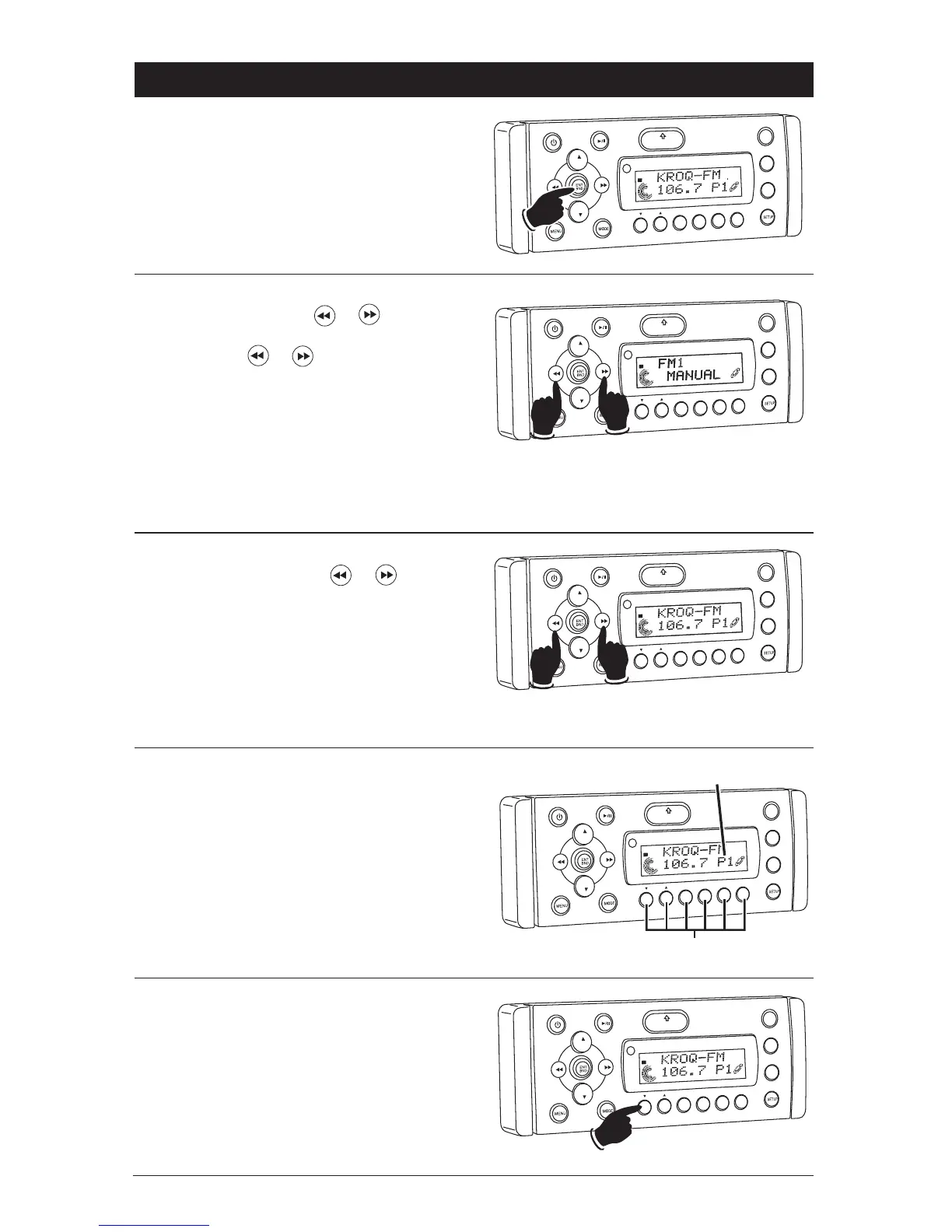
Selecting the AM or FM Band:
Press the ENT BND button repeatedly and select
from FM1, FM2, FM3, AM1 or AM2.
Manually Tuning in a Radio Station:
Press and hold either the or button until
“MANUAL” appears in the display then release.
Then press the or again until the desired
radio station appears in the display.
VOL
LOU
D
VOL
MU
TE
DM
OPEN
1
2
3
4
5
6
ASM
DSP
EQ
SUB
W
SH
F
R
PT
SCN
D R/CAT
ST
Lower
Frequency
Higher
Frequency
Note: The unit will automatically switch from FM
Mono to FM Stereo when the signal strength
increases to a stereo level. If the stereo signal
should become weak, the unit will switch back to
Mono. FM Stereo reception is indicated when the
“ST” appears in the display.
Tuning-In a Radio Station Using Seek:
Press and release either the or button
and the tuner will scan-up to the next strong sta-
tion, and stop seeking, then start playing.
VO
L
OU
D
VOL
MU
TE
D
IM
OPEN
1
2
3
4
5
6
ASM
DISP
EQ
SUB
W
SHF
R
PT
SC
N
DIR CAT
ST
Lower
Frequency
Higher
Frequency
VO
L
LOU
D
VOL
MU
TE
DIM
OPEN
1
2
3
4
5
6
ASM
DSP
EQ
SUB W
SH
F
R
PT
SCN
DRCAT
ST
Memorizing Radio Stations:
1. Press the ENT BND button to select either the
FM1, FM2, FM3, AM1 or AM2 radio band.
2. Tune-in the desired radio station.
3. To memorize the station press and hold any of
the six radio station recall buttons until you
hear a beep.
Radio Station Recall Buttons
VOL
LOU
D
VOL
MU
TE
D
IM
S-MOD
P
od MEN
U
OPEN
1
2
3
4
5
6
ASM
DSP
EQ
SUB
W
SHF
R
PT
SC
N
D R/CAT
ST
Memorized Radio Station Indicator
Recalling Memorized Radio Stations:
1. Press the ENT BND button to select either the
FM1, FM2, FM3, AM1 or AM2 radio band.
2. Press and release one of the six radio station
recall button to select the memorized radio
station.
VOL
LOU
D
VOL
MU
TE
D
IM
SMOD
Pd MEN
U
OPEN
1
2
3
4
5
6
ASM
DSP
EQ
SUB
W
SH
F
R
PT
SCN
DRCAT
ST



 To Next Page