32
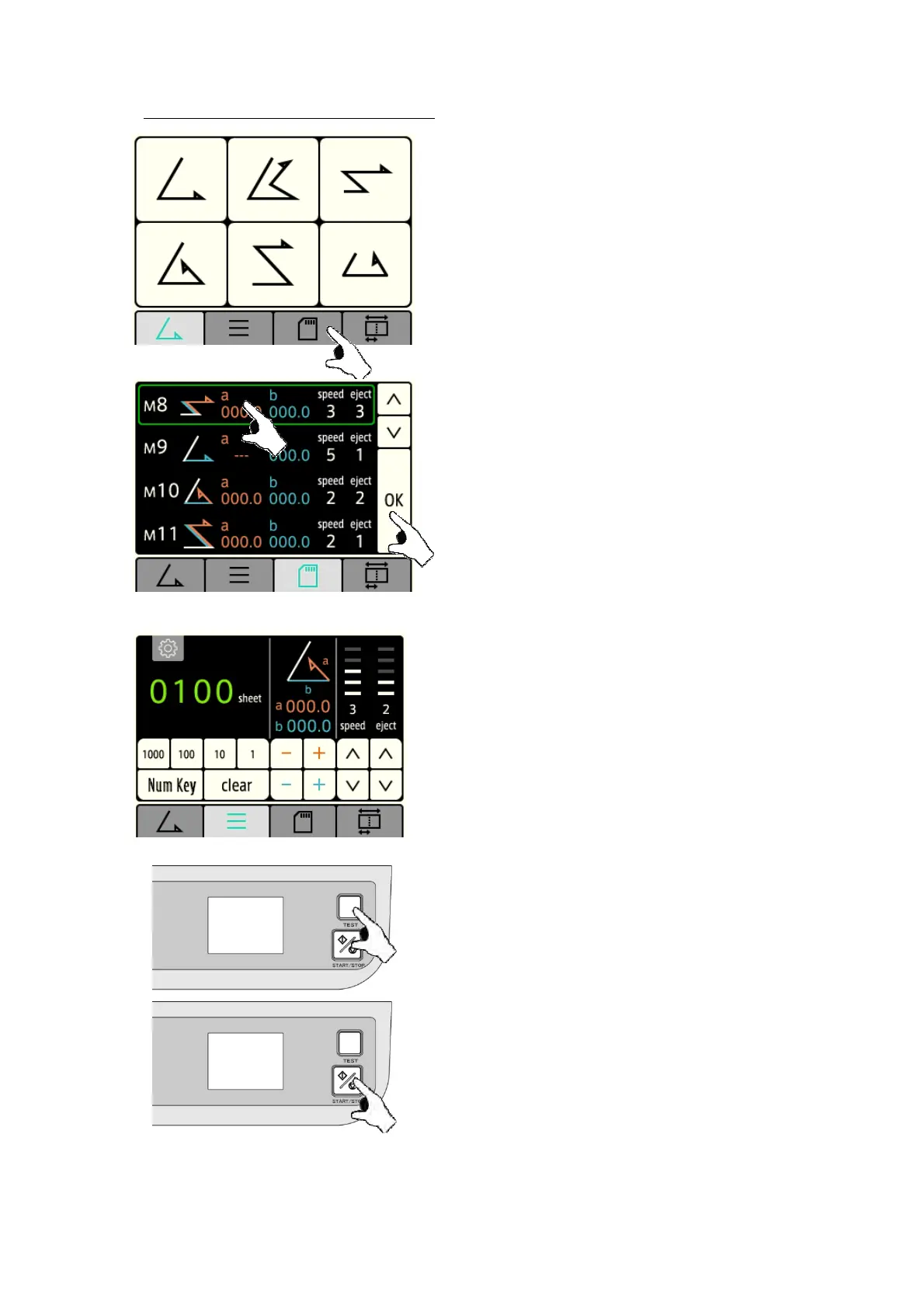
5-8-2 : Calling up fold pattern memory
[1] Press the “Memory Fold” key .
[2] Using “▲” and “▼”keys, select the memorized fold
pattern and press the “OK” key.
Select desired memory number 01 thru 24 and press the
window. Note, in case all factor are the same for paper size,
folding pattern and speed, select by the register number.
[3]Once desired folding patter is retrieved, read and
confirm that paper size, folding pattern, speed and register
numbers are correct.
[4] Press the “TEST” key to perform test folding.
If test folding is satisfactory, proceed to step [5].
If it is not satisfactory, adjust folding misalignment.
When readjustment is required, repeat the above
procedure [1] to [4].
[5] Press the “START/STOP” key to conduct continuous
folding


 To Next Page