19
5-3 : Non-standard Fold
▪ Automatic settings cannot be used for non-standard fold. Individual setting of paper size and
specifications is required.
▪ It can be set for both standard-size paper and non-standard paper based on the following procedure.
[1] Using the standard-size or non-standard-size paper you want to fold, create a sample by
folding the paper manually.
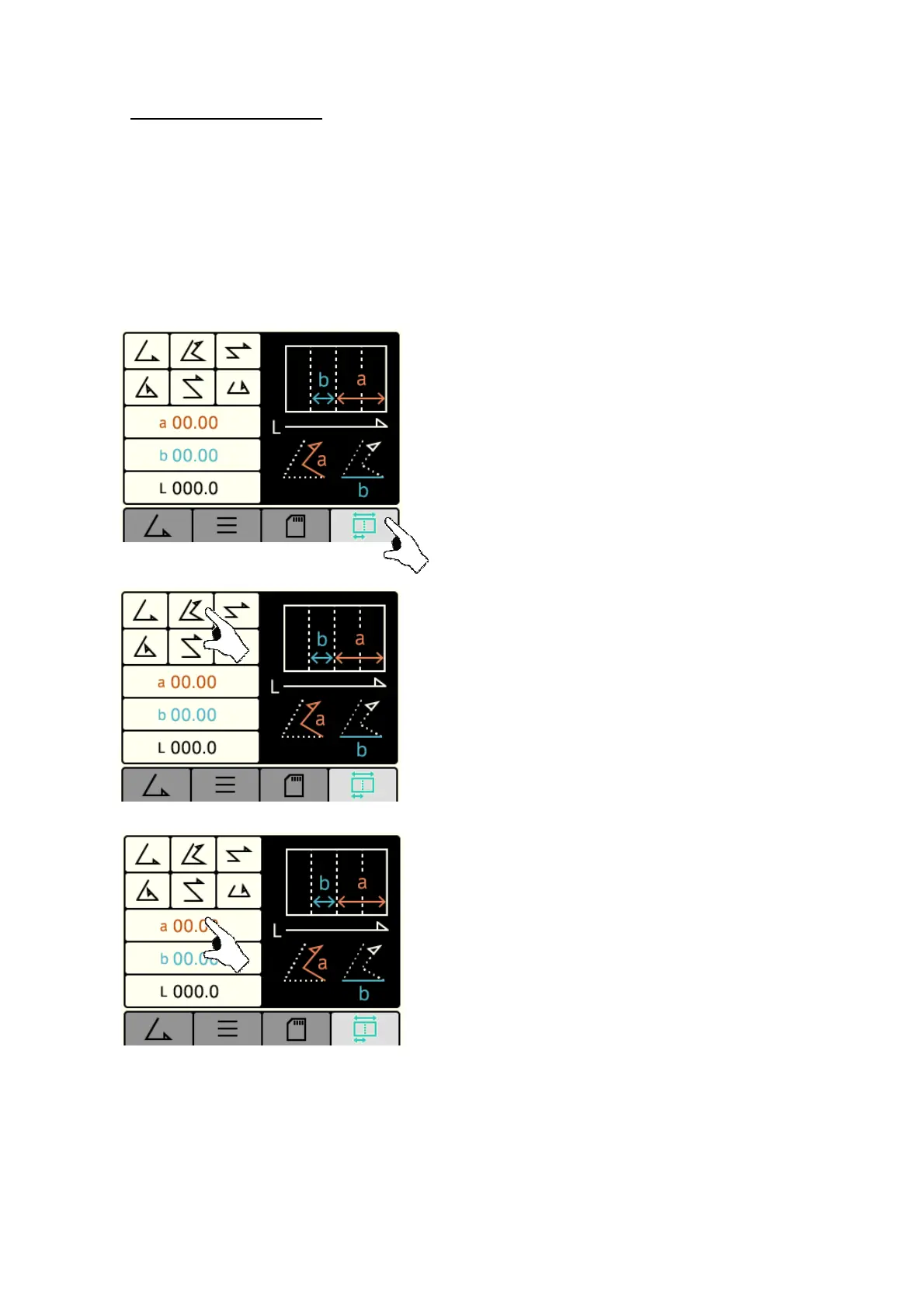
[2] Press the “Non-standard Fold” key
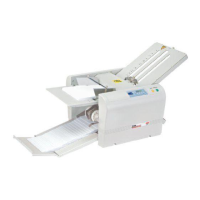
[3] Select the key of the fold type that is the nearest to the
intended folding.
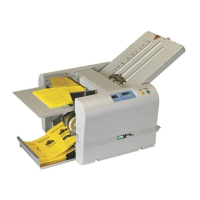
[4] Press the “a” key , and “b” key.
In the case of single fold, there is no screen for inputting
the length of “a” but only the length of “b” should be
input.


 To Next Page