36
5-9-3 : Interval mode
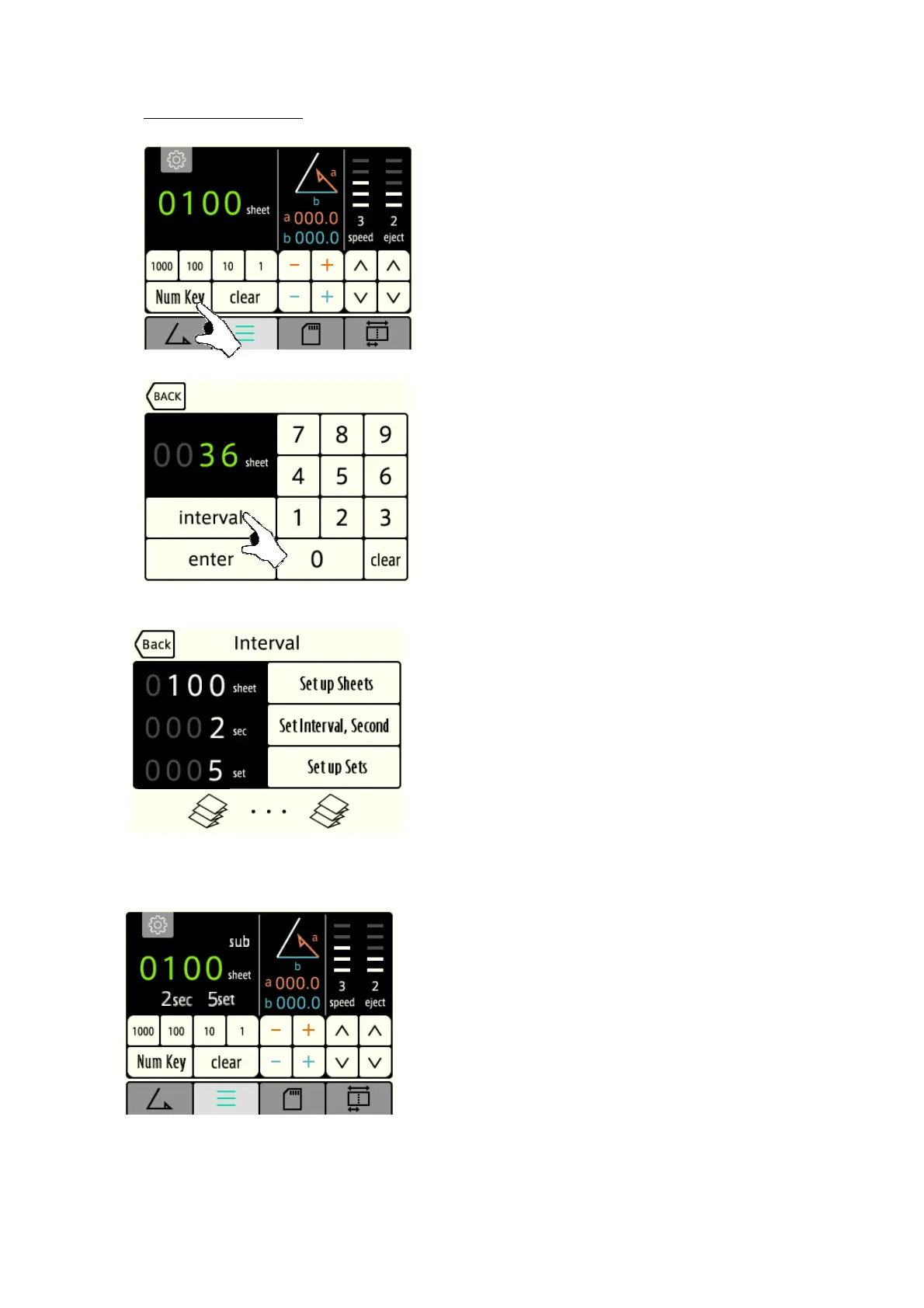
[1] Press the “Num Key” key
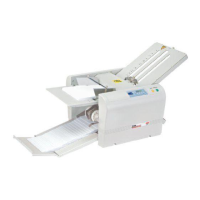
[2] Press the “Interval” key on the counter input screen, and
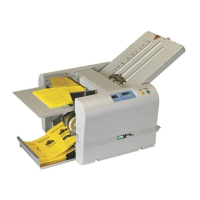
the interval setting screen will be displayed.
[3] Press the “Set up sheets” key. Input desired sheets
quantity and press Enter.
By the same procedure, set up “Set Interval Second” and
“Set up Sets”.
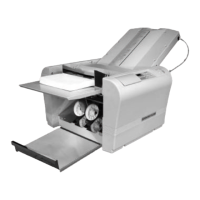
▪ When all the values are input, will be displayed again.
[4] When the Interval mode is activated, two values, namely,
processed number of sheets and the number of sets will
be displayed on the counter display.


 To Next Page