33
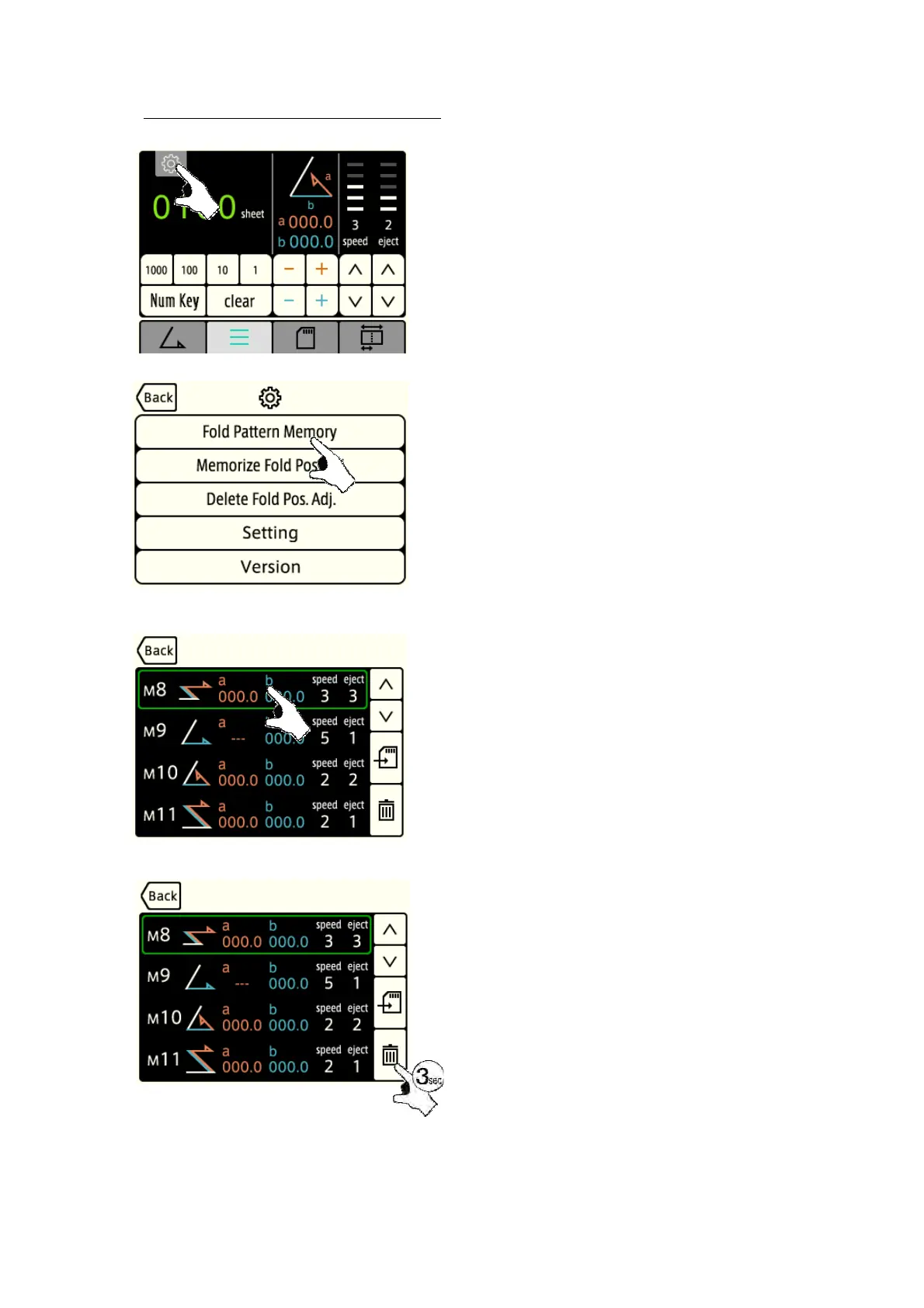
5-8-3 : Deletion of fold pattern memory
[1] Press the “Gear” key.
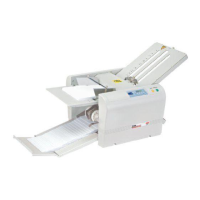
[2] Press the “Fold Pattern Memory” key.
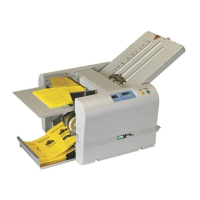
[3] Press the memory number window you want to
memorize, and the present data will be memorized in the
user memory.
Using “▲” and “▼”key, move the pages.
As many as 24 pattern can be memorized.
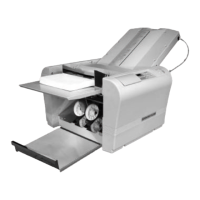
[4] Keep pressing the “Delete” for three seconds, and all the
fold pattern values will be deleted.


 To Next Page