TRUEresult
®
Quality Assurance / Quality Control Manual
19
Top
Description of System
Meter
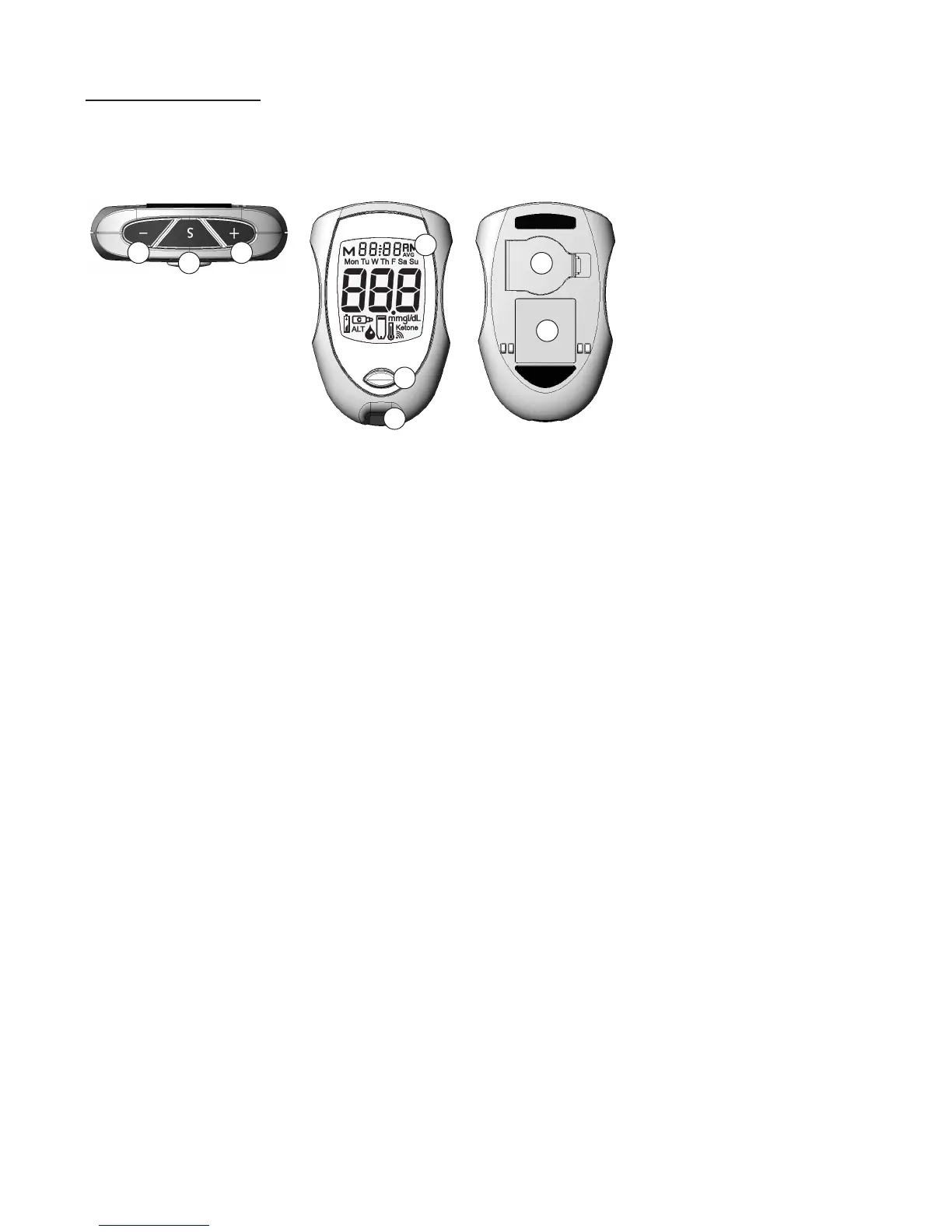
Top:
1. “+” Button – Adds Alternate Site Symbol, increases numbers in Set Up,
moves forward by time / date when viewing results in
Memory.
Note: Use of Memory function is not recommended in a
multi-patient setting.
2. “S” Button – Turns Meter on/off for Memory/Set Up, views / scrolls results
in Memory.
3. “-“ Button – Removes Alternate Site Symbol, decreases numbers in Set
Up, moves backwards by time / date when viewing results in
Memory.
Front:
4. Display Screen – Shows results, messages, user prompts, information
(see next page for full explanation).
5. Strip Release Button – Releases Test Strip after testing is finished.
6. Test Port – Place to insert TRUEtest Test Strip
Back:
7. Battery Door –Open to replace battery. Use one non-rechargeable 3V lithium
battery (#CR2032), positive (“+”) side up (see Battery
Replacement, Section 7, for more details).
8. Meter Label – Contains Serial Number of the Meter and phone number to
call for assistance.
BackFront
1
2
3
4
5
6
7
8



 To Next Page