TRUEresult
®
Quality Assurance / Quality Control Manual
25
How to Perform a Control Test
Use the Quality Control Log located in Forms, Section 10 to record Control Test
results.
1. Allow Control bottle, vial of Test Strips and Meter to adjust to room
temperature (59° - 86°F).
Note: Performing a Control Test at temperatures above or below room
temperature may cause the Control to read as a blood test.
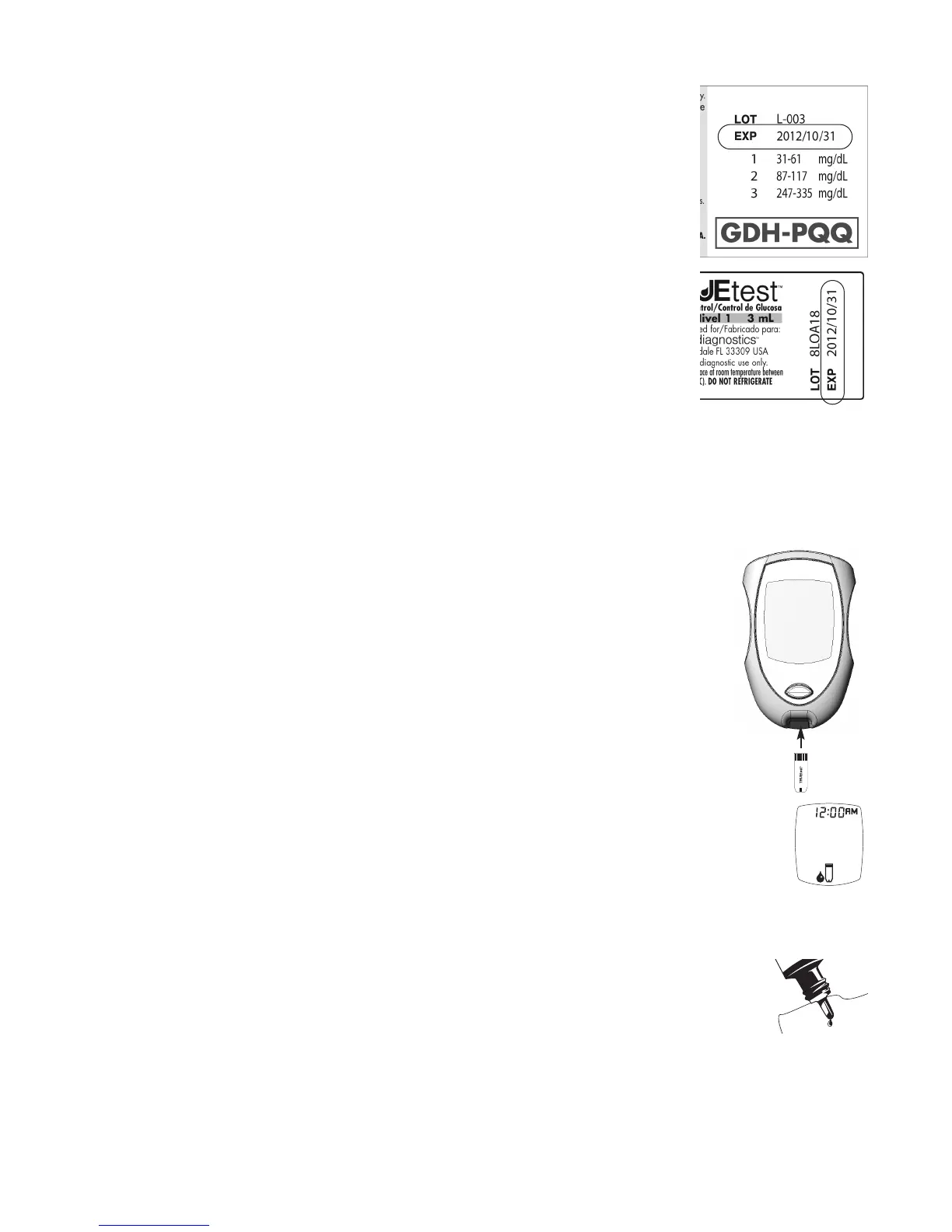
2. Check dates on Control bottle label and Test Strip vial label.
• Do not use Control if 3 months past written opened date or
after EXP date printed on Control bottle label.
• Do not use Test Strips 4 months past written opened date or
after EXP date printed on Test Strip vial label.
Discard out of date products and use new products if either date has passed.
3. Swirl or invert Control bottle gently to mix Control. DO NOT SHAKE!
4. Open Test Strip vial by pushing up under the lip of the vial cap. Remove one
Test Strip. Close vial immediately by firmly pressing down on the top of the
vial cap.
Note: Use Test Strip quickly after removal from vial. Test Strips that have been
left outside the vial too long will give an error message. If an error
message appears in the Display, release and discard the old Test Strip
and test with a new Test Strip.
5. With Meter off, insert the Test Strip Contact End (TRUEtest name facing up)
into the Test Port. Meter turns on. Keep the Test Strip in the Meter until
testing is complete.
6. Wait until the Drop Symbol appears in the Display.
Note: If Test Strip is removed before testing is finished, an error message
appears. Release and discard old Test Strip. Test with new Test Strip.
7. Remove cap from Control bottle. Turn Control bottle upside down. Squeeze
one drop of Control onto a clean tissue. Wipe off bottle tip.
8. Gently squeeze another drop of Control onto a small piece of unused
aluminum foil, clear plastic wrap, or a clean, non porous surface. (Discard
foil/wrap or clean area after use.)
Drop Symbol



 To Next Page