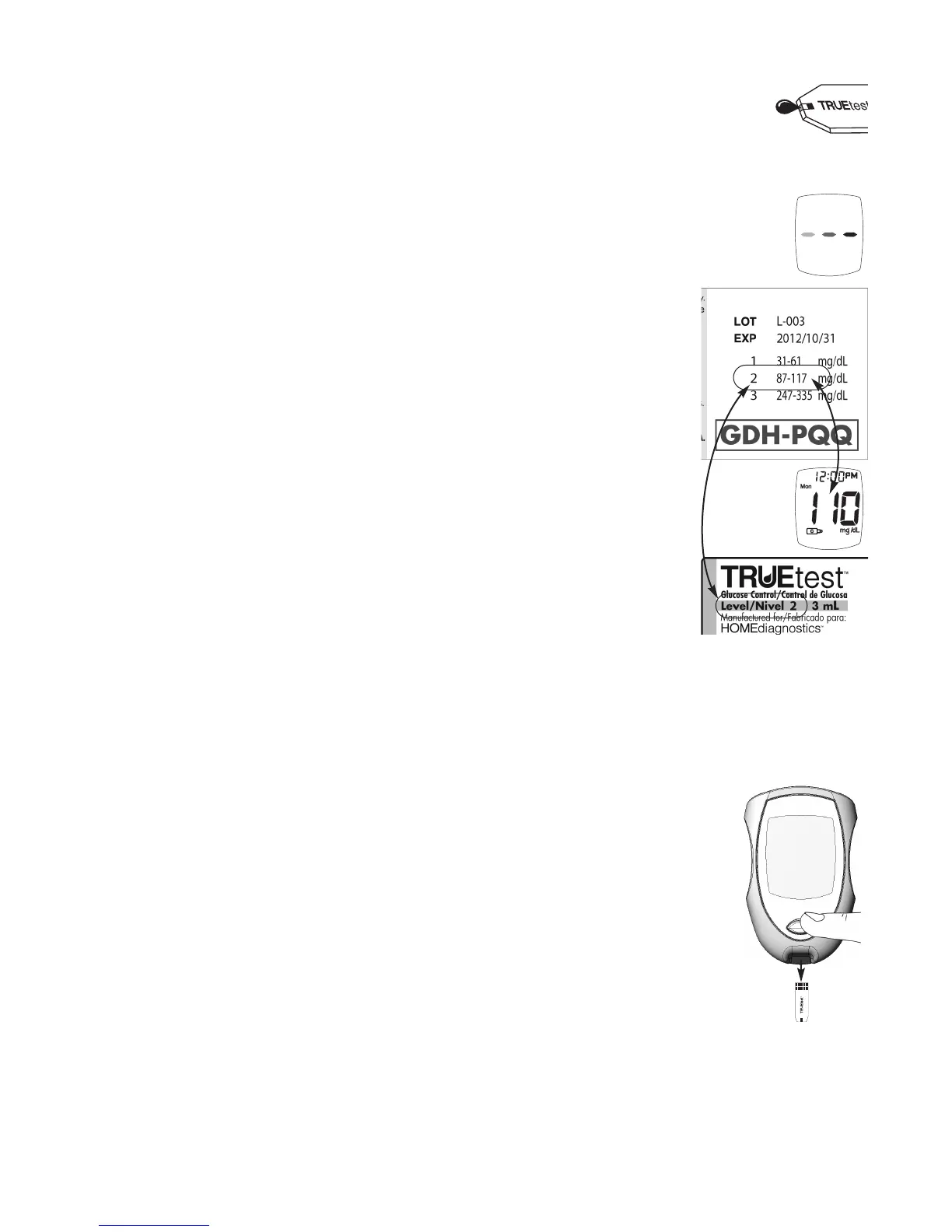
9. While Test Strip is still in the Meter, touch edge of Test Strip Sample Tip to
drop of Control and allow drop to be drawn into Test Strip. Remove Test
Strip from the drop when dashes appear across the Meter Display. Meter is
testing.
Note:
If Meter does not begin testing soon after drawing up sample (dashes
appear in the Display), release and discard Test Strip. Repeat the test with
a new Test Strip. If problem persists, See Troubleshooting, Section 7.
10. Control Test result is displayed. Compare the Meter result to the Control
Range printed on the Test Strip vial label for the Control level that is being
tested. If the result is in range, the System can be used for testing blood. If
the result is not within range, repeat the test using a new Test Strip.
Note: Performing a Control Test at temperatures above or below room
temperature (59° - 86°F) may cause the Control to read as a blood test.
Control Symbol does not show in Display with test result if the Control is
not detected.
CAUTION! If Control Test is outside of the correct range, perform test again
using a new Test Strip and a new drop of Control. If the result is
still outside the correct range, the System should not be used for
testing blood. Call for assistance (see cover for phone number).
11. Record the result in the TRUEresult Quality Control Log
(see Forms, Section 10).
12. Hold the Test Strip vial with Test Strip pointing down. Press the Strip
Release Button to release and discard the Test Strip into an appropriate
container. The Meter turns off.
TRUEresult
®
Quality Assurance / Quality Control Manual
26



 To Next Page