Viewing Memory
Note: The use of the Memory features (Averages, Memory) may not be suitable
for a multi-patient use of the System. Check with the facility procedures /
policies before use.
The TRUEresult Meter’s Memory stores 500 results.
The oldest glucose result is removed from the Memory when the Memory is full
and a new glucose result is added.
To access the Memory:
1. Press the “S” Button for a few seconds and release. The Meter turns on and
the 7, 14, and 30 day Average results are displayed. Press and release the “S”
Button again to view the most recent Control Test result in Memory.
Note: Only one Control Test result is stored in the Memory.
2. Press the “+” Button and release to advance to the first blood glucose test
result in Memory. Continue to press and release the “+” Button to advance
through the blood glucose results. Holding the “+” Button scrolls through the
results quickly. Press and release the “–“ Button to go back through the
results.
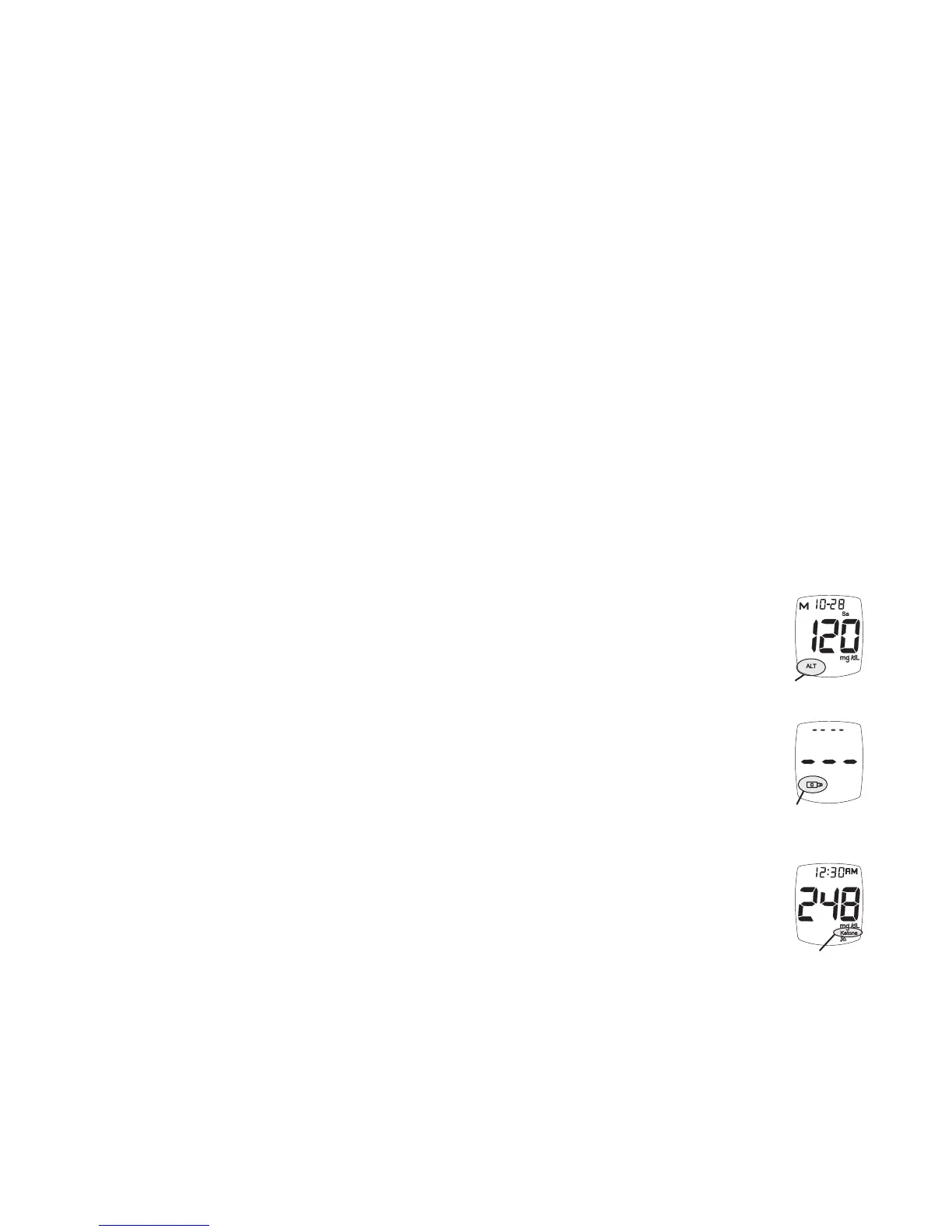
Test results marked as an alternate site blood glucose test (see How to
Perform a Blood Test, Section 4) display the Alternate Site Symbol (ALT).
Control Test results display the Control Symbol. If no Control Test has been
detected, the Display shows three dashes and the Control Symbol.
Note: Performing a Control Test at temperatures above or below room
temperature may cause the Control to read as a blood test. Control
Symbol does not show in Display with test result.
If Ketone Alert is turned on, blood glucose test results above 240 mg/dL
display the Ketone Symbol.
TRUEresult
®
Quality Assurance / Quality Control Manual
38
Ketone Testing
Alert
No Control Test
in Memory
Control Symbol
Alternate Site
Symbol



 To Next Page