[EN] 13
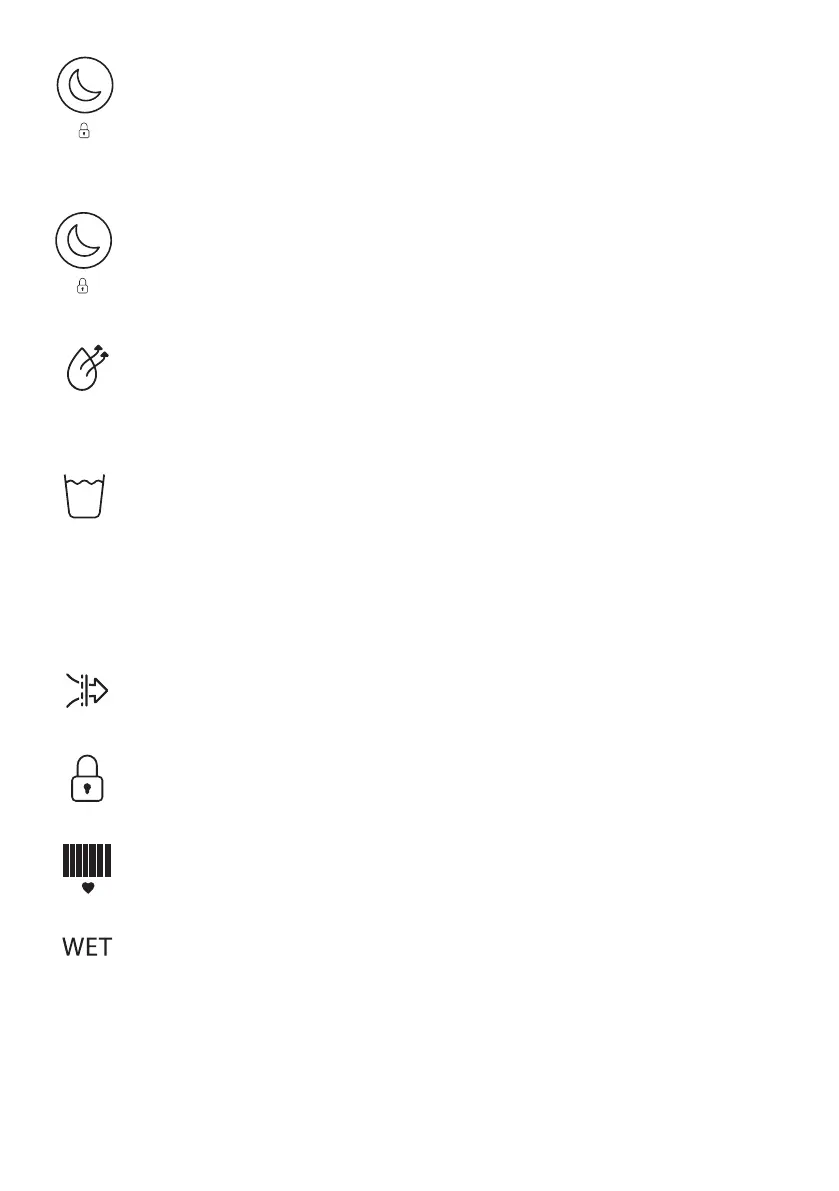
Night Mode: Press the Night Mode / child lock button once to enter Night Mode. The fan
speed will be reduced to low (only if it is currently in high); the buttons will not beep when
pressed and all lights on the display will turn o (the Night Mode indicator will turn o 3
seconds later than the rest of the display). Press any button to wake up the dehumidier and
view the display. Press the Night Mode / child lock button twice to exit Night Mode.
Child Lock: Hold the Night Mode / child lock button down for 2 seconds to lock the
dehumidiers control panel – once locked you will not be able to change any settings or turn
the dehumidier o. The dehumidier will beep once, and the child lock indicator will light up.
To remove child lock, hold the Night Mode / child lock button down for another 2 seconds.
Dehumidifying Indicator: The dehumidifying indicator will light up on the chase display
when the compressor is running, and the dehumidier is dehumidifying. The indicator will
turn o when the dehumidier is checking the humidity level and when the dehumidier is
defrosting - this is normal.
Water Tank Full Indicator: Once the water tank is full, the dehumidier will continue to run
in fan only mode for 3 minutes to blow any excess water o the coils and ensure that when
you remove the tank there is no water left that could drip out of the spout. The water tank
full indicator will light up on the chase display and bleep ve times (except in Night Mode).
The dehumidier will stop running until the water tank has been emptied and inserted back
in place. Once the water tank has been emptied and inserted back in place, the dehumidier
will continue to run in the previous mode.
Air Purication Indicator: The air purication indicator will light up on the chase display
when the dehumidier is in air purication (AP) mode only.
Child Lock Indicator: The child lock indicator will light up on the chase display when child
lock has been enabled.
Heart Indicator: The heart indicator recommends the suitable target humidity level -
55%RH.
WET Indicator: When the dehumidier is switched o and plugged in (in Standby mode), the
WET indicator will light up if the relative humidity measures above 70%. This indicates that
the current humidity is very high and the dehumidier should be turned on.
The WET and DRY indicators will always be lit up on the display when the dehumidier is
switched on to show which end of the %RH scale is which.


 To Next Page