Page 29 65-J Diesel - Operator’s Manual
September 2022Section 7 - Operating Instructions & Pre-Operation Function Tests
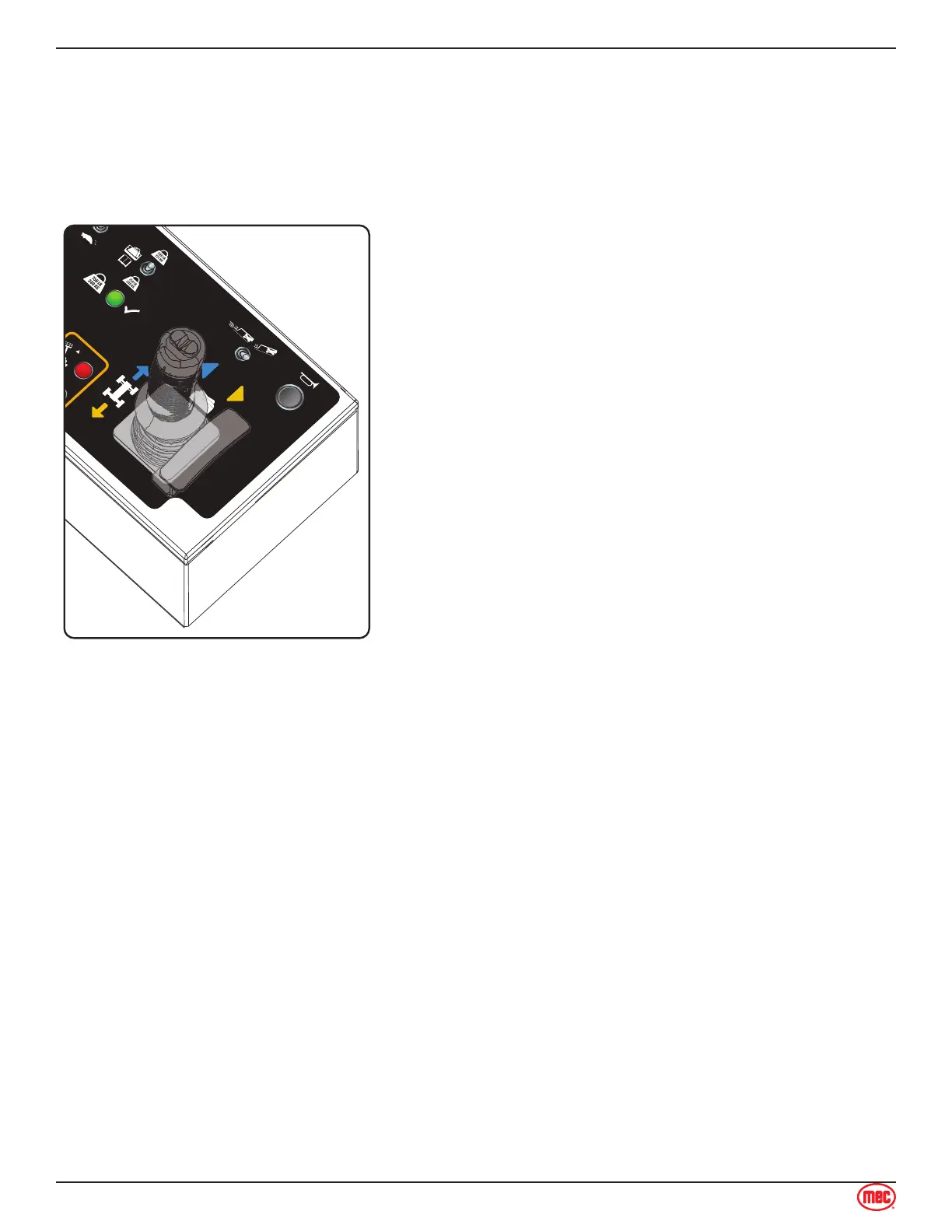
Drive Control Lever Operation
Depending on the orientation of the boom and chassis, the Drive and Steer functions may move
the machine in directions opposite of the motion of the control lever. The color- and shape-coded
arrows on the control lever decal correspond to similar arrow decals on the machine chassis (see
illustrations). Be sure to check the arrows on the chassis before activating and using the Drive or
Steer functions.
ART_4754
Upper Control Box
Directional Arrows
• Drive Function speed is proportional and is controlled
by the position of the control lever. The further it is
moved from the neutral (center) position, the faster the
speed will be.
• When the boom is elevated or extended out of the
stowed position, the maximum drive speed is reduced
to 0.5 mph (0.8 km/h). Drive function speed is still fully
proportional to the position of the drive control handle.
• The control lever returns to the neutral (center) position
when released.
• Steering Function is not proportional.
Note: The Steering Function does not automatically return
the steering wheels to the centered position. Always
check the position of the steering wheels before and
during machine operation.
Test Operation
• Drive: Squeeze the enable trigger, then move the control lever in the desired direction of
movement. The further it is moved from the neutral (center) position, the faster the speed will
be.
• Stop: Return the control lever to the neutral (center) position. Releasing the control lever will
also stop the machine. Releasing the trigger will result in a rapid stop.
• Extend the boom approximately 3 feet (1 m), then drive the machine. Speed should be reduced
signicantly from the fully-retracted, fully-lowered speed. Retract the boom.
• Elevate the boom approximately 10°, then drive the machine. Speed should be reduced
signicantly from the fully-retracted, fully-lowered speed. Lower the boom.
• Steering: Squeeze the enable trigger, then press the thumb switch on top of the control lever
to steer in the desired direction.
Note: The Steering Function does not automatically return the steering wheels to the centered
position. Stay alert to the position of the steering wheels before and during machine operation



 To Next Page