Page 19 92RT Scissor Lifts - Operator’s Manual
July 2020Section 6 - Function Tests and Operating Instructions
Outrigger Operation
ART_3031 R1
91844
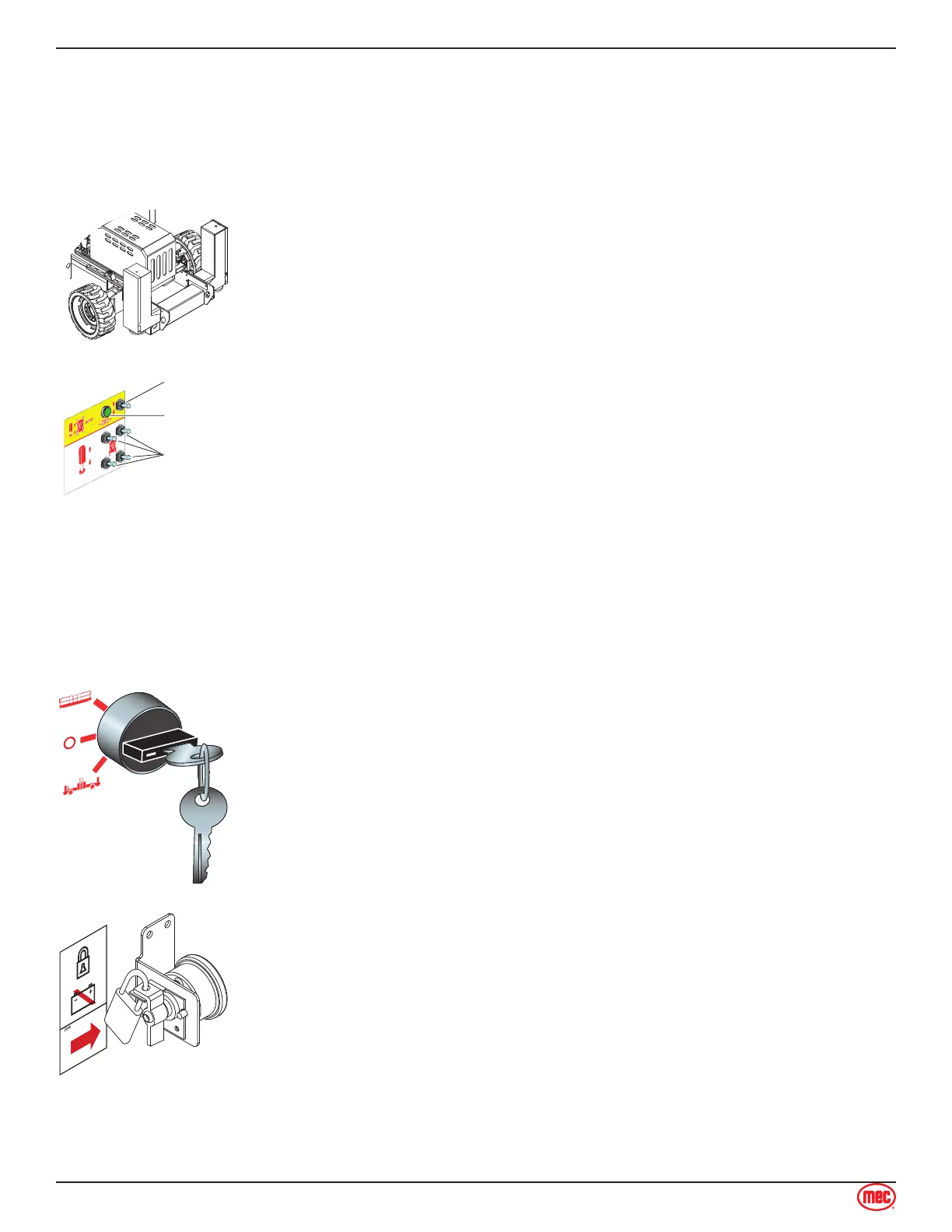
Automatic
Leveling
Manual Level
Switches
Drive Enable
Indicator
Only lower the outriggers when the machine is on a firm surface. The surface
must be capable of supporting the maximum ground pressure per wheel/
outrigger (see specifications).
The outrigger control switches is located on the front face of the Upper Control
Box.
Extend
Push down and hold the Automatic Leveling Switch to the EXTEND position.
The outriggers will extend and level the machine. When the machine is
level and ready to operate, the outriggers will stop automatically.
The Drive Enable Indicator will turn OFF, indicating that outriggers are
down and machine drive function is disabled.
Retract
Push up and hold the Outrigger Control Switch to the RETRACT position.
The outriggers will retract.
The Drive Enable Indicator will turn ON, indicating that the outriggers are
up and machine drive function is enabled.
Manual Operation Of Outriggers
Manual operation of individual outriggers is possible using the Manual
Level Switches.
•
•
•
•
Shutdown Procedure
When finished with the machine, place the platform in the stowed position.
Park the machine on a level surface.
Turn the Selector Key Switch to the OFF position and remove the key to
prevent unauthorized use.
Carefully exit the platform using a constant three (3) point dismount/grip.
•
•
•
•
Turn the Battery Disconnect Switch to the OFF position.
Note Leaving the Battery Disconnect Switch in the ON position for an
extended time will drain the battery.
Always put the switch in OFF position when leaving the machine at the
end of the work day.
Put a padlock on the Battery Disconnect Switch to prevent unauthorized
operation.
•
•
•



 To Next Page