Calibration
33
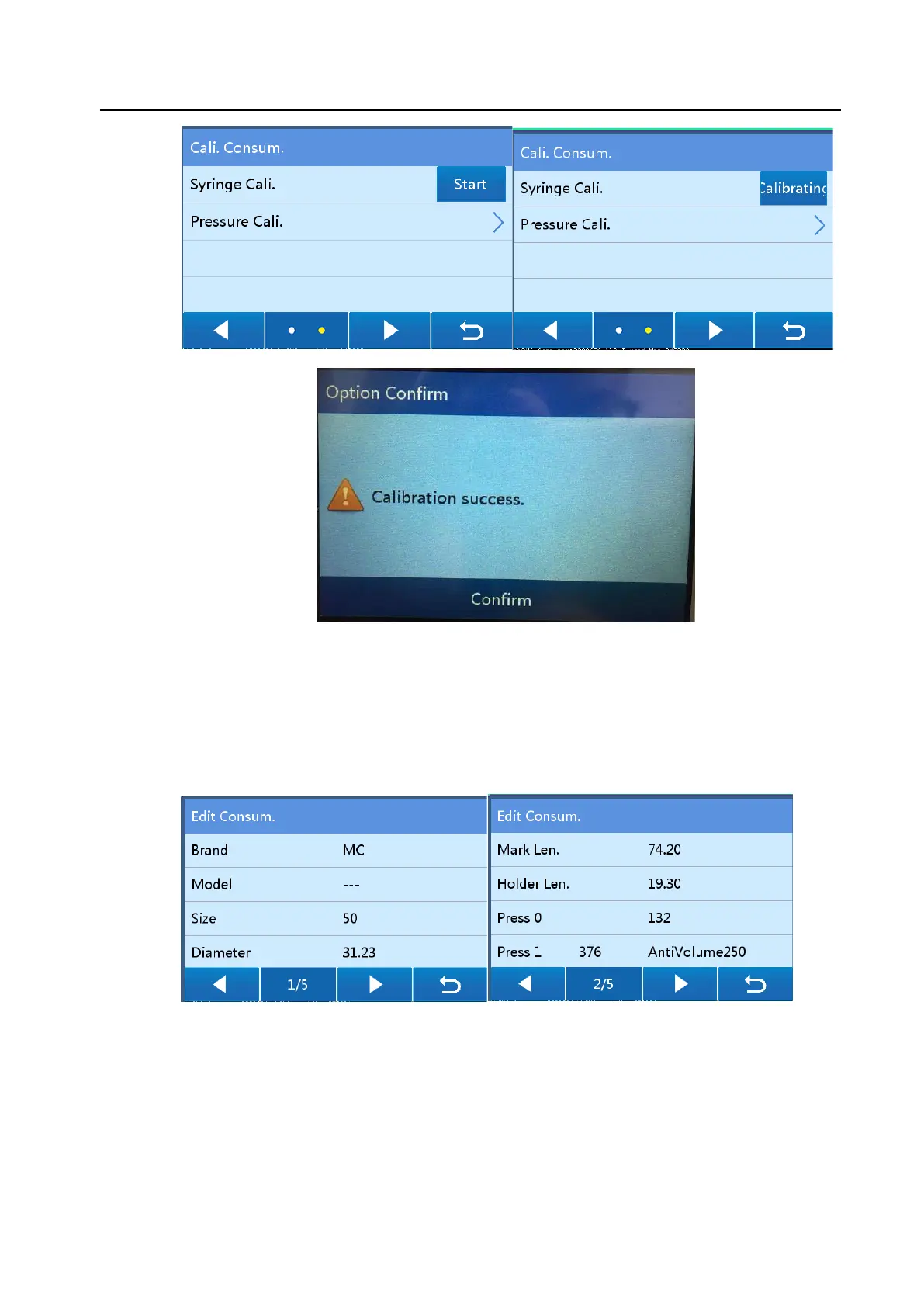
6 Press Confirm to finish calibration.
b) Method 2:
The calibration parameters of the consumable can be manually input. If a brand of consumable is not
available, build this brand of consumable according to method 1.
1 Choose HOME>Local Set>Maintenance, input the password 1666, choose Cali. Consum.>Edit
Consum. to access the consumables editing screen, and specify such parameters as Diameter, Mark
Len., Holder Len., and Anti Volume. Note: If Anti Volume is not specified, the device calls the
default parameter of the system, but 0 is displayed on the screen.



 To Next Page