EN
Preparation for use / operating instructions | 25
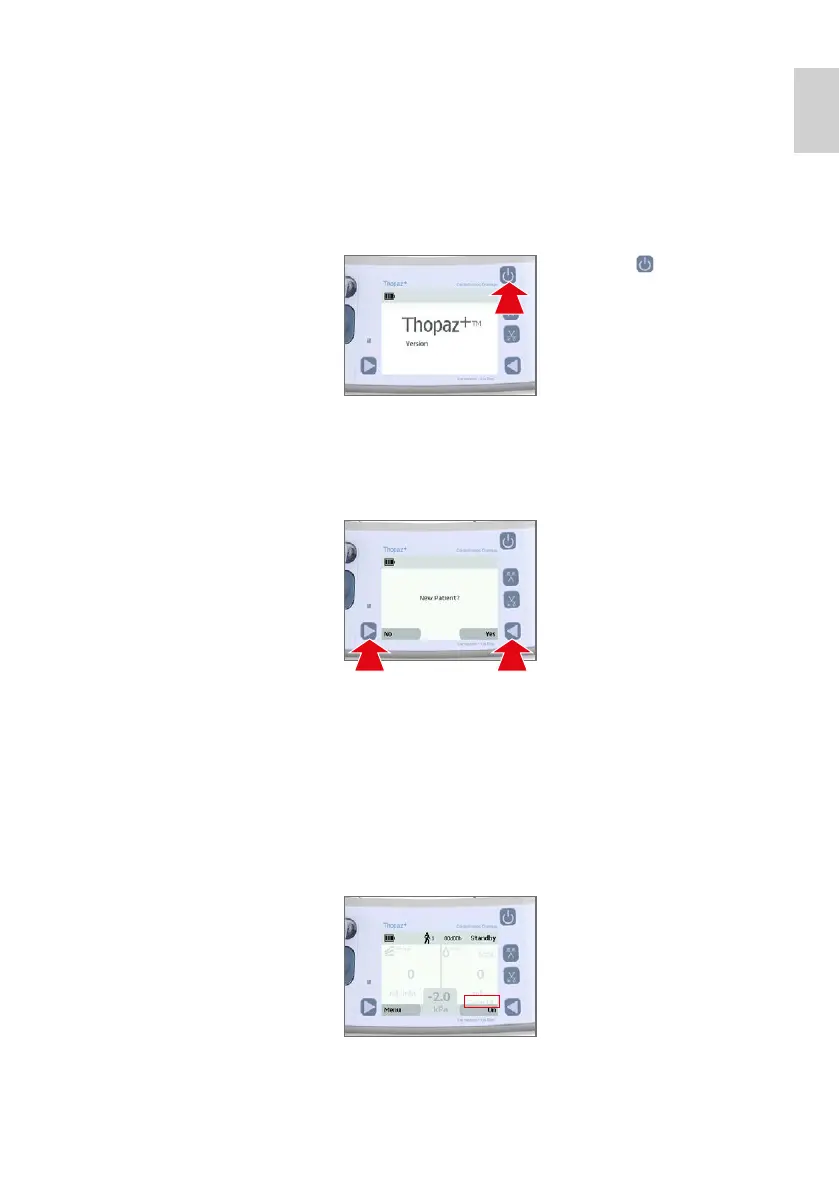
Switch Thopaz
+
on
If the selftest is not successful, follow the troubleshooting
instructions on the display and refer to chapter 12 –
Troubleshooting and alarms.
Important: Do switch Thopaz
+
on before connecting the
system to the patient.
yes
Thopaz
+
will issue a new patient number. The therapy
time and history data will start from 0 (recommended
for a new patient).
Note: Once the patient number reaches 100 it
automatically defaults back to 1.
2. 2.1 Confirm whether a new
patient is connected or
not. The patient number is
important for therapy time,
history data and data
transfer to the PC.
7.4
1.
1.1 Press [
] to switch
Thopaz
+
on. A selftest
starts.
1.2 Check acoustic signal
(beep).
no
The patient number remains unchanged (recommended
for the continued treatment of the same patient). The
data history and the therapy time are retained.
3. 3.1 Check canister matching:
detected canister size vs.
attached canister.
No match: dispose
canister.





 To Next Page