SHIFT
SHIFT
FADE
CHORD
MODE
FILL A FILL B
START /
STOP
SYNC
START
INTRO /
ENDING
FADE
CHORD
MODE
FILL A FILL B
START /
STOP
SYNC
START
INTRO /
ENDING
FADE
CHORD
MODE
FILL A FILL B
START /
STOP
SYNC
START
INTRO /
ENDING
FADE
CHORD
MODE
FILL A FILL B
START /
STOP
SYNC
START
INTRO /
ENDING
FADE
CHORD
MODE
Styles
Playing Different Accompaniment
Sections
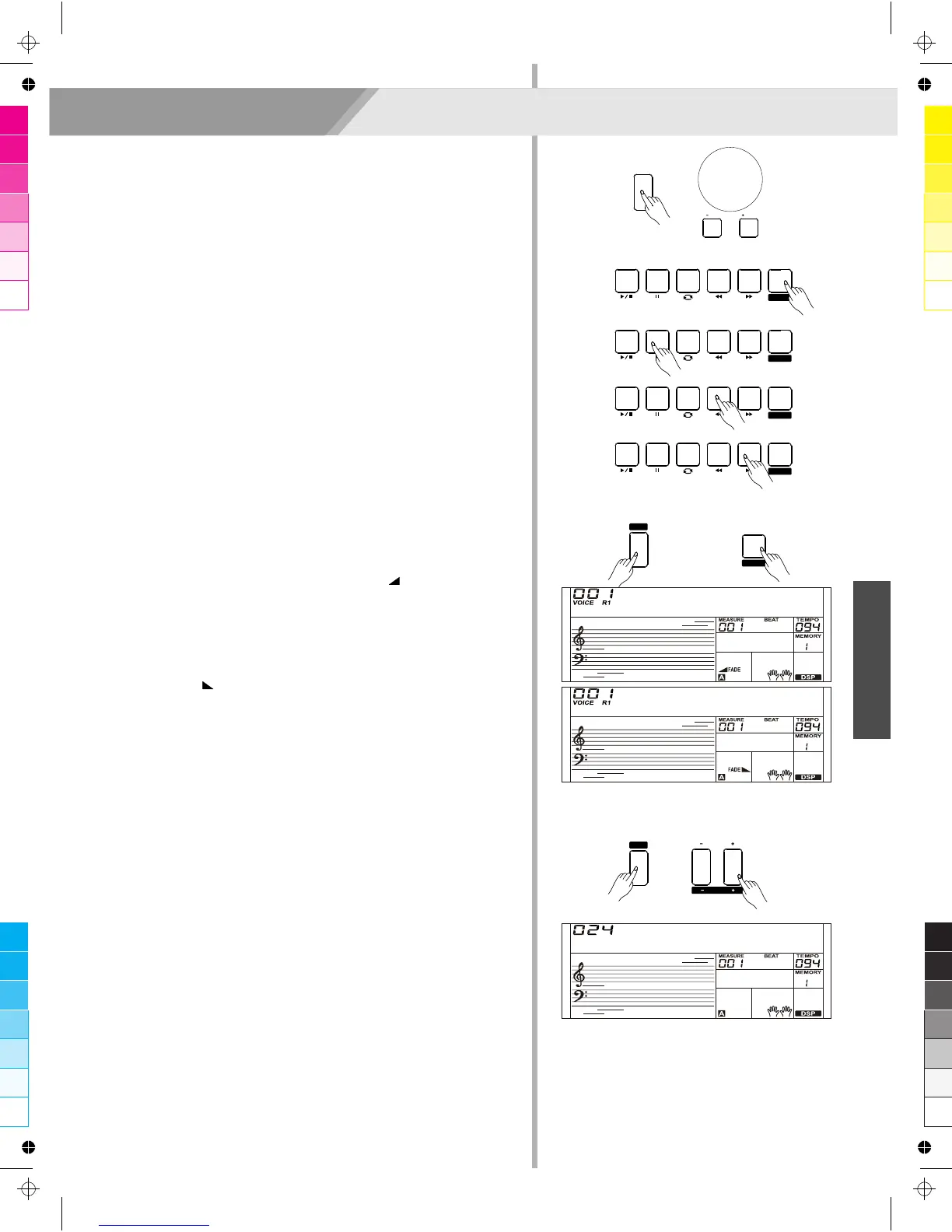
1. Press the [STYLE] button.
2. Press the Style Direct Button, data dial or [+/YES]/ [-/NO] button to
select a style.
3. Press [CHORD MODE] button to enter A.B.C. (auto bass chord)
mode.
4. Press [SYNC START] button.
5. Press the [FILL A] button, select the Main A section.
6. Press the [INTRO/ENDING] button. Now the “A” indicate on LCD,
and the style is ready to play.
7. It will start the accompaniment as soon as you start playing in
Chord section. When the playback of the intro is finished, it
automatically leads into Main A section.
8. Press the [FILL B] button. A fill-in plays, automatically followed by
the Main B section.
9. Press the [INTRO/ENDING] button again, and it will enter the
Ending Section. When the ending is finished, the auto
accompaniment automatically stops.
Fade
1. Fade In
Starting the style with fade in produces a smooth beginning, the
volume increases from low to high.
Press and hold the [SHIFT] button and then press the [FADE]
button when Style playback is stopped. The “ FADE” icon will be
lighting up, and then flashing with style playing.
2. Fade Out
Stopping the style with fade out produces a smooth ending, the
volume increases from high to low. Press and hold the [SHIFT]
button and then press the [FADE] button during Style playback.
The “FADE ” icon will be lighting up, and then flashing with auto
accompaniment stops.
3. Fade In/ Out Time
The default time value is 10 seconds.
Accompaniment Volume Control
Adjust the master accompaniment volume; you can use this function
to balance auto accompaniment part volume and keyboard voice
volume.
1. Press and hold the [SHIFT] button, and then use the [ACCOMP +]/
[ACCOMP -] button to set accompaniment volume, adjustable
range: 0~32, the LCD displays current accomp volume“XXX
Accomp”. The default value is: 24.
2. Press and hold the [SHIFT] button and then press the
[ACCOMP +]/ [ACCOMP -] for a while you can quickly adjust the
volume value.
3. Press and hold the [SHIFT] button, at the accomp volume
temporarily showed on the LCD, press the [ACCOMP +] and
[ACCOMP -] buttons simultaneously to restore to its default value:
24.
Note:
The accompaniment setting will automatically exit if no operation is
done over 5 seconds.
GrdPno
GrdPno
Accomp
13
/ NO
/ YES
STYLE
TEMPO
ACCOMP



 To Next Page