FADE
CHORD
MODE
SUSTAIN
HARMONY
MIXER
TRANSPOSE
SHIFT
M4
DSP
SHIFT
Effect Related Settings
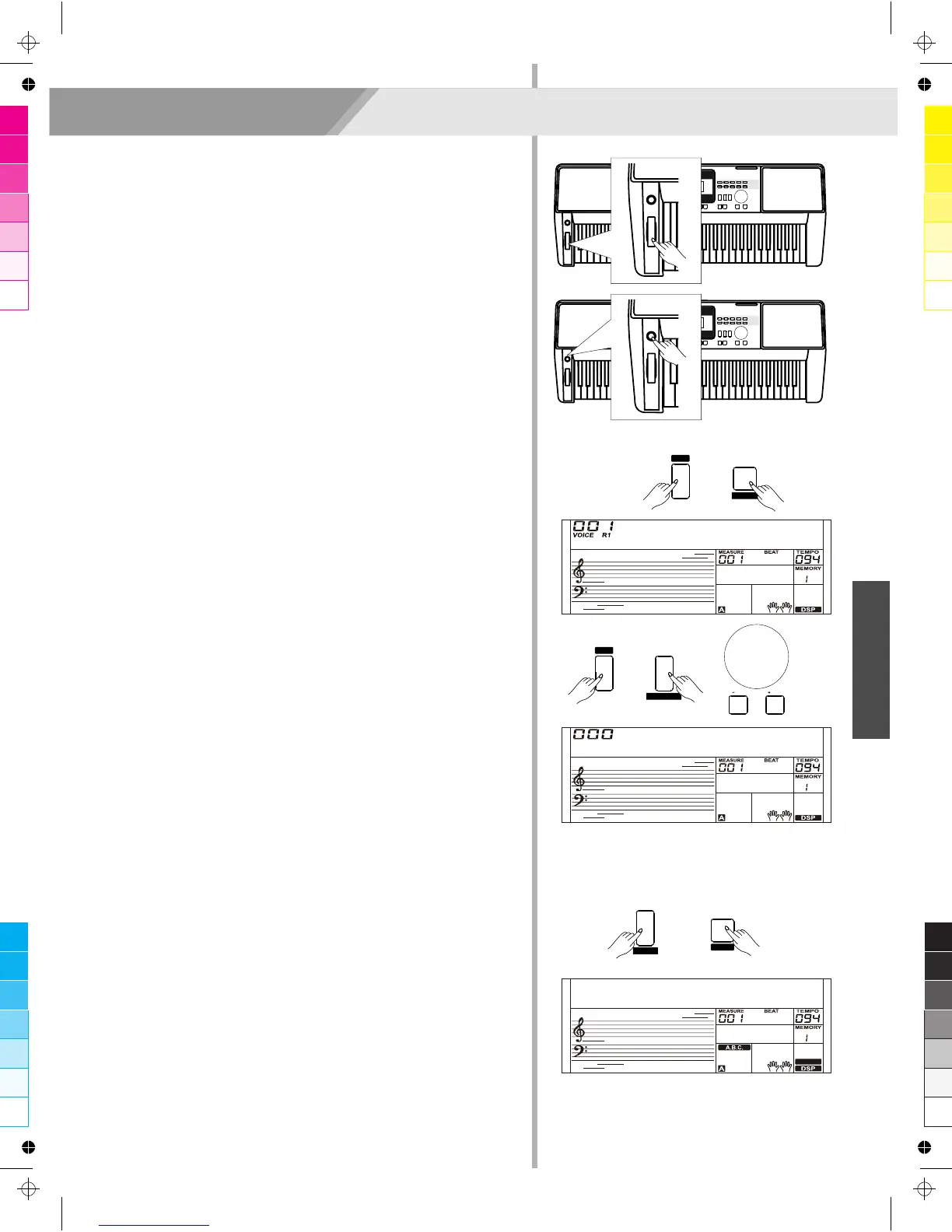
Pitch Bend
Use the pitch bend wheel to bend notes up (roll the wheel away from
you) or down (roll the wheel toward you) while playing the keyboard.
The pitch bend wheel is self-centering and will automatically return to
normal pitch when released.
You can use the pitch bend wheel to imitate the guitar, violin,
saxophone, urheen, suona and other instruments pitch bend effect,
make your performance more vivid.
Modulation
The Modulation function applies a vibrato effect to notes played on
the keyboard. This is applied to all the keyboard parts. Pressing the
[MODULATION] button to add modulation effect and releasing
[MODULATION] button to stop modulation effect.
This modulation effect is very important to those performances with
urheen, guitar, and violin these string instruments, make your
performance more vivid.
DSP
1. Press and hold the [SHIFT] button and then press the [DSP] button
to set the DSP effect on and the icon on the LCD is lightened when
keyboard is power on.
2. Stop DSP effect, press and hold the [SHIFT] button and then
press the [DSP] button again to turn DSP effect off.
Note:
What is DSP?
The DSP is a simulate sounds of sound localization technology in the
real environment. Since each sound should be produced in a certain
space, so when you at home, in cinema or in the wilderness, even
play the same violin you can hear different sounds, the difference
sounds are caused by different atmosphere
Transpose
Press and hold the [SHIFT] button and then press the [TRANSPOSE]
button to start transpose function.
Use [+/YES]/ [-/NO] button or data dial to change transpose value,
adjustable range:-12~ +12, the default value is: 0. The LCD displays
“xxx Transpos”.
Harmony
The harmony function can add harmony effect to the main voice. If
you turn the harmony on, the harmony function will automatically add
harmony notes to the notes played in the right-hand section, which
gives you a rich and harmonic expression.
1. Press the [CHORD MODE] button to turn auto accompaniment on.
2. Press the [HARMONY] button to turn the harmony effect on.
3. Play a chord with your left hand.
4. Play some notes in the right-hand range of the keyboard. When a
Harmony type is selected, this type automatically add one or more
harmony notes to a single-note melody played in the right-hand.
Note:
1. Harmony cannot be turned on when the Full Range fingering mode
is selected.
2. The harmony types of “1+5”, “Octave 1” or “Octave 2” will respond
whether the A.B.C. is open or not. Other types of harmony will
respond only when the A.B.C. is open.
21
GrdPno
Transpos
HrmDuet
HARMONY
/ NO
/ YES



 To Next Page