DEMO
STORE
PLAY
BANK
RECORD
SHIFT
STORE
PLAY
Record
Playback Recording
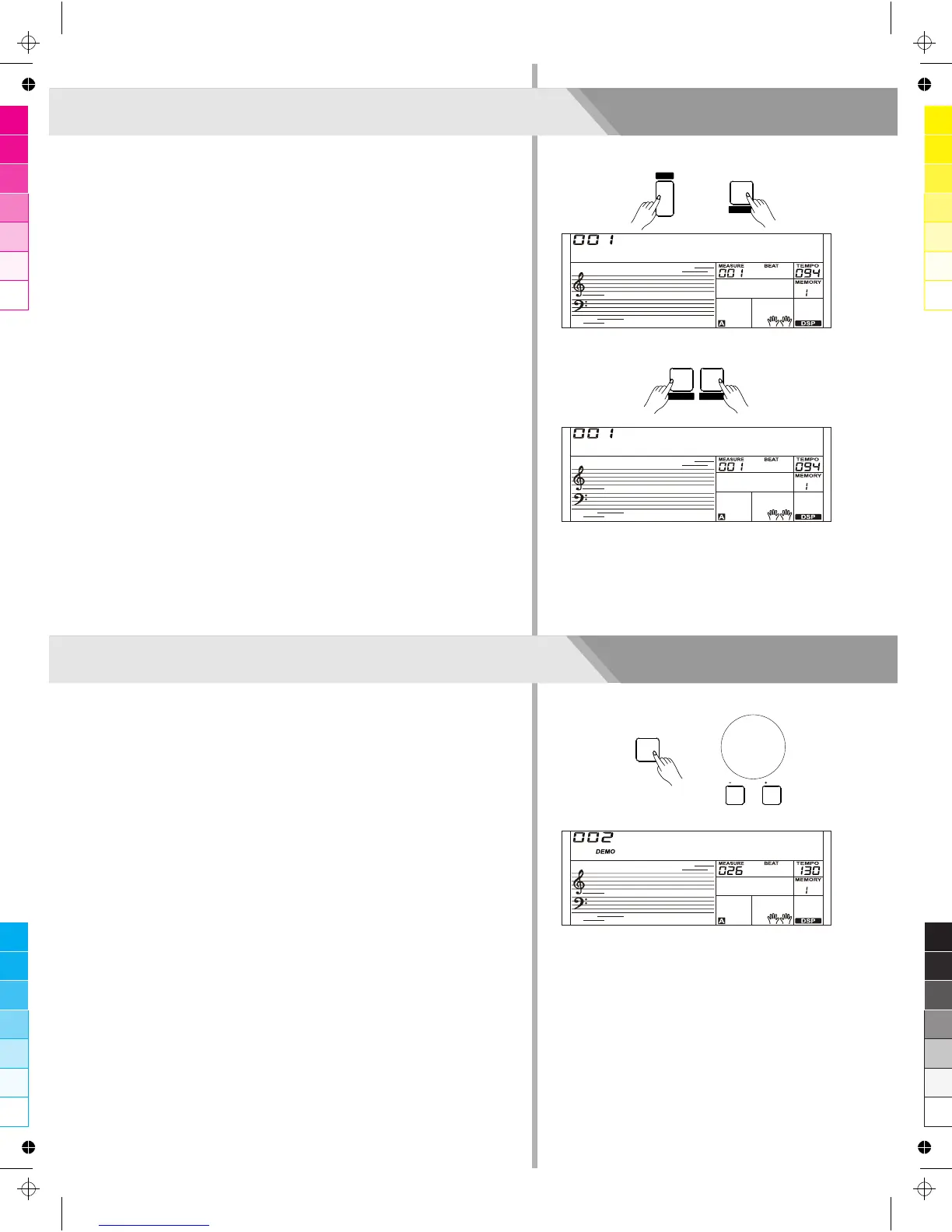
1. When recording is in process, holding down [SHIFT] button and
then press the [PLAY] button to enter the selection interface. The
LCD displays “XXX NoFile_X”, if you have selected a user song
with no record data; or the LCD displays “XXX PlySongX”, if you
have selected a user song with record data, for example, “001
PlySong1”. You can use [+/YES]/ [-/NO] button or data dial to
select a user song you want to playback.
2. Press and hold the [SHIFT] button and then press the [PLAY]
button to playback the user song.
3. If want to stop playing record, press and hold the [SHIFT] button
and then press the [PLAY] button.
Delete User Song
1. Pressing and holding [RECORD] and [SONG] button together and
turn power on simultaneously, all user songs will be erased.
2. In the recording playback status, holding down [SHIFT] button and
then press the [RECORD] button, the LCD will display “Delete?”,
press [+/YES] button to confirm delete user song, press the [-/NO]
button to cancel delete user song.
Note:
All user songs won’t be erased even turn the instrument off.
24
Playing the Demo Song
This instrument features 5 wonderful demos. Please refer to Demo
List.
1. Press the [DEMO] button, the DEMO icon is lit, all demo songs will
be played in circle.
2. Use [+/YES]/ [-/NO] button or data dial to select different demo
song. Press the [DEMO] or [START/STOP] button to stop playing
and exit the demo mode.
Note:
In the demo status, all buttons and keys are unavailable except
[DEMO], [START/STOP], [+/YES], [-/NO] button, [TEMPO +],
[TEMPO -], data dial, [VOLUME] slider and POWER SWITCH.
PlySong1
Delete?
BosaNova
/ NO
/ YES



 To Next Page