Function Menu
MIDI OUT
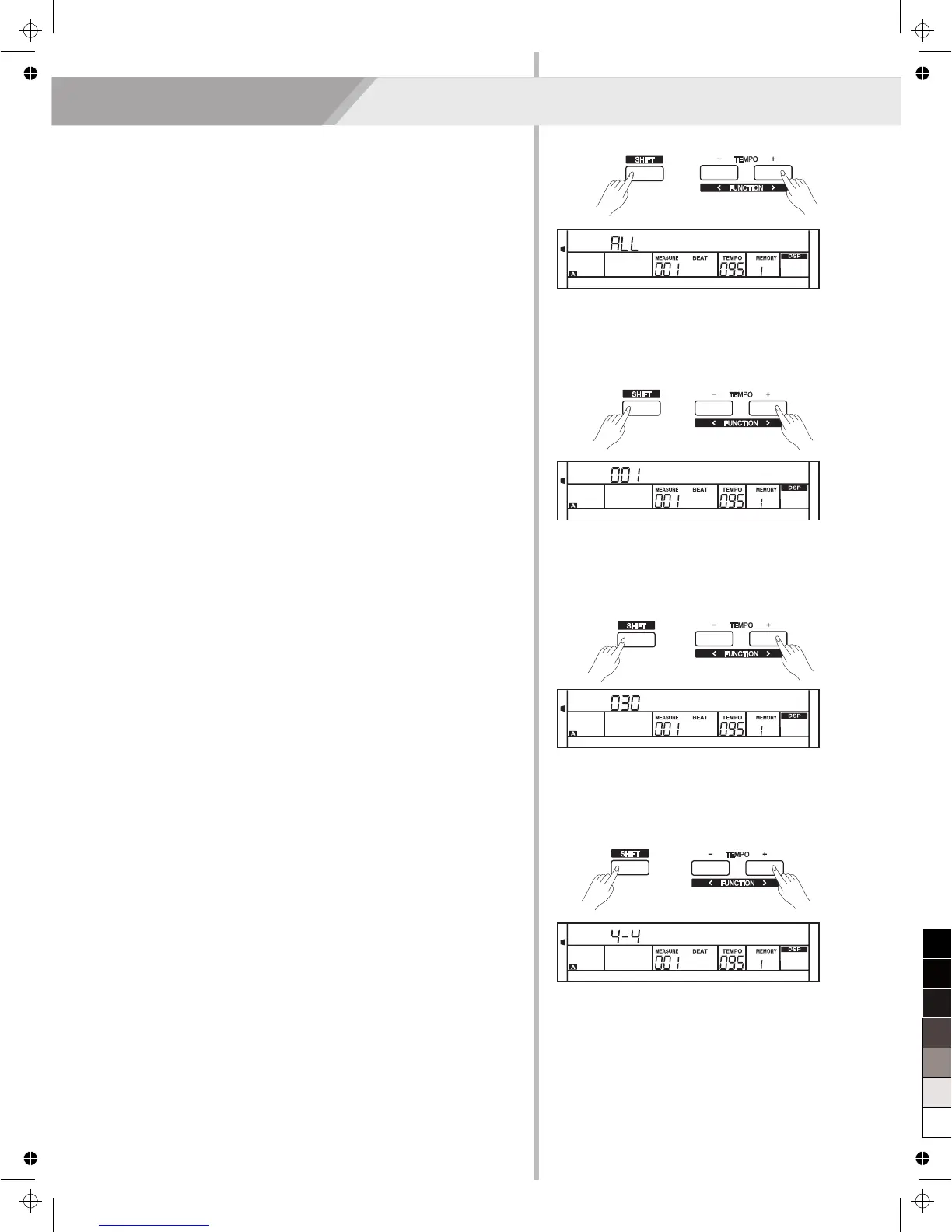
1. Holding down [SHIFT] button, and then press [FUNCTION ] button
to select Midi Out menu. LCD displays “xxx Midi Out”.
Use [+/YES]/ [-/NO] or data dial to change Midi Out channel: 1~16.
2. Press [+/YES] and [-/NO] simultaneously will set Midi Out channel to
its default setting: 001.
</>
Power Off
This function is used to set automatic shutdown time.
1. Press [FUNCTION ] button to select power off menu. LCD displays
“xxx PowerOff”. Use [+/YES]/ [-/NO] or data dial to change time
value: OFF, 030, 060.
2. Press [+/YES] and [-/NO] simultaneously, the time will be restored to
default: 030 (30 minutes).
</>
MIDI IN
1. Holding down [SHIFT] button, and then press [FUNCTION ]
button to select MIDI in menu. LCD displays “xxx Midi In”. Use
[+/YES]/ [-/NO] or data dial to change MIDI in channel:1~16, ALL.
2. Press [+/YES] and [-/NO] simultaneously will set MIDI in channel to
its default setting: ALL.
</>
Performance Beat Type
This function is used to set the performance assistant beat type.
1. Holding down [SHIFT] button, and then press [FUNCTION ] button
to select Perform Beat menu. LCD displays “xxx Perform Beat”.
Use [+/YES]/ [-/NO] or data dial to change performance beat: 4-4,
3-4, 2-4, 6-8.
2. Press [+/YES] and [-/NO] simultaneously will set performance beat
channel to its default setting: 4-4.
</>
27
Midi In
Midi Out
PowerOff
Perform Beat



 To Next Page