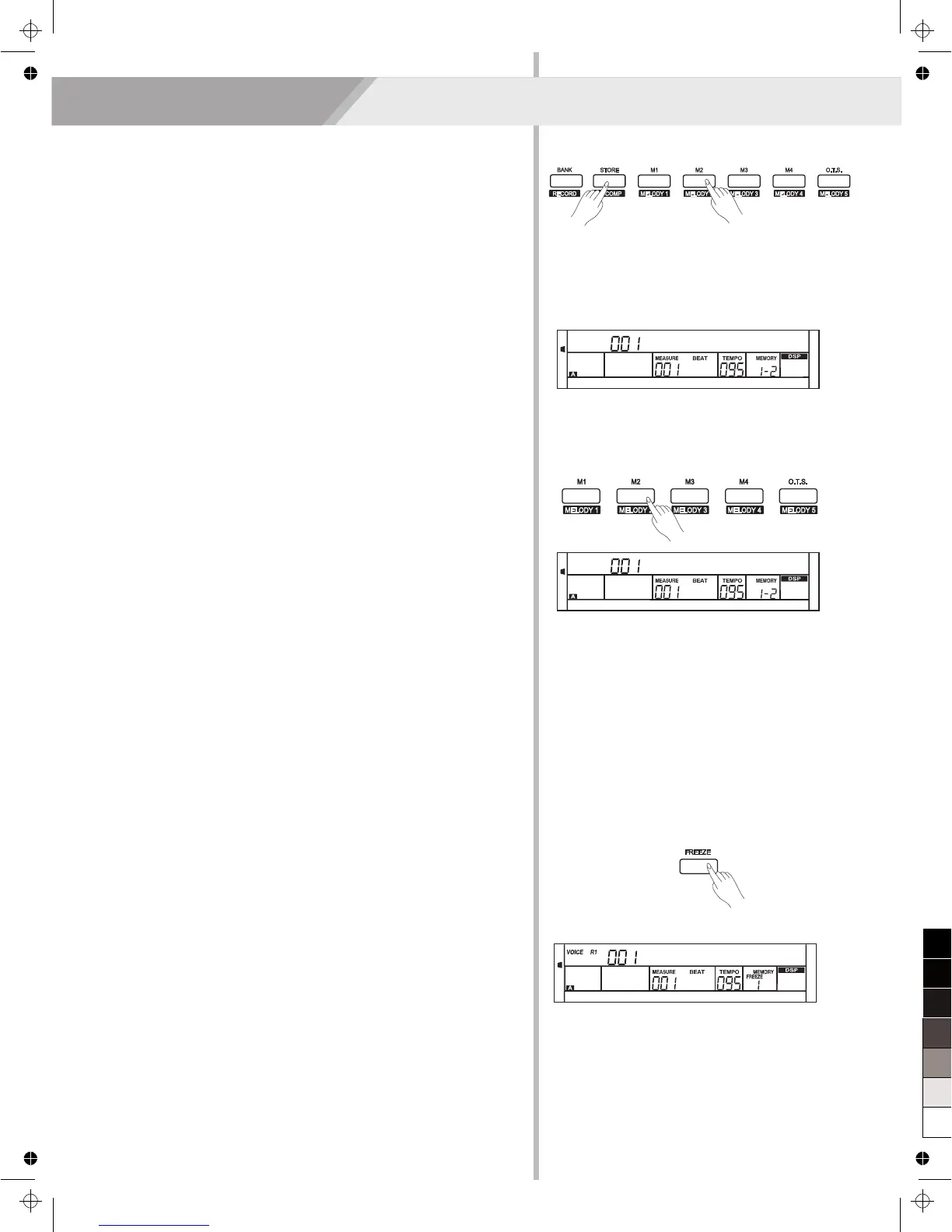
Recalling the Registered Panel Settings
Press one of the registration memory buttons: [M1] - [M4]. In this
example, the panel settings stored in the memory 2 of bank 1 are
recalled.
Note:
Registration data cannot be recalled when the One Touch Setting
function is on.
Registering the Panel Setting
1. There are 8 memory banks, and each bank has 4 memories
(M1-M4).
2. Holding down the [STORE] button, press one of the registration
memory buttons: [M1] - [M4]. Notice that the new settings will
replace the previous memory data.
Note:
Press [STORE] and [M1] button then power on, the registration
memory will be set to default.
Register Memory
The keyboard is an instrument with a variety of controls and functions,
the Registration Memory feature can make your performance more
easily and efficiently. It allows you to save virtually all panel settings to
a Registration Memory setting, and you can instantly recall custom
panel settings by pressing a single button.
Selecting a Registration Bank
1. Press the [BANK] button. There are 8 banks in all and each bank
has 4 memories(M1-M4). Press the [BANK] button, the LCD
displays “Mem Bank”.
2. Select a bank. Use the data dial, [+/YES] or [-/NO] button to select a
bank from 1 to 8.
29
Mem Stor
StGrdPno
Accompaniment Freeze
When the freeze function is turned on, the parameters about
accompaniment (style number, accompaniment section,
accompaniment volume, tempo, transpose, chord status, mixer, key split
point) will not change when recalling a registered memory.
1. Press the [FREEZE] button, the LCD will display FREEZE indicate.
Now the accompaniment parameters would not be changed when
recalling registered memory.
2. In freeze status, press the [FREEZE] button. The freeze function is
turned off. The freeze indicate on LCD will light off.
StGrdPno



 To Next Page