Function Menu
Option
LCD Display
Range
Default
TUNE
000Tune
-50— 050
000
BEAT
004Beat
000,002—009
004
SPLIT POINT
019Split pt
001—061
019
PEDAL ASSIGN
Sust(001)
CHORUSLEVEL
000Cho Lev
000— 127
REVERB LEVEL
040Rvb Lev
000— 127
040
001 Ped Sust Sust、Soft、Mem、ST/S
MIDI RECEIVE
ALL Receive
001 Transmit
001 016、ALL
001 016
—
—
ALL
001
MIDI TRANSMIT
000
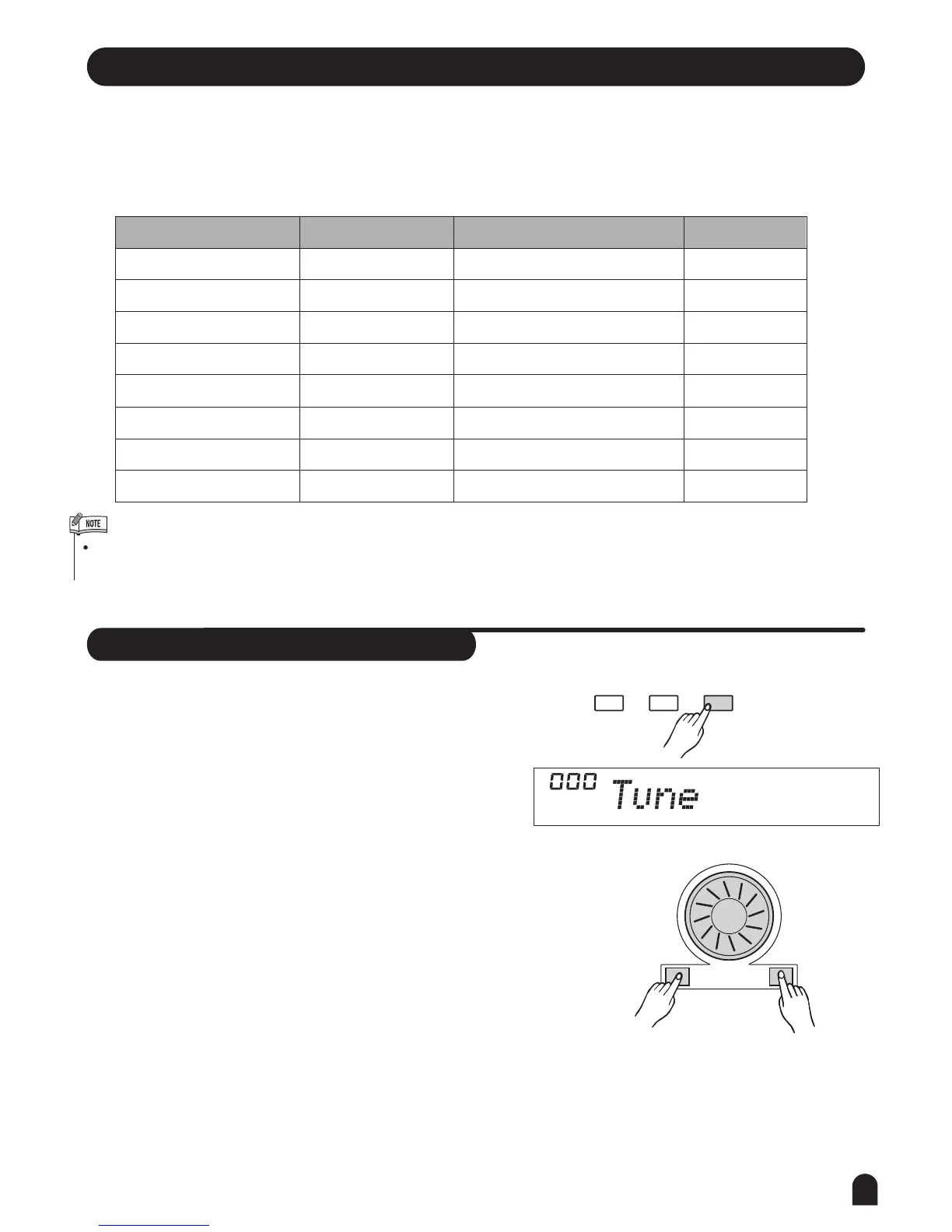
Tune
27
Press [FUNCTION/NEXT] or [FUNCTION/BACK] button to enter the menu of function. The default
option of the menu is "TUNE". When you enter the menu next time, you will find the option is the same as
last time. Press [FUNCTION/NEXT] or [FUNCTION/BACK] button to select the option to be set.
Use [+/YES] / [-/NO] or the DIAL to set the parameter. The option and the parameters are as the follows:
If you don't press any button for 5 seconds after entering FUNCTION menu, it will quit this menu automatically.
The LCD displays the tune value. Use [+/YES] / [-/NO]
or DIAL to change the tune value. Its range is from -50
to 50 cents only by the right area of keyboard.
This function sets the pitch of entire keyboard by
steps of cents.
Pressing [+/YES] and [-/NO] together will set the TUNE
value back to its default setting.
1.
2.
+/YES-/NO
FUNCTIONMIXER
BACK NEXT



 To Next Page