Song
45
Total of 100 songs, in which there are 10 piano songs.
Each song can be practiced in LESSON mode. (See
appendix: page 68)
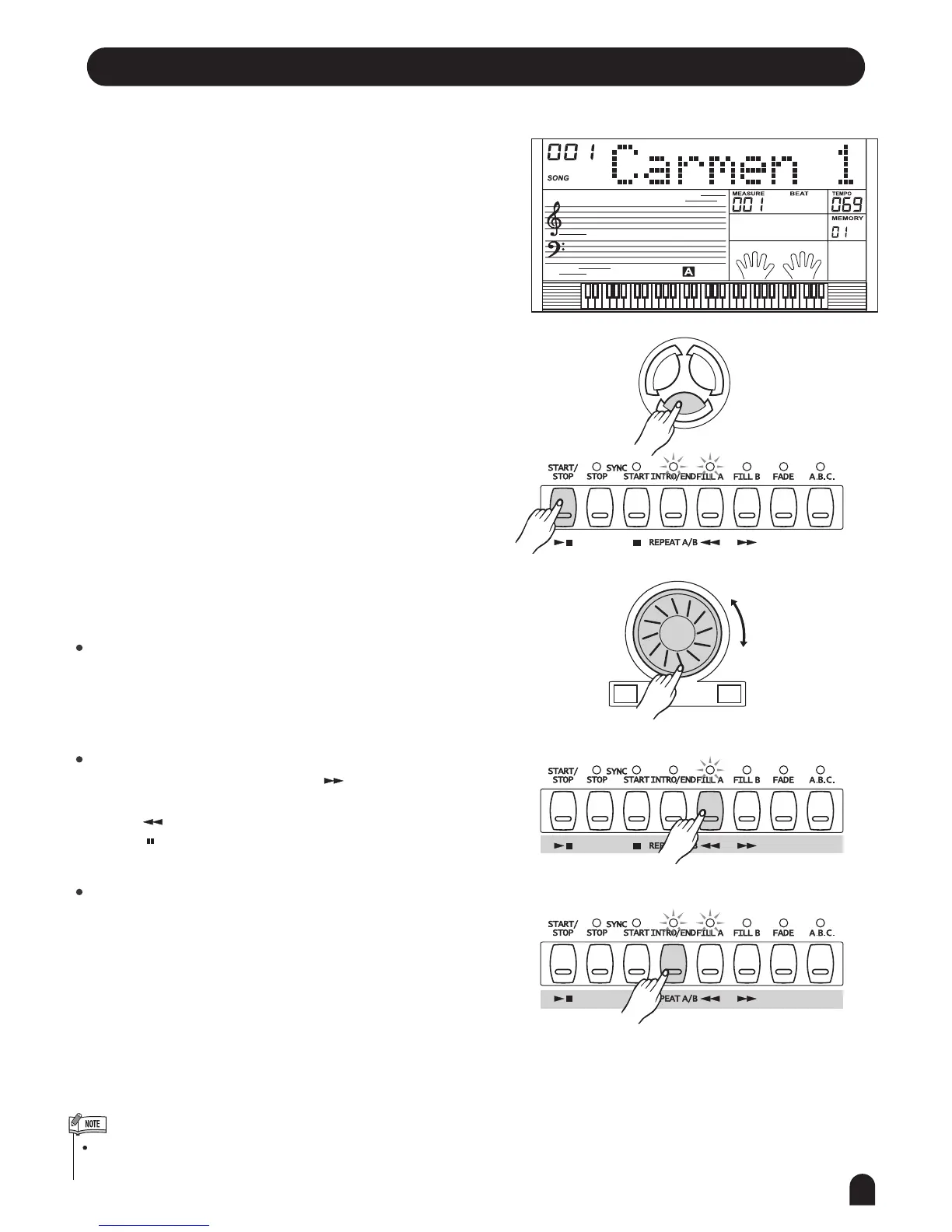
START/STOP the song:
Press [SONG] button to enter the song mode. It will play
all songs in circle.
Press [START/STOP] button to start / stop playing the
song, but it will not quit the song mode.
Loop:
The 2nd time you start playing the song by pressing
[START/STOP] button, it will play current song repeatedly.
Select the song:
Use [+/YES] / [-/NO] button or DIAL to select the song
you want.
Song control:
Introductory beat:
Before the song start playing, it has the introductory beat,
the measure starts from negative value. It begins to play
the song when the measure goes to 1.
REW,FF and PAUSE:
When the song is playing, press [ ] button to fast
forward the song.
Press [ ] to rewind the song (base on the measure),
press [ ] to pause the playing song.
When the song is stopped, press [STYLE], [CHORD
DICTIONARY], [VOICE], [DUAL] or [LOWER] will exit
the song mode.
The user song do not have the function of REW, FF and
PAUSE.
Song repeat
When playing the song, press [REPEAT A/B] button to
set the location of loop begin and loop end to the current
song. Press the [REPEAT A/B] to set the loop begin,
and press the [REPEAT A/B] twice to set the loop end.
When in loop status, press [REPEAT A/B] again to quit
loop playing status.
SONG
VOICESTYLE
+/YES-/NO
1.
2.
3.
4.



 To Next Page