EXECUTE
MENU
CARD
EXECUTE
MENU
CARD
SD Function
Save Memory
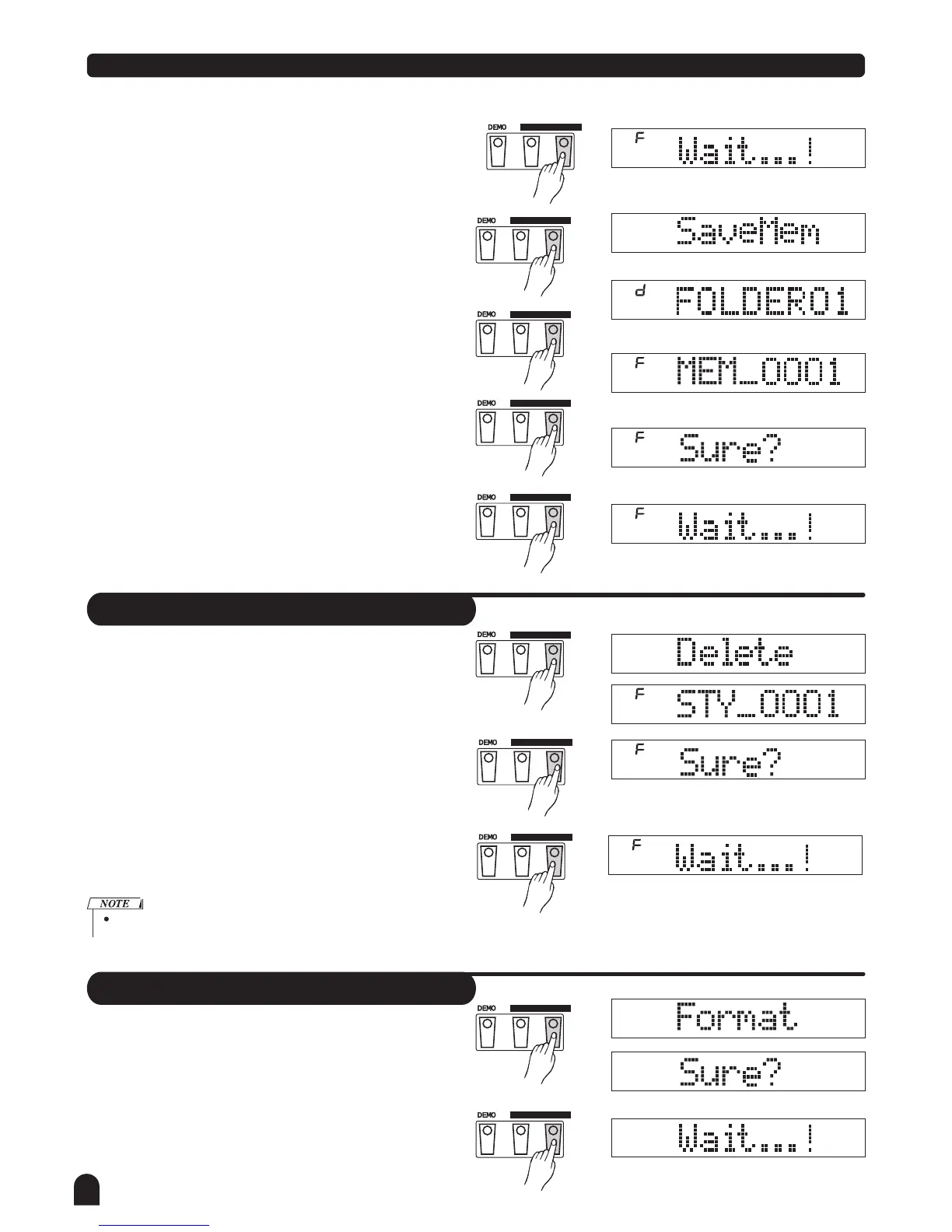
Select the menu "SaveMem" and press the [EXECUTE]
button, you can select the storage directory with DIAL or
the [+/YES] ,[-/NO] button.
Press the [EXECUTE] button to enter next step, LCD will
display the naming state, you can play the keyboard to
input the filename.
Press the [ EXECUTE] button to enter the enquiry page,
"Sure?" will be displayed on the LCD.
You just need to press the [EXECUTE] button to save all the
datas includes 48 memorizers.
Delete
You just need to press the [EXECUTE] button to save the file.
3.
56
EXECUTE
MENU
CARD
EXECUTE
MENU
CARD
EXECUTE
MENU
CARD
EXECUTE
MENU
CARD
EXECUTE
MENU
CARD
Delete
Select the menu "Delete" and press the [EXECUTE] button,
all files includes MIDI files, user songs and user styles or
all directories in the root of SD are displayed on the LCD.
You can select the file you want to delete with DIAL or the
[+/YES] & the [-/NO] button.
Press the [EXECUTE] button, "Sure?" will be displayed
on the LCD.
You just need to press the [EXECUTE] button to delete the
file.
EXECUTE
MENU
CARD
EXECUTE
MENU
CARD
Format
Format
Select the menu Format and press the [ ] button,
"Sure?" will be displayed on the LCD.
Press the [EXECUTE] button to format it, the card will be
formatted.
" " EXECUTE
EXECUTE
MENU
CARD
The directorids is unable to delete.



 To Next Page