One Touch Setting
32
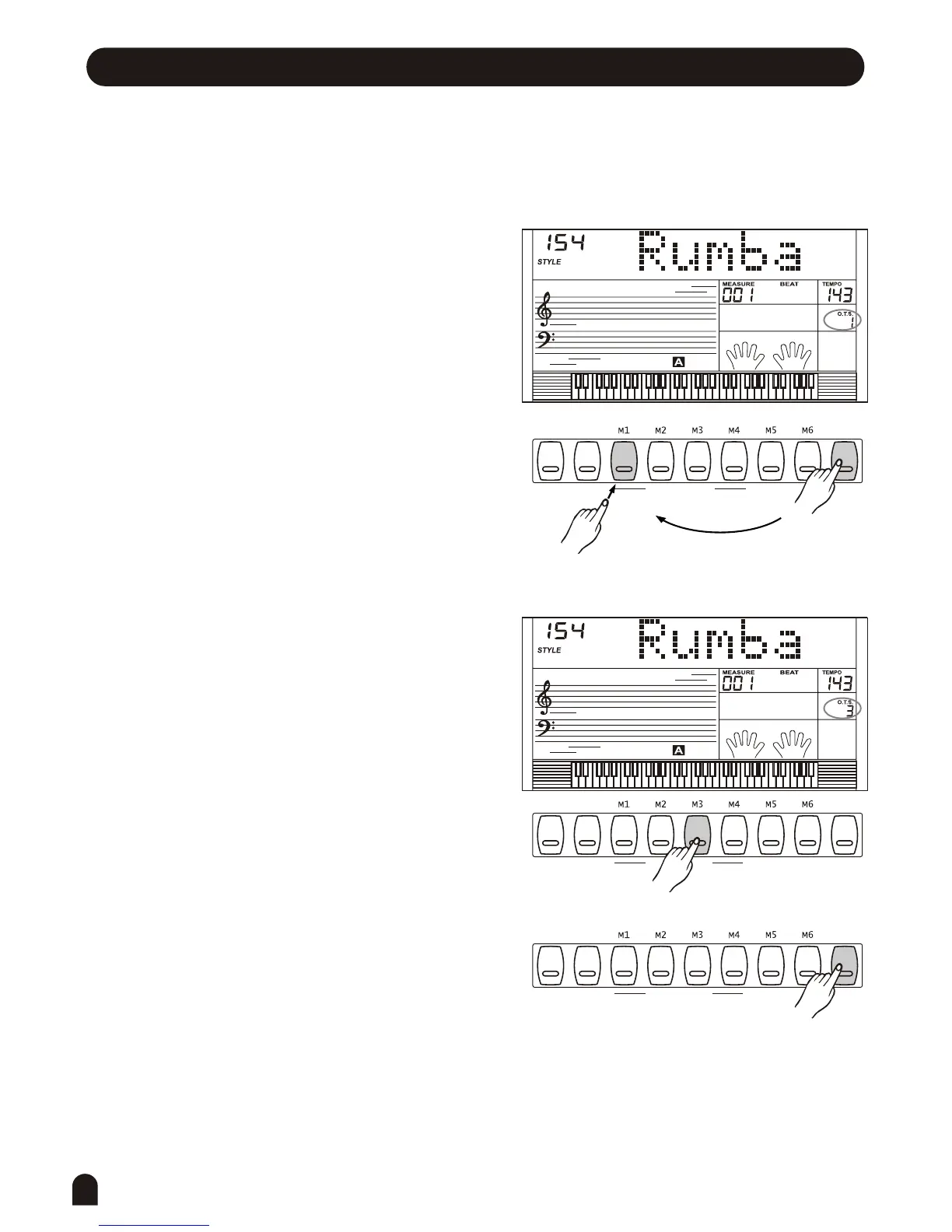
Press [O.T.S.] button to turn this mode on and the O.T.S.
Flag lighten on the LCD.
Press any of the [M1] ~ [M4] button, it will load the
relative type of parameter to be suitable for the current style.
A.B.C. mode is automatically turned on during O.T.S. Mode.
Press any of the M1-M4 buttons, which is corresponded
to your desired setting.
When One Touch Setting is switched on, you can
instantly recall all auto accompaniment related
settings including voices selection and digital
effects simply with a single touch of a button. In
this function, 4 types of parameters (M1~M4) will be
loaded to match the current style.
Press [O.T.S.] button again to turn off the O.T.S. Mode.
The parameters stored in the O.T.S. including:
VOICE R1, VOICE R2, OCTAVE(R1/R2) and VOLUME.
1.
2.
3.
4.
ONE TOUCH SETTING
ONE TOUCH SETTING
ONE TOUCH SETTING
BANK
BANK
BANK
O.T.S.
O.T.S.
O.T.S.
STORE
STORE
STORE



 To Next Page