Function Menu
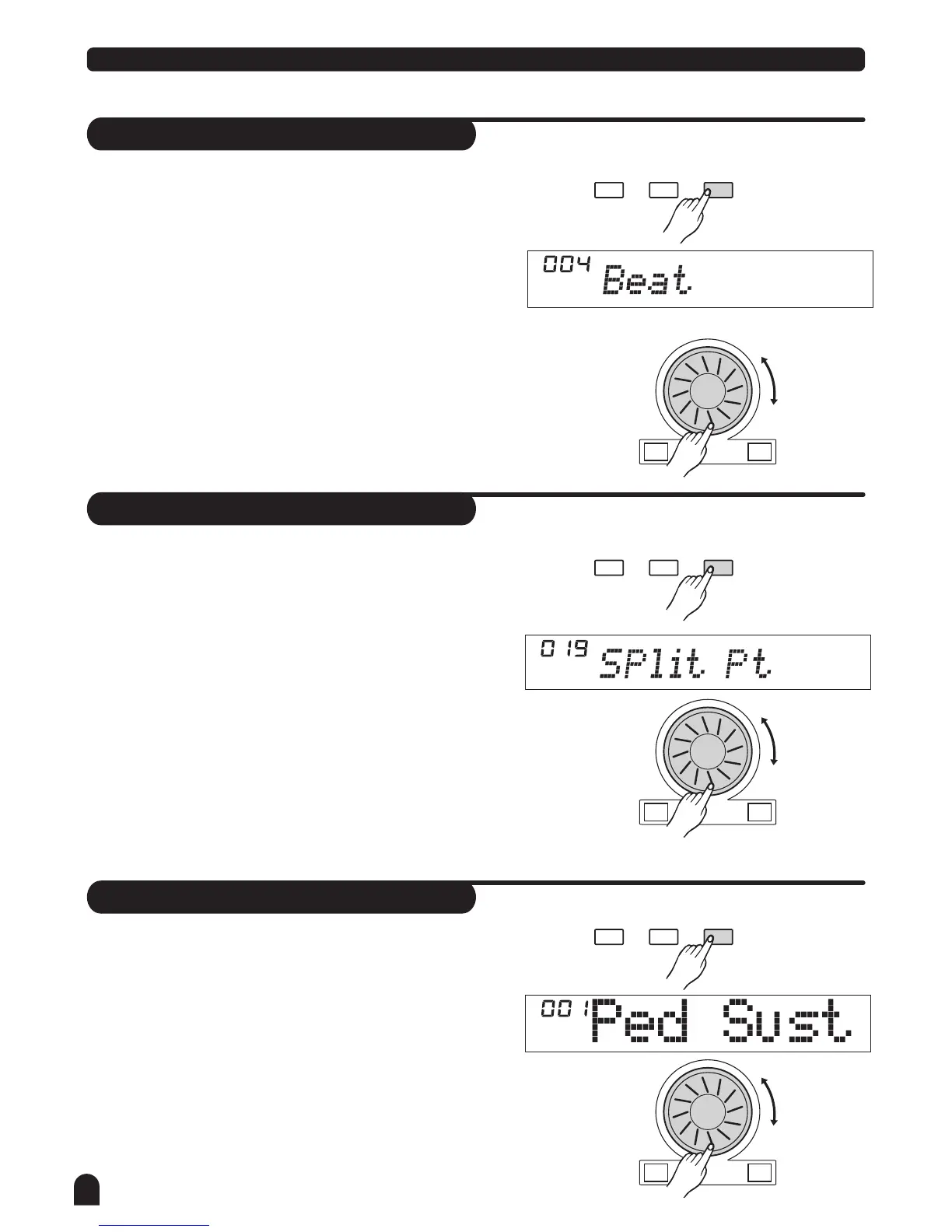
Beat
Split Point
Pedal Assign
28
The LCD displays the beat value.
This function sets the beat value ranging from 0, 2-9.
This function sets the point that separate the entire
keyboard to two section.
This function sets the pedal type as sustain pedal,
soft pedal, start/stop pedal or memory select pedal.
The default pedal setting is sustain pedal.
The LCD displays the split point value.
Use [+/YES] / [-/NO] or DIAL to change the split point.
You may also use keyboard to change the split point by
simply selecting the note you desired to be the point of
separation. The part below the split point is the the
CHORD area.
The LCD displays the type of pedal.
Use [+/YES] / [-/NO] or DIAL to change the pedal assign.
+/YES-/NO
+/YES-/NO
+/YES-/NO
FUNCTIONMIXER
BACK NEXT
FUNCTION
FUNCTION
MIXER
MIXER
BACK
BACK
NEXT
NEXT
Use [+/YES] / [-/NO] or DIAL to change the BEAT value.
1.
1.
1.
2.
2.
2.



 To Next Page