EXECUTE
MENU
CARD
EXECUTE
MENU
CARD
EXECUTE
MENU
CARD
SD Function
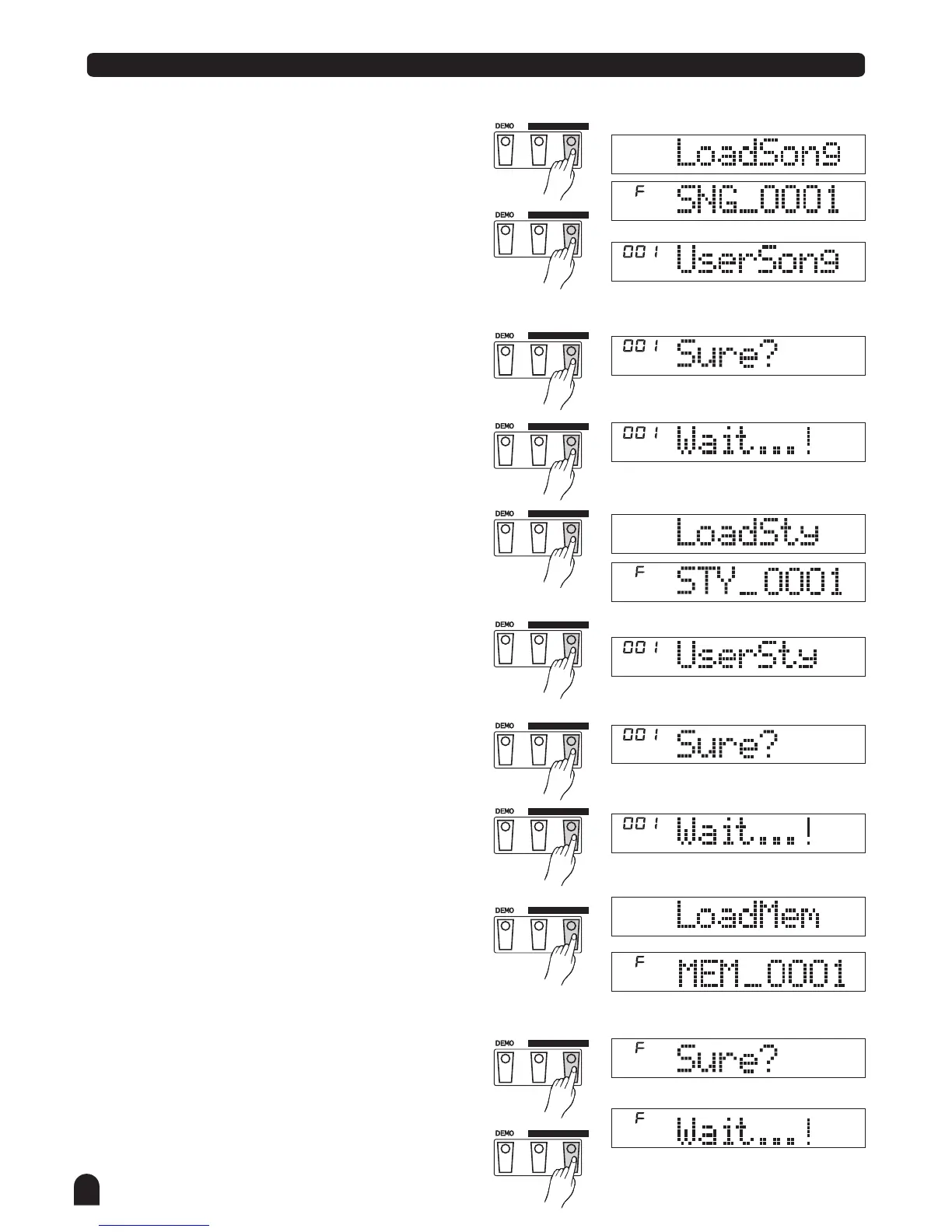
Press the [EXECUTE] button, "Sure? " displayed on
the LCD.
You just need to press the [EXECUTE] button to load the file.
Load Style
Select the menu "LoadSty" and press the [EXECUTE] button,
the user styles you saved or directory in the root of SD are
displayed on the LCD, the main name of the file includes 8
characters, the postfix name is STY. You can select styles
with dial or the [+/YES] & the [-/NO] button.
Press the [EXECUTE] button to affirm the desired file, the
The empty user style slot will be displayed onthe LCD,
you can select them with dial or the [+/YES] & the [-/NO]
button.
Press the [EXECUTE] button, "Sure?" will be displayed
on the LCD.
You just need to press the [EXECUTE] button to load the file.
will be
2.
Load Memory
Select the menu "LoadMem" and press the [EXECUTE] button,
the memory files you saved or directory in the root of SD are
displayed on the LCD, the main name of the file includes 8
characters, the postfix name is MEM.
Press the [EXECUTE] button, "Sure?" will be
displayed on the LCD.
You just need to press the [EXECUTE] button to load the file.
3.
54
Load Song
Select the menu "LoadSong" and press the [EXECUTE] button,
the user songs you saved or directory in the root of SD are
displayed on the LCD, the main name of the file includes 8
characters, the postfix name is MID. You can select songs
with DIAL or the [+/YES] & the [-/NO] button.
Press the [EXECUTE] button to affirm the desired file, the
empty user song slot will be displayed on the LCD, you
can select them with dial or the [+/YES] and the [-/NO] button.
EXECUTE
MENU
CARD
EXECUTE
MENU
CARD
EXECUTE
MENU
CARD
EXECUTE
MENU
CARD
EXECUTE
MENU
CARD
EXECUTE
MENU
CARD
EXECUTE
MENU
CARD
EXECUTE
MENU
CARD



 To Next Page