26
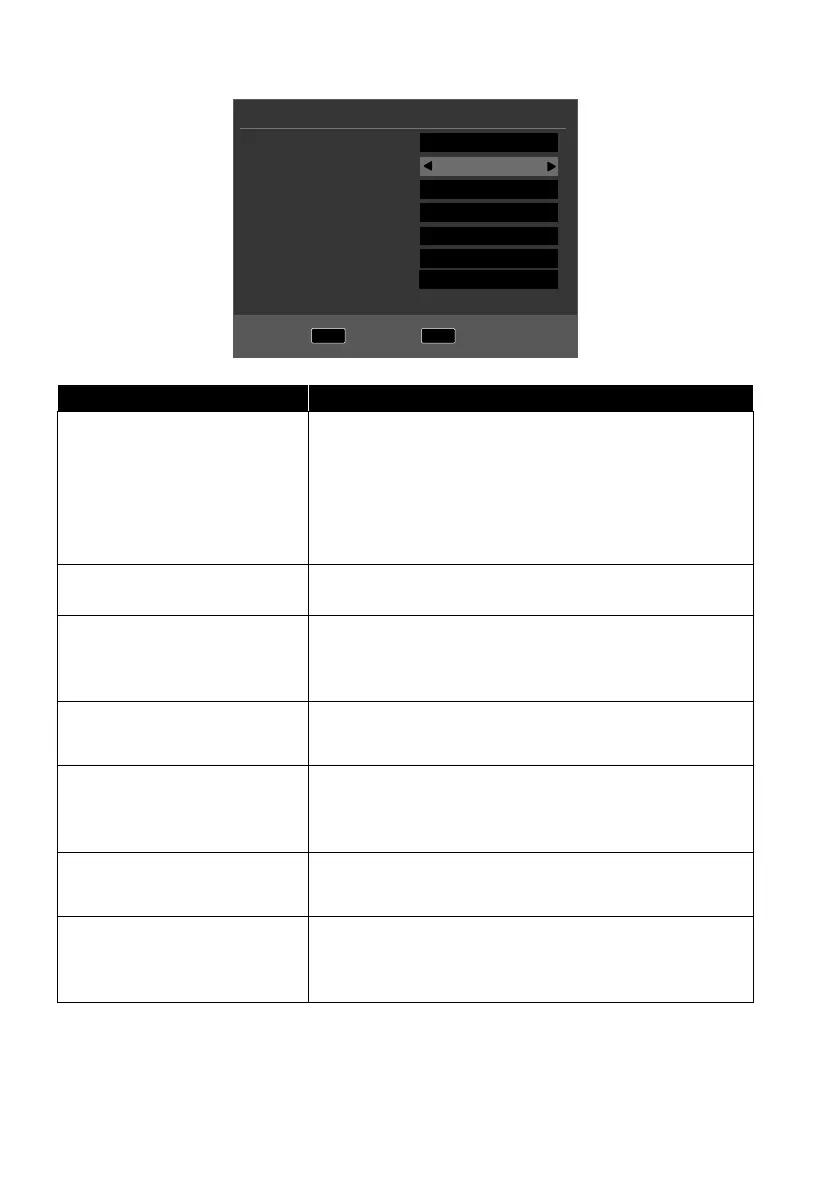
6.8.1. Cable and antenna
MENU
Back
OK
Start
Tune Type
Digital Type
Scan Type
Network ID
Frequency
Symbol Rate
Sorting by LCN
Tuning Setup
DTV
DVB-C
Network Scan
Auto
Auto
Auto
On
Menu option Setting
TUNE TYPE
Use the direction buttons to select the reception
type:
• ATV+DTV (search for analogue and digital TV
channels)
• ATV (search for analogue TV channels)
• DTV (search for digital TV channels)
DIGITAL TYPE
Use the direction buttons to select the connection
type (DVBT, DVBC or SATELLITE).
SCAN TYPE
(only in DVB-C mode)
Set the search mode. Leave the setting on NET
WORK SCAN or FULL if you do not want to con-
figure any special settings.
NETWORK ID
(only in DVB-C mode)
Set the network ID. The default setting is AUTO.
FREQUENCY
(only in DVB-C mode)
Set the frequency. The default setting is AUTO.
Only active if the NETWORK SCAN option has
been selected in the Search mode settings.
SYMBOL RATE
(only in DVB-C mode)
Set the symbol rate.
SORTING BY LCN Logical Channel Numbering: Select the ON setting
if you want to sort the channels based on a preset
channel list (if available from the channel supplier)
After you have configured all the settings, press OK. The channel search will then
start.



 To Next Page