MEDIVATORS REPROCESSING SYSTEMS
11
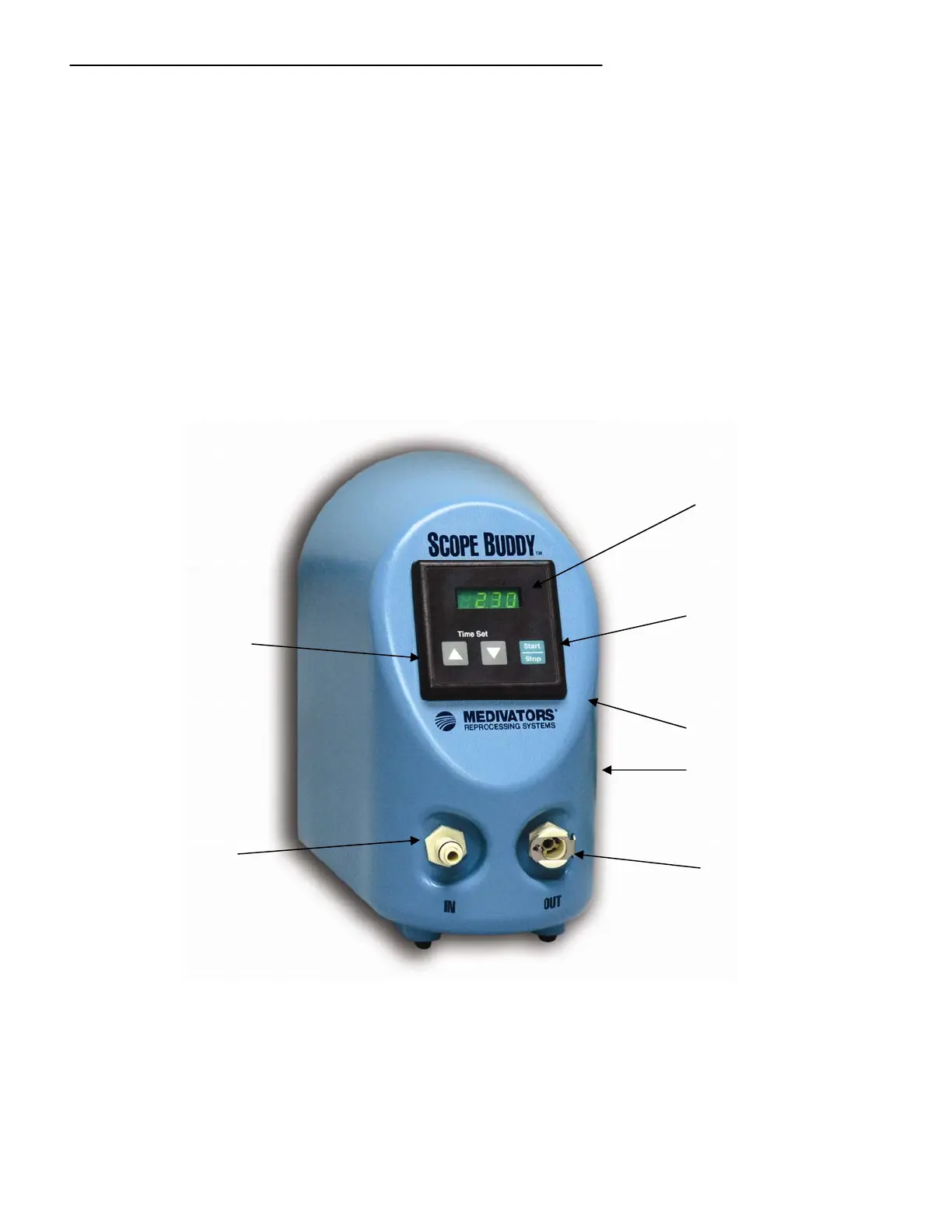
Control Panel
• Timer Display – Displays the timer setting (when idle) or the time
remaining when pumping.
• Time Set – Used to increase or decrease the timer setting.
• Start/Stop Switch – Press to start, stop, or pause the timer countdown
and pumping action.
• Fluid Inlet – “IN” port where fluid is drawn into the base unit.
• Fluid Outlet – “OUT” port where fluid is discharged from the base unit.
• Power On/Off Switch – Used to turn the device on or off.
• Power Connection – Connection port for incoming power from the power supply to the base unit.
Figure 2 Control Panel
Power On/Off Switch
Power Connection
Fluid Inlet
Time Set Increase/Decrease
Time Display
Start/Stop Switch
Fluid Outlet



 To Next Page