page 14 of 73
DXF files
– all the elements of the drawing should be located on the same, zero layer
– do not use blocks, all the shapes should be drawn with polylines, curves, etc.
– text (letters) need to be converted to curves. If you use e.g. AutoCaD, you can use the
Express tools for this: express \ text \ explode \ explode text.
Drilling
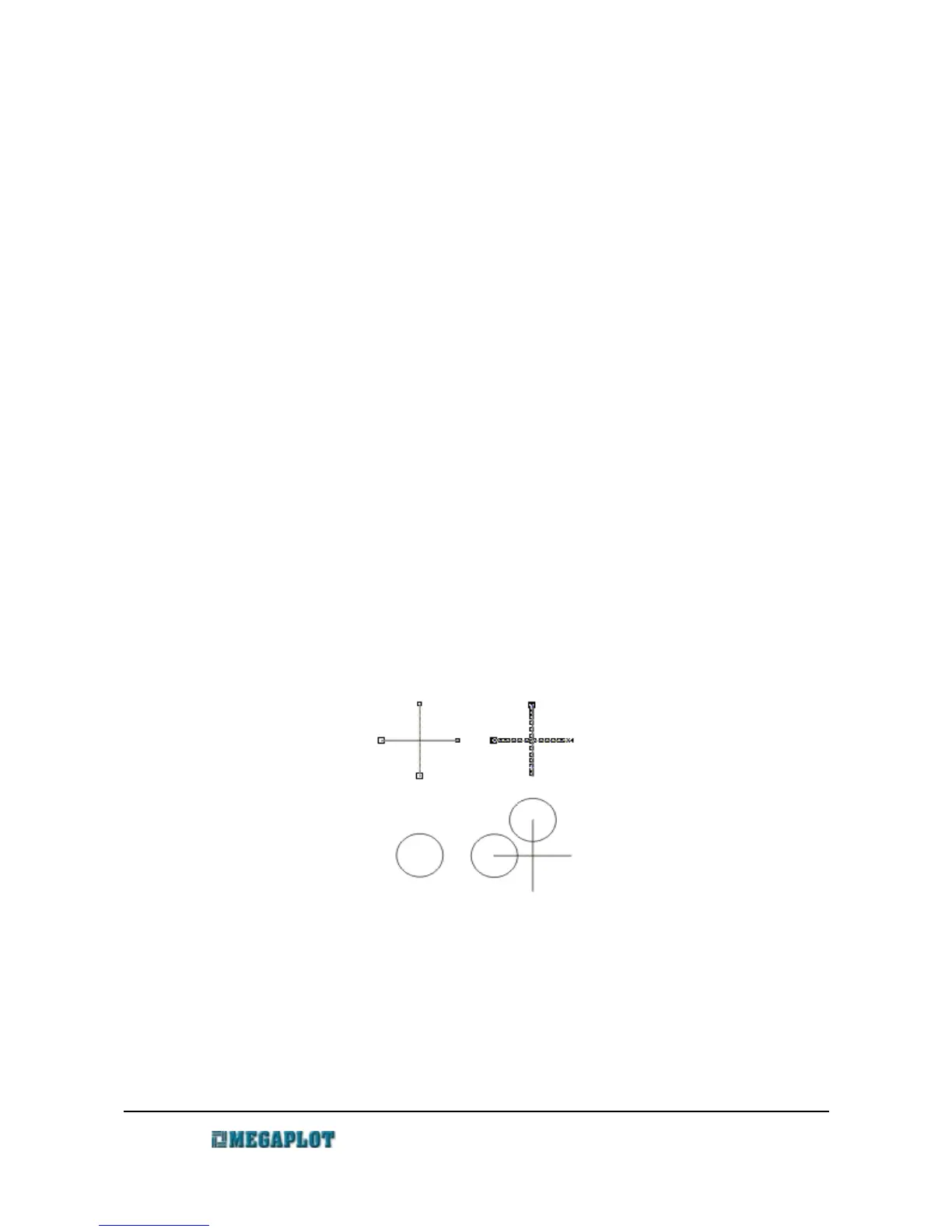
The locations where you wish to drill a hole in a 2D drawings need to be marked with a cross.
The cross needs to be drawn with two lines crossing at 90 degree angle (one vertical and one
horizontal). Each of these two lines should consist of two nodes only. Only such crosses will be
interpreted as the drilling locations by the software, and only if the „cross means point” setting is on
in the Import tab in the software. Any other similar shapes prepared differently will be interpreted
as standard curves to be cut.
The drawing below illustrates the way in which the software will interpret similar shapes which
were prepared differently. The left one shows a proper drilling cross and in the software is
visualized as a circle with a given diameter. The right one is not correct, as it was drawn as a Bezier
curve and consists of a large number of nodes. As a result, the software interprets it and previews it
as a set of two lines to be cut, not a single drilling location.
Engraving, single-line font
When using an engraving font, please keep in mind that although it appears to be a single-line
font, it fact it is built as any other type of font, but with two layers of overlapping lines. That is why
all the letters will be engraved twice. To avoid this, ungroup the shape and delete the overlapping
lines.
www.megaplot.com phone: +48 693 707 575 office@megaplot.com
OK
Wrong
As interpreted by
MegaCut
As seen in graphics software



 To Next Page