page 21 of 73
Main window
Main window
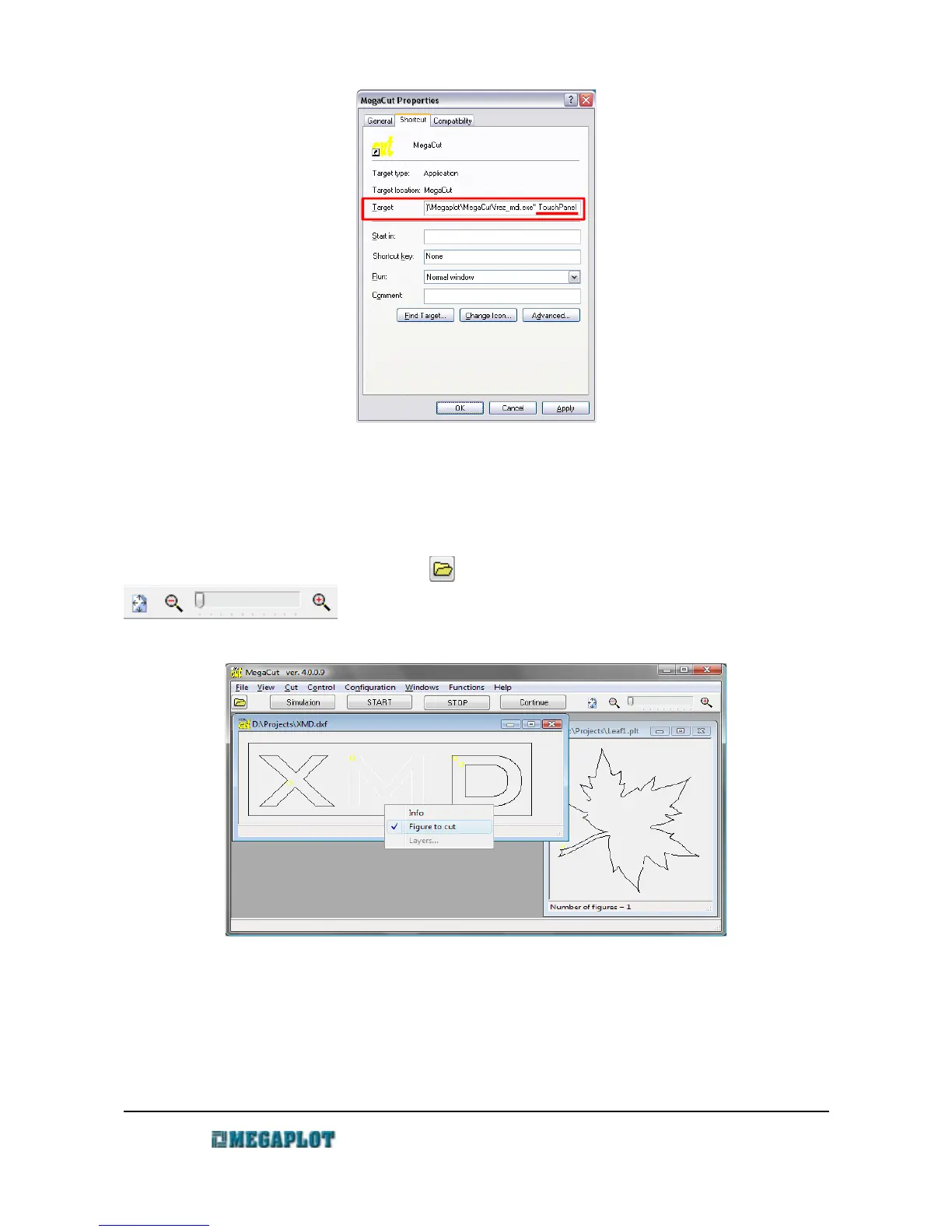
Once MegaCut is started, you will see the main window which may display a number of
different files simultaneously. Under the top menu you will see a number of shortcut for the most
often commands, e.g. open a file , tooling process commands, project zoom
. There is also a status bar at the button showing current information
on the machine status.
Each opened file has a handy pop-up window (available under a right-button mouse click) with
the following options:
• Info - shows: project's dimensions, estimated tooling time, scale setting, tool diameter
www.megaplot.com phone: +48 693 707 575 office@megaplot.com



 To Next Page