page 34 of 73
The multi-layer drawings can be prepared in either plt or dxf. When preparing your drawing,
color code the different layers. Later on you will set the cutting depth for each color in the MegaCut
software.
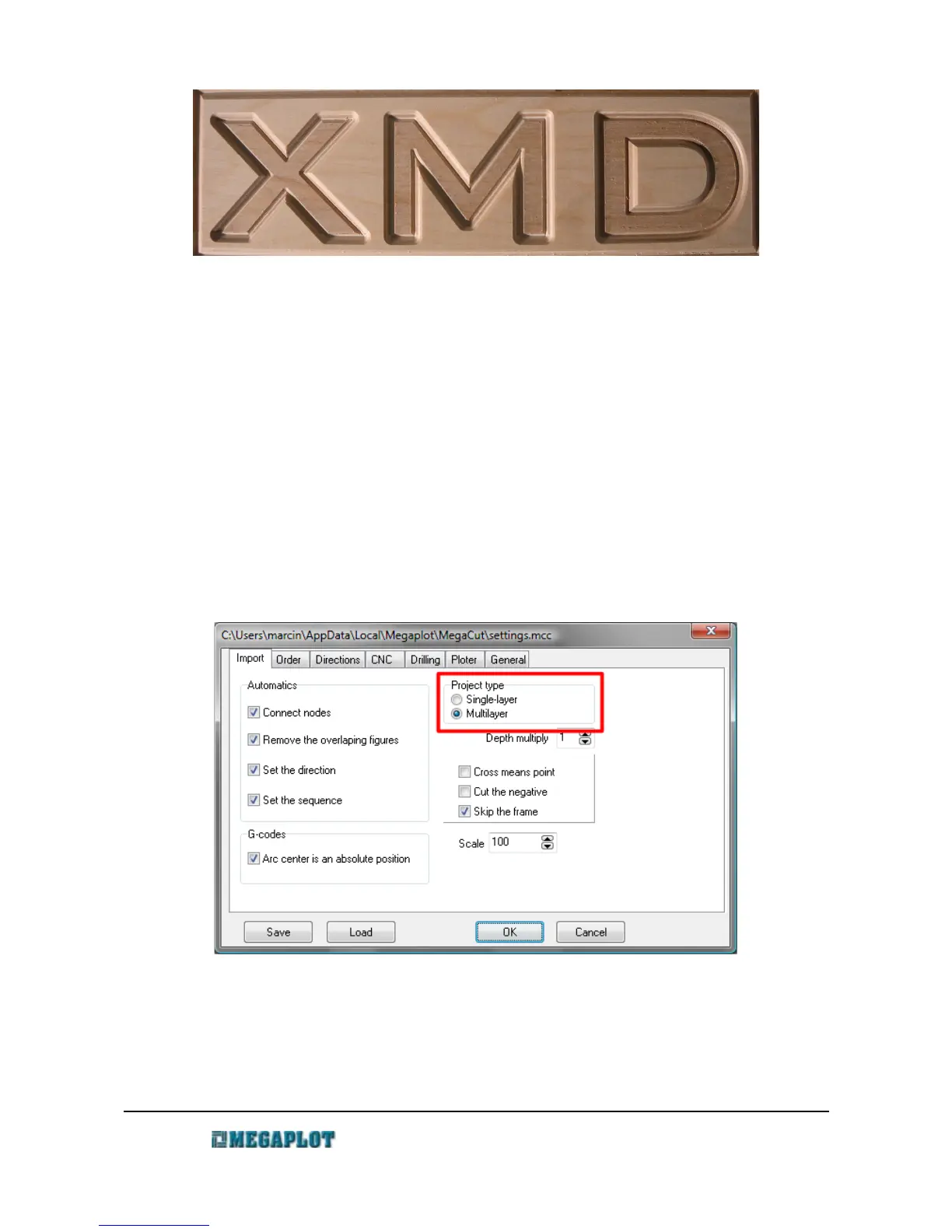
Before you open a multi-layer drawing, go to Configuration and in the Import tab select the
project type to Multi-layer. Once selected, the milling depth setting in the CNC tab will be
deactivated as instead of one milling depth, you will now need to specify the depth for each layer
separately.
To set the parameters for each layer, open the Layers window, by either right clicking on the
drawing or going to Configuration – Layers.
www.megaplot.com phone: +48 693 707 575 office@megaplot.com



 To Next Page