page 42 of 73
• connect the controller to the PC via standard USB connection
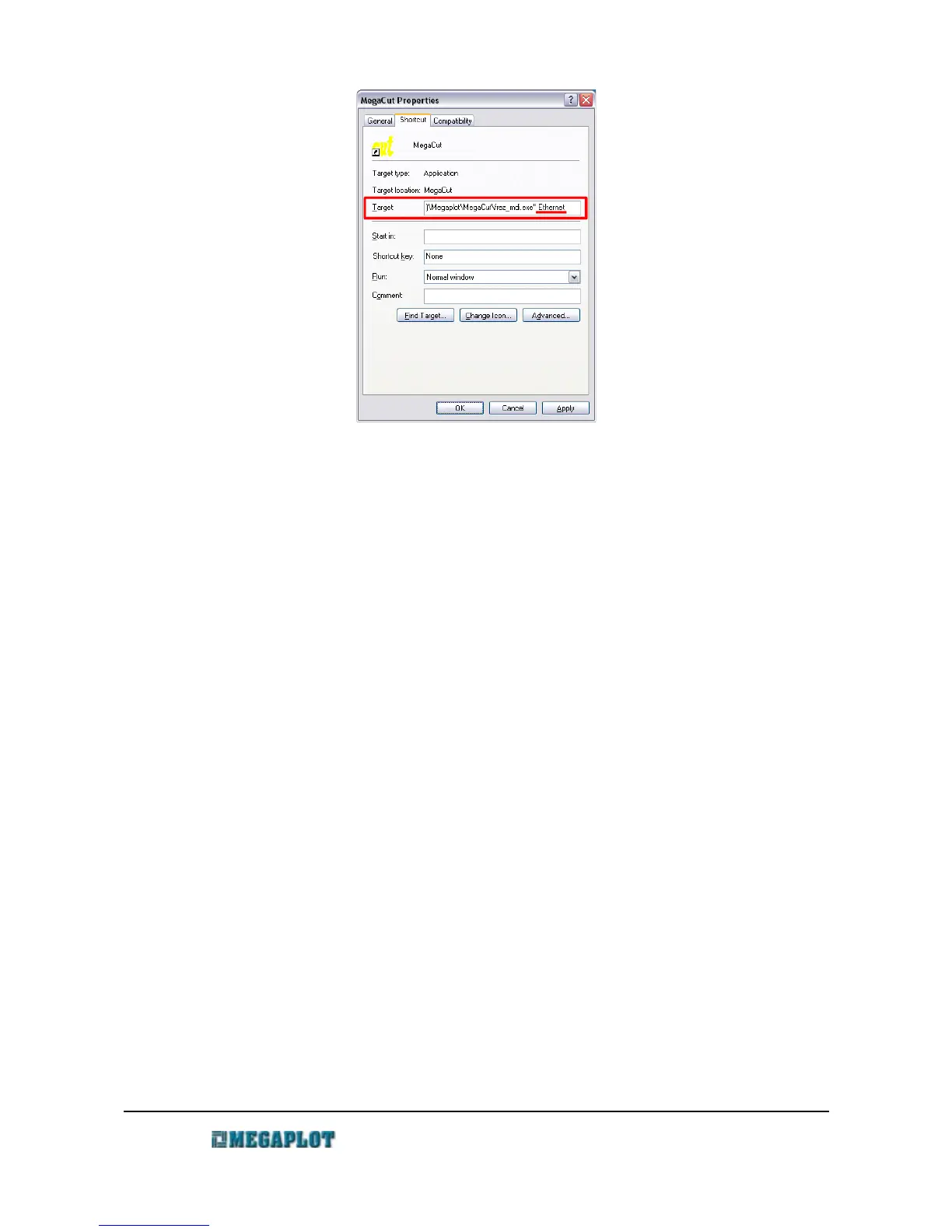
• right click on the MegaCut shortcut icon on PC desktop and modify the path by adding a
space at the end and adding the parameter ethernet. The target path should now look as
follows:
"C:\Program Files\Megaplot\MegaCut\frez_mdi.exe" ethernet
• start MegaCut
• go to Configuration and the Ploter tab
• enter the ploter IP for the machine (it needs to be unique on your network)
• press the ploter IP button. The IP should now show up on the controller's display
• activate the network connection (ethernet) setting
• confirm by clicking OK
• close MegaCut
• disconnect the USB cable from PC and the controller
• connect the controller to your ethernet network
• open MegaCut, if the connection works properly, "Ethernet connected" will display in the
bottom status bar as we as in the top bar of the Manual Control window
www.megaplot.com phone: +48 693 707 575 office@megaplot.com



 To Next Page