page 56 of 73
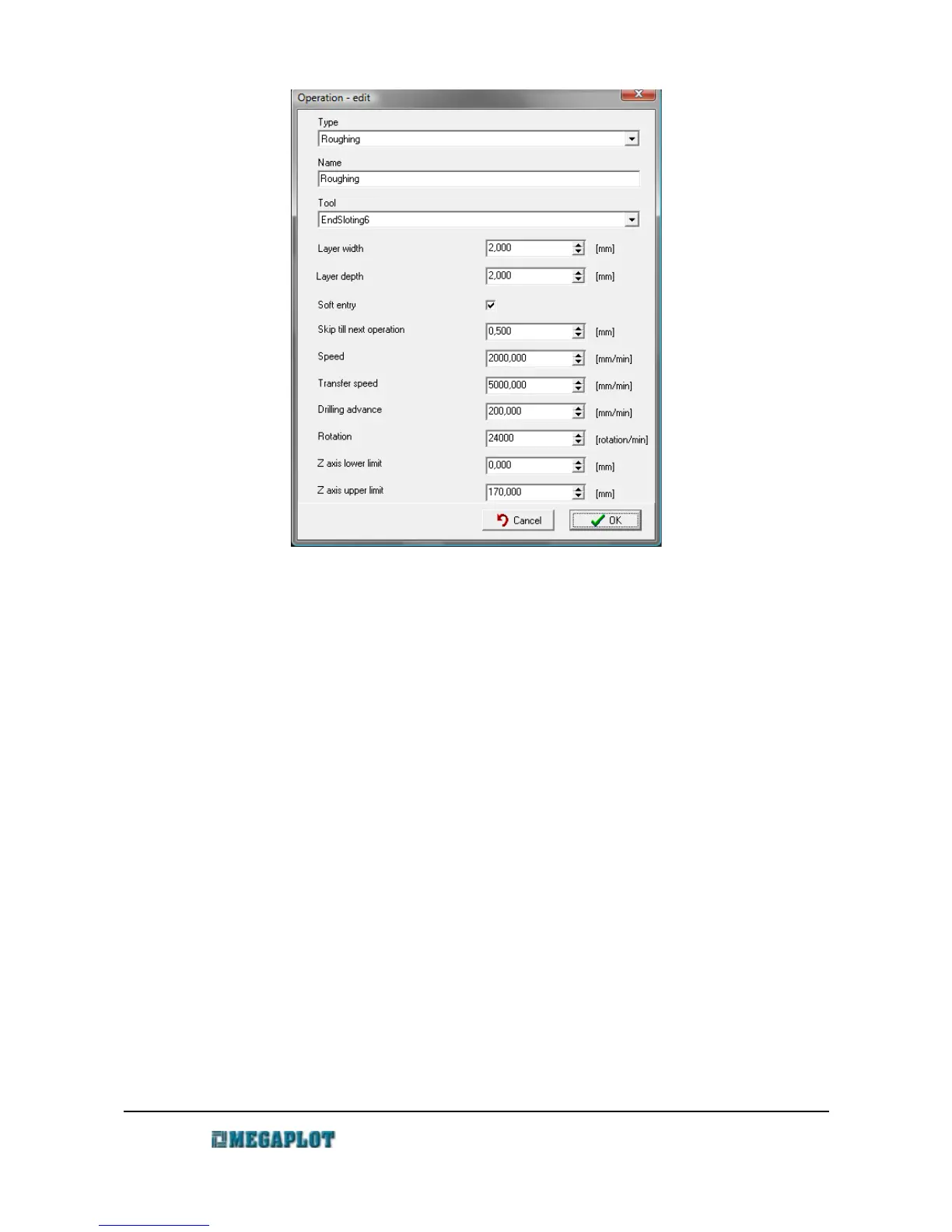
• Layer distance – distance between two neighboring passes in the X/Y layer
• Layer depth – depth of consecutive layers (Z axis)
• Soft start – applies to the roughing operation only, used when tooling hard materials
requiring slow entry into the material
• Leave for next operation – the thickness of material to be left over the model for the
following finishing operation. In the roughing operation this is usually set to 0.5 mm,
while in the finishing operations it is most often set to 0 mm.
• Speed – the speed at which the tool moves in the material. This settings needs to take into
account: type of material, tool type, thickness and depth of layers. This setting can be
adjusted during the cutting process in Manual Control or with the remote control.
• Movement speed – speed at which the machine moves over the material, can usually be st
to the max. machine speed
• Drilling speed – speed at which the tool enters the material
• Rotations – spindle rotations, any value in the range: 3000-24000 rpm. This setting can
be adjusted during the cutting process in Manual Control or with the remote control
• Z axis lower limit – limits the tooling below a certain height. The default zero setting
means there is no limit. But e.g. 3 mm will mean the operation will skip the tooling at the
lowest 3 mm of the project. This features is inactive for lining operations.
www.megaplot.com phone: +48 693 707 575 office@megaplot.com



 To Next Page