9625762 36 / 44
16 Trouble-shooting
Despite being expertly designed, the machine may develop minor faults which are usually
easy to eliminate. This section explains a number of possible problems and how you can
deal with them yourself.
Before carrying out work on the open appliance, it MUST be disconnected from the
power supply. The machine is to be switched off completely with the on-site power dis-
connection device here.
Should any of the operational faults described arise repeatedly, their cause must be
established in each case.
Faults not described here can in general only be eliminated by a technician or electri-
cian. Please contact the agency responsible or the authorised dealer.
16.1 Information reporting and troubleshooting
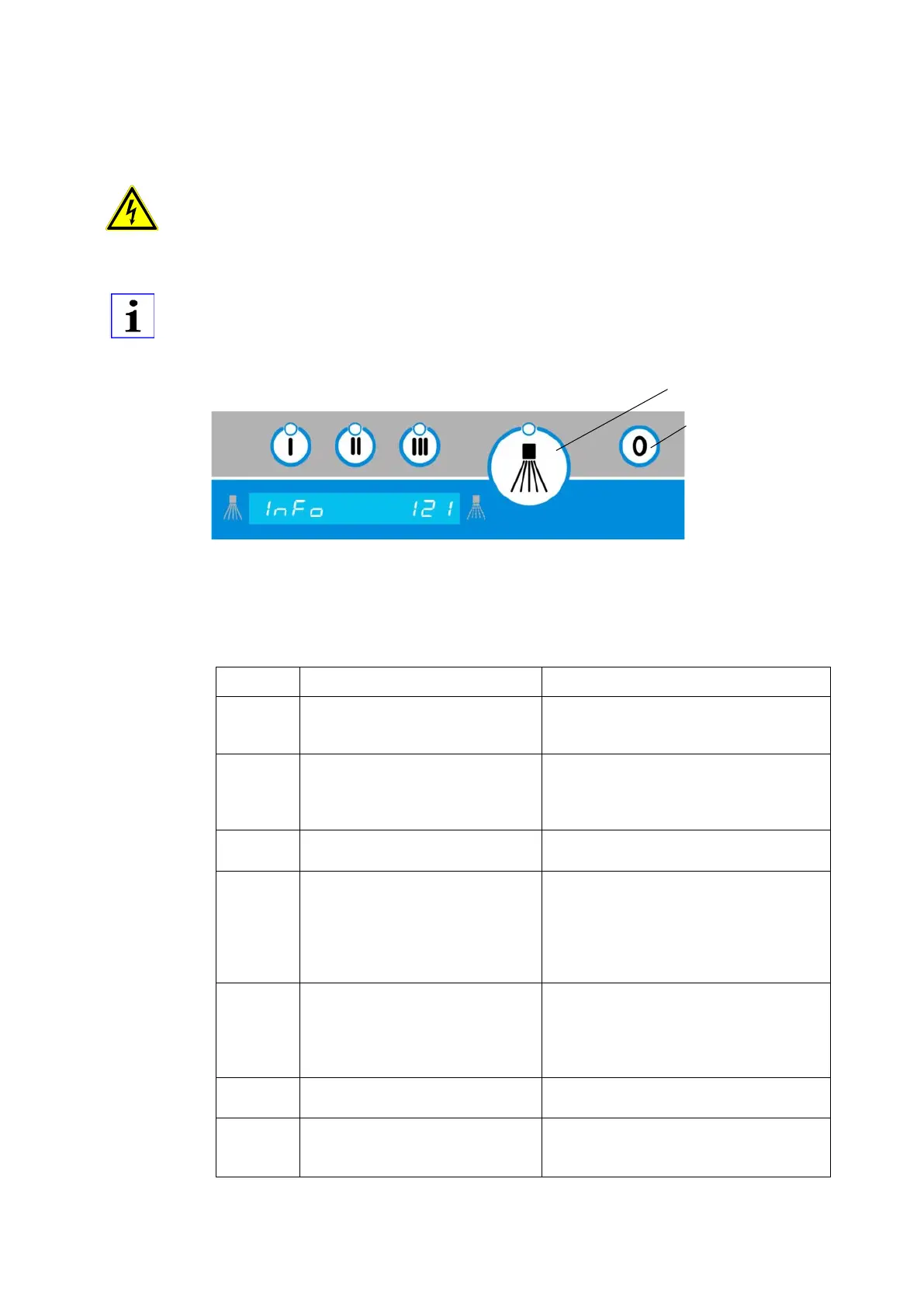
Figure 2: Information display
Information displays can be cleared by pressing the confirmation key.
Provided that the machine function is restored, the next program sequence will begin. The
information display can also be deleted by pressing the “Off” key.
Information indicator (extract)
Restricted washing possible.
No fresh water supply
Change microswitch
Check microswitch adjustment
Replacing a defective I/O circuit board
Incorrect password /
no authorization
Factory setting parameter list
Switch power supply ON/OFF within 5
minutes and set parameters back to
factory settings.
This will be
rejected and parameters will
be retained.
Information 123 will disappear
The set operating hours (P122) or batch
number (P123) has been reached. In-
form the service department and per-
form maintenance.
Reset the maintenance counter (P124)
Hood drive active; also when the appli-
ance is switched off
Opening the hood after a block-
age
Basket under closing hood. Information
remains pending until the button is




 To Next Page