EasyManua.ls Logo

Mellanox Technologies IS5025D-1BRC - User Manual

Mellanox Technologies IS5025D-1BRC
83 pages
Print Icon
To Next Page IconTo Next Page
Loading...
www.mellanox.com
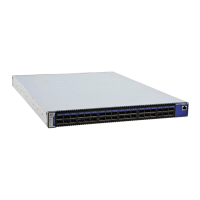
InfiniScale® IV 36-Port QSFP 40 Gb/s
InfiniBand Switch User Manual
P/N:
IS5025D-1BRC, IS5025Q-1BFC, IS5025Q-1SRC, IS5025Q-1SFC, IS5025Q-1BRC, IS5025Q-2SRC,
IS5025Q-2BRC, IS5030Q-1BFC, IS5030Q-1SFC, IS5030Q-1BRC, IS5030Q-2BFC, IS5030Q-2SFC,
IS5030Q-2BRC, IS5035Q-1BFC, IS5035Q-1BRC, IS5035Q-2BFC, IS5035Q-2BRC, IS5035Q-1SFC,
IS5035Q-2SFC
Rev 3.4

Table of Contents

Questions and Answers

  • L
    lisa58Aug 20, 2025
    Why is the power supply unit LED not lit on my Mellanox Technologies IS5025D-1BRC?
    • Y
      ylewisAug 20, 2025
      If the power supply unit LED is not lit or is red, try the following: * Ensure the power cable is correctly plugged into a working outlet. * Verify the power cable's voltage is within the range of 100-240 volts AC. * Confirm the airflow direction of the PSUs aligns with the fan module airflow. * Try removing and reinstalling the power cable. * Try removing and reinstalling the PSU.
  • A
    angela32Aug 22, 2025
    What to do if my Mellanox Technologies IS5025D-1BRC is not working and unresponsive?
    • L
      Lauren NewmanAug 22, 2025
      If your Mellanox Technologies Switch is unresponsive, try these steps: 1. Reset the switch. 2. If resetting doesn't work, unplug the switch. 3. Wait 5 minutes. 4. Plug the switch back in. 5. If the switch still doesn't power on, check the power supplies. 6. If the switch powers on, use the FabricIT management CLI or Web GUI to find the cause of the shutdown.
  • M
    Melissa WongAug 25, 2025
    What to do if Mellanox Technologies Switch is off?
    • M
      Michael OrtizAug 25, 2025
      If your Mellanox Technologies Switch is off, follow these steps: 1. Unplug the switch. 2. Wait 5 minutes. 3. Plug the switch back in. 4. If it doesn't turn on, check the power supplies. 5. If it does turn on, use the FabricIT management CLI or Web GUI to determine why it shut down. 6. Check the temperature. 7. Check the fan status.
  • J
    Joanne SmithAug 26, 2025
    How to fix Mellanox Technologies Switch power LED shutting off?
    • M
      Mary McdonaldAug 27, 2025
      If the power LED for your Mellanox Technologies Switch is off, ensure adequate ventilation. Check for obstructions blocking the front or rear of the chassis. Make sure the fan modules and ventilation holes are not blocked, especially by dust. If dust is present, clean the fan unit and remove dust from the front and rear panels using a vacuum cleaner.
  • R
    Rebecca AndersonAug 28, 2025
    Why is the link LED for the InfiniBand connector not coming on for Mellanox Technologies IS5025D-1BRC?
    • K
      Kenneth WebbAug 28, 2025
      If the link LED for the InfiniBand connector on your Mellanox Technologies Switch doesn't light up: * Verify that both ends of the cable are securely connected. * Ensure the locks on the cable ends are secured. * Confirm that the latest firmware version is installed on both the HCA and the switch. * If using media adapters, check that all connections are good, tight, and secure.
  • R
    robertgreenAug 30, 2025
    What to do if the green power LED for the fans does not come on in Mellanox Technologies Switch?
    • J
      James ChenAug 30, 2025
      If the green power LED for the fans on your Mellanox Technologies Switch is not lit: * Check that the Power LEDs are on. * Remove and reinstall the fan unit, ensuring the mating connector of the new unit is free of any dirt or obstructions.
  • H
    Helen ChanAug 31, 2025
    What to do if the activity LED does not come on for Mellanox Technologies IS5025D-1BRC Switch?
    • K
      Kathryn BoydAug 31, 2025
      If the activity LED on your Mellanox Technologies Switch does not illuminate, verify that the Subnet Manager has been started.
  • J
    Jeremy ScottSep 2, 2025
    What to do if Status LED and or Status Health LED is red on Mellanox Technologies IS5025D-1BRC Switch?
    • K
      kmartinezSep 2, 2025
      Unplug the Mellanox Technologies Switch and call your Mellanox representative.
  • J
    Jennifer DanielsSep 4, 2025
    What to do if the LED on the Mellanox Technologies IS5025D-1BRC power supply unit is not lit?
    • S
      Savannah SalasSep 4, 2025
      If the LED on the PSU is not lit or is red, ensure the power cable is properly connected to a working outlet and that it supports a voltage within the range of 100 - 240 volts AC. Also, verify that the airflow direction of the PSUs is consistent with the Fan module airflow. If issues persist, try removing and reinstalling the power cable, and then the PSU itself.
  • G
    greenkeithSep 6, 2025
    How to fix the InfiniBand connector link LED if it's not on for Mellanox Technologies IS5025D-1BRC Switch?
    • J
      Jared ClarkSep 6, 2025
      First, check that both ends of the cable are securely connected and that the locks on the ends are fastened. Ensure that the latest firmware version is installed on both the HCA and the switch. If you are using media adapters, verify that all connections are properly secured.

Summary

Basic Operation and Installation

Switch Hardware Overview

Details front/rear panels, QSFP ports, power supplies, fan module, and connectors.

Status Indicators

Explains system, PSU, fan, and port LEDs for status monitoring.

Switch Interfaces

Overview of port, management, USB, and I2C interfaces for connectivity.

Installation Safety Warnings

Crucial safety precautions for equipment installation, including temperature and electrical hazards.

Mechanical Installation Procedures

Steps for installing the switch in a rack, including rail kit usage.

Power, Grounding, and Cable Management

Grounding the Switch

Procedures for proper grounding and compliance with electrical codes.

Power Connections and Initial Power On

How to connect power supplies and perform initial power-up.

Management and Firmware Updates

Internally Managed Switch System

Overview of managed switch features, chassis manager, and capabilities.

Initial Switch Configuration

Steps for first-time configuration of managed switches via console.

Firmware Update Procedures

How to download and update switch firmware from the Mellanox website.

Reprogramming via InfiniBand Network

Steps to update firmware over the InfiniBand network using MFT tools.

Reprogramming Through the I2 C Port

Procedure for updating firmware using the I2C port and MTUSB adapter.

Troubleshooting

PSU and System Status Issues

Troubleshooting for PSU and system LED errors, and power issues.

Fan and Link LED Issues

Troubleshooting for fan, link, and activity LEDs not functioning correctly.

Switch Power and Responsiveness

Diagnosing and resolving switch power or unresponsiveness issues.

Specifications and Compliance

Mellanox Technologies IS5025D-1BRC Specifications

General IconGeneral
ManufacturerMellanox Technologies
ModelIS5025D-1BRC
CategorySwitch
Product TypeInfiniBand Switch
Port TypeQSFP
Data Rate per Port40 Gbps
Form Factor1U
Data Transfer Rate40 Gbps
ManagementCLI, Web
Switching Capacity (Alternate)960 Gbps

Related product manuals