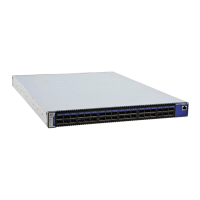
QDR InfiniBand Switch Platform User Manual Rev 3.4
Mellanox Technologies
5
List of Figures
Figure 1: Pull Out Tab . . . . . . . . . . . . . . . . . . . . . . . . . . . . . . . . . . . . . . . . . . . . . . . . . . . 12
Figure 2: Pull Out Tab . . . . . . . . . . . . . . . . . . . . . . . . . . . . . . . . . . . . . . . . . . . . . . . . . . . 13
Figure 3: License Key Label . . . . . . . . . . . . . . . . . . . . . . . . . . . . . . . . . . . . . . . . . . . . . . . 13
Figure 4: QSFP Switch System Power and Connector Side Panels. . . . . . . . . . . . . . . . . 15
Figure 5: Power, Fan, and System LEDs . . . . . . . . . . . . . . . . . . . . . . . . . . . . . . . . . . . . . 16
Figure 6: System Health LED . . . . . . . . . . . . . . . . . . . . . . . . . . . . . . . . . . . . . . . . . . . . . . 17
Figure 7: IS5030-2BRC QSFP Power Side Panel. . . . . . . . . . . . . . . . . . . . . . . . . . . . . . . 18
Figure 8: PSU Status LEDs. . . . . . . . . . . . . . . . . . . . . . . . . . . . . . . . . . . . . . . . . . . . . . . . 18
Figure 9: Reset Button . . . . . . . . . . . . . . . . . . . . . . . . . . . . . . . . . . . . . . . . . . . . . . . . . . . 20
Figure 10: Port Numbering . . . . . . . . . . . . . . . . . . . . . . . . . . . . . . . . . . . . . . . . . . . . . . . . . 22
Figure 11: Top and Bottom Ports . . . . . . . . . . . . . . . . . . . . . . . . . . . . . . . . . . . . . . . . . . . . 22
Figure 12: Management Interfaces . . . . . . . . . . . . . . . . . . . . . . . . . . . . . . . . . . . . . . . . . . . 22
Figure 13: RJ45 I2C Connector. . . . . . . . . . . . . . . . . . . . . . . . . . . . . . . . . . . . . . . . . . . . . . 23
Figure 14: Rack Rail Kit Parts MIS00083/85 . . . . . . . . . . . . . . . . . . . . . . . . . . . . . . . . . . . 28
Figure 15: Rack Rail Kit Parts MIS000079 . . . . . . . . . . . . . . . . . . . . . . . . . . . . . . . . . . . . . 29
Figure 16: Installation Options Available for Short Switches. . . . . . . . . . . . . . . . . . . . . . . . 30
Figure 17: Installation Options Available for Standard Length Switches. . . . . . . . . . . . . . . 30
Figure 18: For Short Switches Which Side of the Rack Do You Want the Connectors ? . . 31
Figure 19: Making Room for the Power Cord . . . . . . . . . . . . . . . . . . . . . . . . . . . . . . . . . . . 32
Figure 20: Screwing on the Bracket . . . . . . . . . . . . . . . . . . . . . . . . . . . . . . . . . . . . . . . . . . 32
Figure 21: Screwing on the Rail . . . . . . . . . . . . . . . . . . . . . . . . . . . . . . . . . . . . . . . . . . . . . 33
Figure 22: Inserting the Caged Nuts . . . . . . . . . . . . . . . . . . . . . . . . . . . . . . . . . . . . . . . . . . 33
Figure 23: Connect Bracket to Rack Vertical support . . . . . . . . . . . . . . . . . . . . . . . . . . . . . 34
Figure 24: Ground Connection . . . . . . . . . . . . . . . . . . . . . . . . . . . . . . . . . . . . . . . . . . . . . . 35
Figure 25: Two Power Inlets - Electric Caution Notifications. . . . . . . . . . . . . . . . . . . . . . . . 36
Figure 26: Power Supply Unit Extraction . . . . . . . . . . . . . . . . . . . . . . . . . . . . . . . . . . . . . . 36
Figure 27: PSU Pulled Out . . . . . . . . . . . . . . . . . . . . . . . . . . . . . . . . . . . . . . . . . . . . . . . . . 37
Figure 28: Top and Bottom Ports . . . . . . . . . . . . . . . . . . . . . . . . . . . . . . . . . . . . . . . . . . . . 38
Figure 29: Air Flow Labels. . . . . . . . . . . . . . . . . . . . . . . . . . . . . . . . . . . . . . . . . . . . . . . . . . 38
Figure 30: Fan Module Latches. . . . . . . . . . . . . . . . . . . . . . . . . . . . . . . . . . . . . . . . . . . . . . 39
Figure 31: Host Connection . . . . . . . . . . . . . . . . . . . . . . . . . . . . . . . . . . . . . . . . . . . . . . . . 43
Figure 32: MTUSB-1 with Cables . . . . . . . . . . . . . . . . . . . . . . . . . . . . . . . . . . . . . . . . . . . . 47
Figure 33: I2C Cable Connected to IS5025 . . . . . . . . . . . . . . . . . . . . . . . . . . . . . . . . . . . . 47
Figure 34: Rack Installation Kit Parts . . . . . . . . . . . . . . . . . . . . . . . . . . . . . . . . . . . . . . . . . 61
Figure 35: Rack Rail Kit Parts MIS00083/85 . . . . . . . . . . . . . . . . . . . . . . . . . . . . . . . . . . . 62
Figure 36: Which Side of the Rack Do You Want the Connectors? . . . . . . . . . . . . . . . . . . 63



 To Next Page
 Loading...