SERVICE - UISpage 23
22. Replacing the heating
Pull out the mains supply plug!
Remove the housing cover
Dismantle the door (see Section 19.1)
On incubators dismantle the inner door (see Section 18)
Take off the earth connections from the side panels and back panel.
Pull out side panels and back panel upwards
(on Model 700/800 unscrew all screws on the back panel)
Disconnect the adjustment spindle for the vent tube at the controller (see Section 11-13)
Dismantle the temperature probes (see Section 16)
Disconnect the electrical connections from the main terminals and the controller (see Section 7)
Dismantle the main switch module (see Section 10)
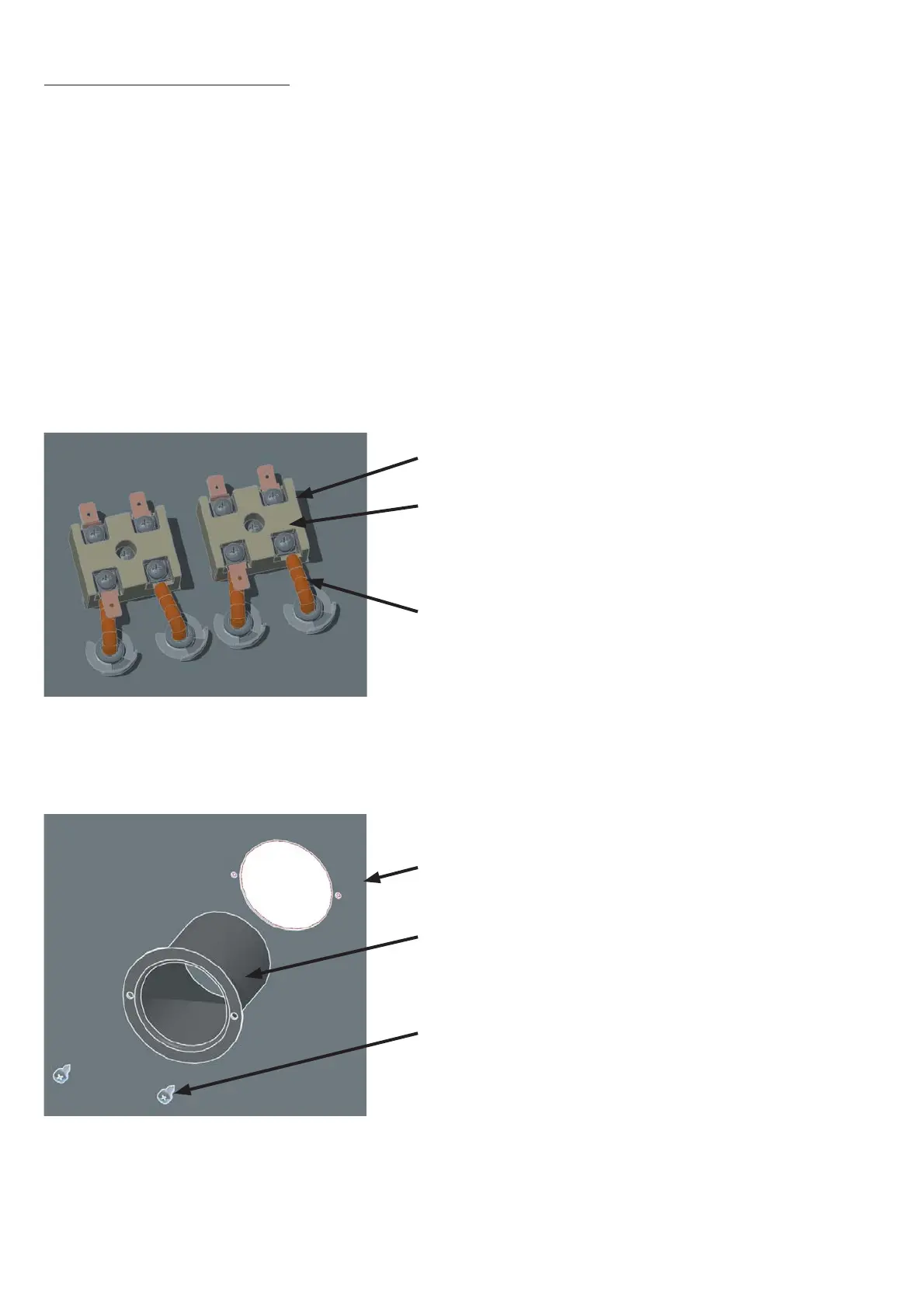
Disconnect the end of the heater from the heater terminals (and on Model 600-800 unscrew the
terminal holder on the back panel of the working chamber)
•
•
•
•
•
•
•
•
•
•
•
Heater ends
Screws
Heater terminal
Screws
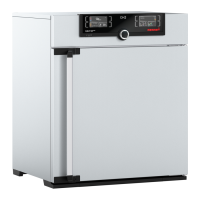
Air supply tube
Bottom of equipment
Unscrew the separating panel
Remove the insulating mats
Dismantle the circulating fan motor (see Section 17)
Release the screw for the air supply tube in the bottom of the unit and take out the air supply tube
downwards.
•
•
•
•
On models 100-500 the heater
terminals are inside the switching
chamber at the top. On Models
600-800 the heater terminals are
located on the back left and right
on a terminal carrier
Separating panel
Equipment seen
from below



 To Next Page