PERFECT
set
off
on
push
card
4
3
2
1
STERI DEFRO
rh
mb
%
CO
mb
2
IN 1
IN 2
OUT
IN 1
IN 2
OUT
PRINT
SETUP
loop
t3
t4
t2
t1
on
off
Mo
Tu
We
Th
Fr
Sa Su
°C
°C
MIN
AUTO
MAX
h
page 11
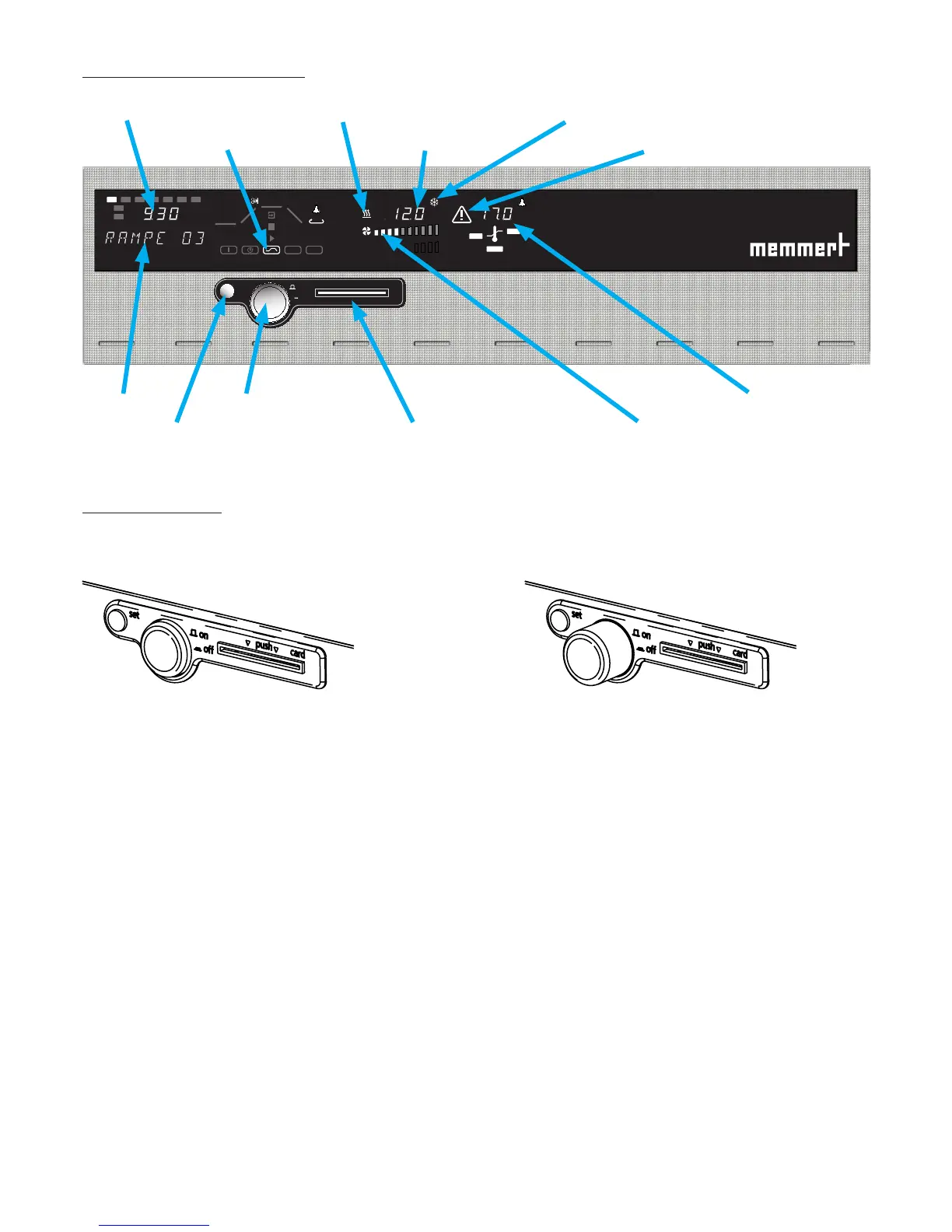
5.3 Controls and indications
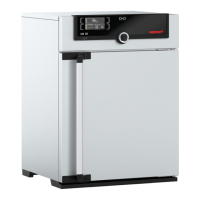
5.4 Switching on
The oven is switched on by pressing the push/turn control.
Oven switched off. The push/turn control is pushed
in and protected against damage.
Oven switched on and can be operated using the
push/turn control and the SET key.
push/turn control
(main switch)
SET key chip card reader
temperature displayoperating mode indication
time display
alarm indication
fan indication
(ICP)
heating
monitor temperature
indication
text display



 To Next Page