PERFECT page 29
Automatic temperature monitor (ASF)
AUTO
A monitoring device which automatically follows the selected temperature setpoint.
The tolerance margin of the ASF is set in SETUP (see the menu item Tolerance margin ASF in the Section
„Basic oven settings SETUP“).
Automatic temperature monitor
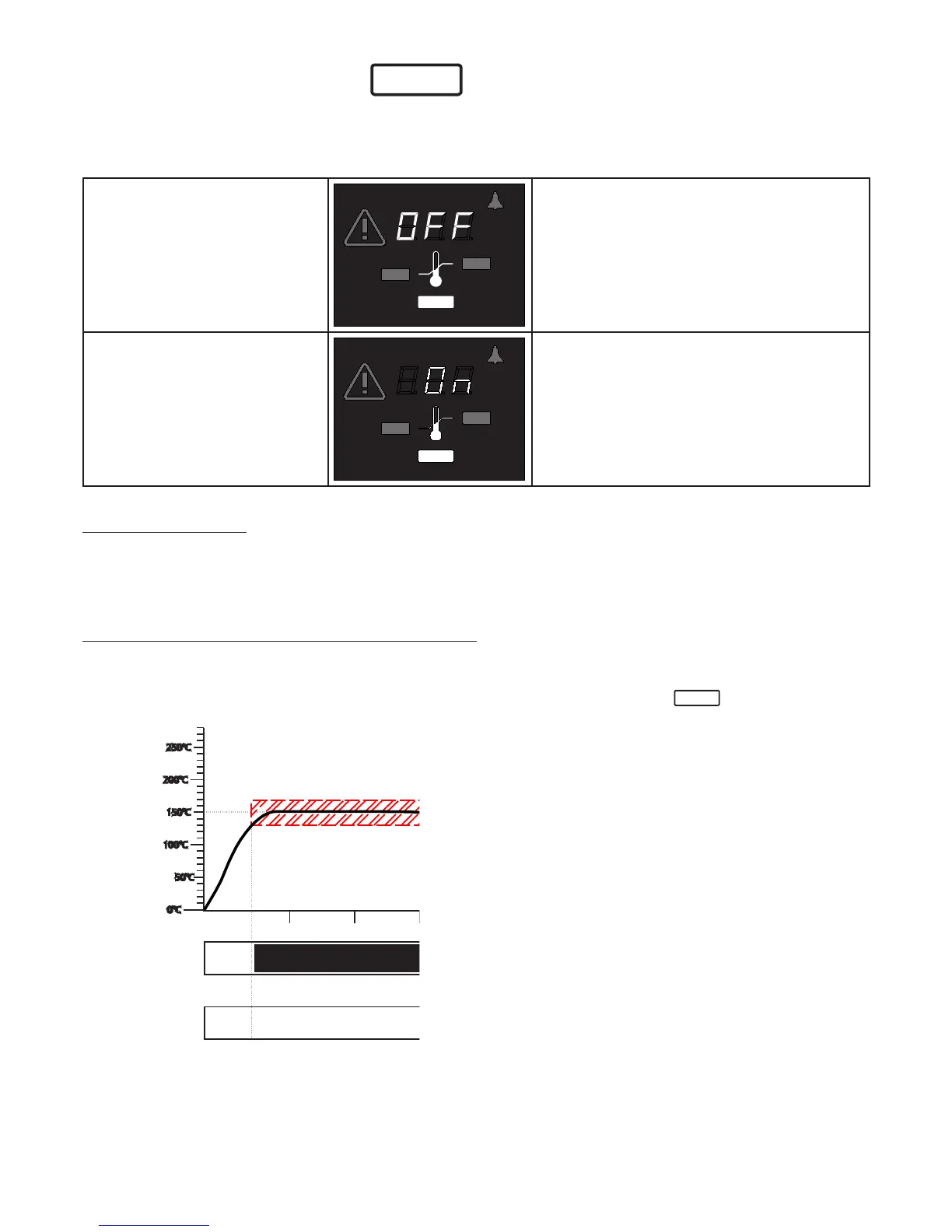
OFF
(ASF OFF)
MIN
MAX
AUTO
°C
Using the push/turn control select the AUTO
symbol.
Hold down the SET key and select off using
the push/turn control.
Automatic temperature monitor
ON
(ASF ON)
MIN
MAX
AUTO
°C
Using the push/turn control select the AUTO
symbol.
Hold down the SET key and select on using
the push/turn control.
Notes on the ASF:
The tolerance margin for the ASF is selected in SETUP (see the menu item Tolerance margin ASF in the
Section „Basic oven settings SETUP”).
Tolerance margin reached = ASF activated
The ASF is automatically activated when the actual temperature has reached 50% of the selected tolerance
margin of the setpoint (in the example 50°C – 5°C).
The activation of the automatic temperature monitor is indicated by the bright
AUTO
- symbol.
60°C
40°C
ASF activated
ASF activated
ASF activated
ASF set to
+/-10°C in
SETUP



 To Next Page